
Deleting Old Downloads
Old downloaded maps can take up a lot of space on your phone. Delete the ones you no longer need from Storage.
How to delete a download
-
Tap the Map button in the toolbar.
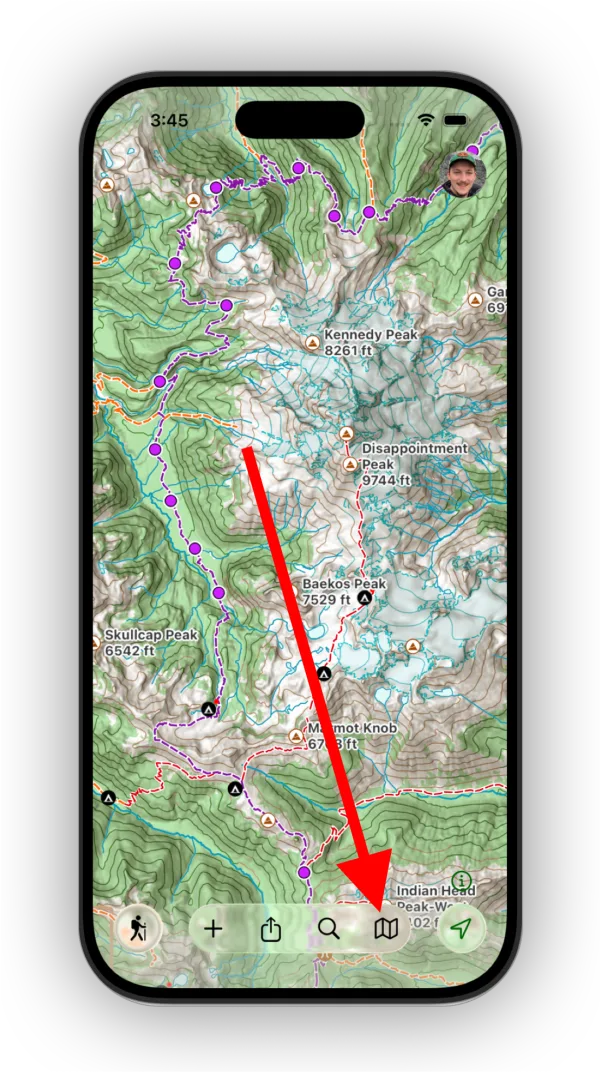
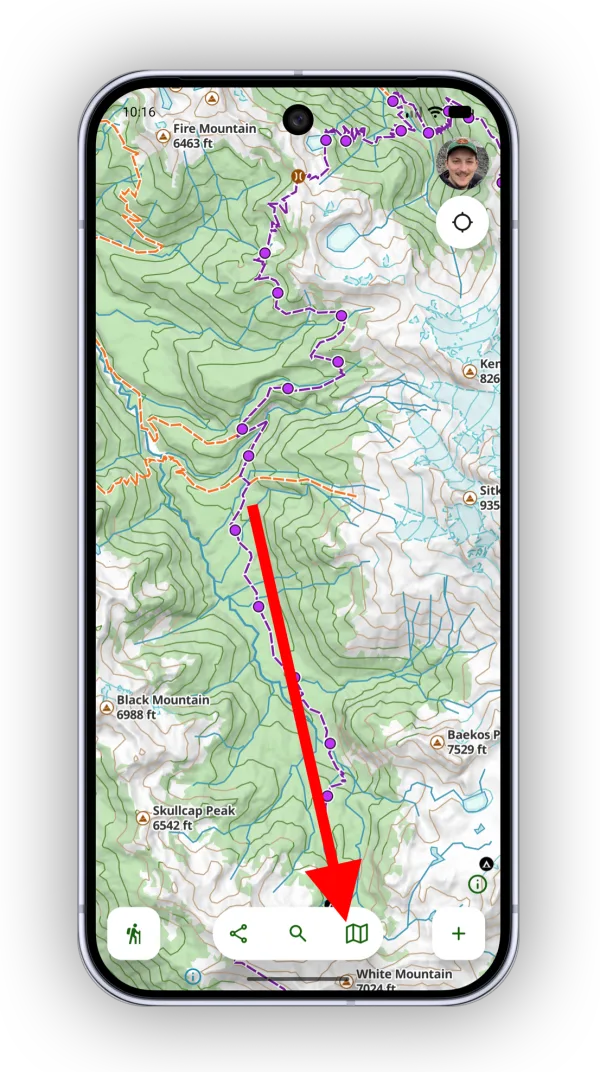
-
Tap Storage.
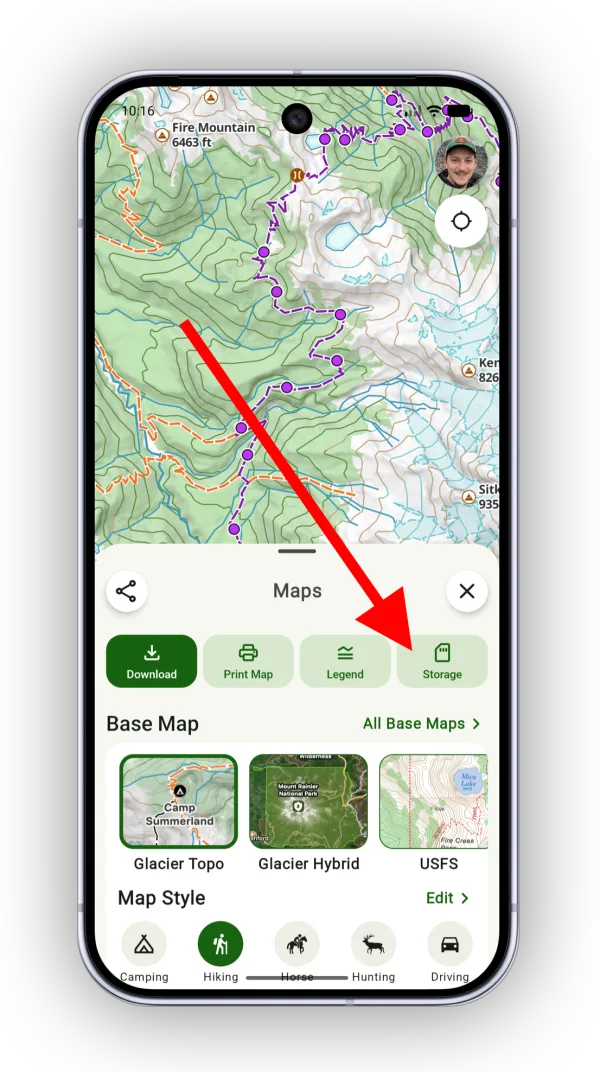
Shown on Android — iPhone looks slightly different. -
Select the download you want to delete.
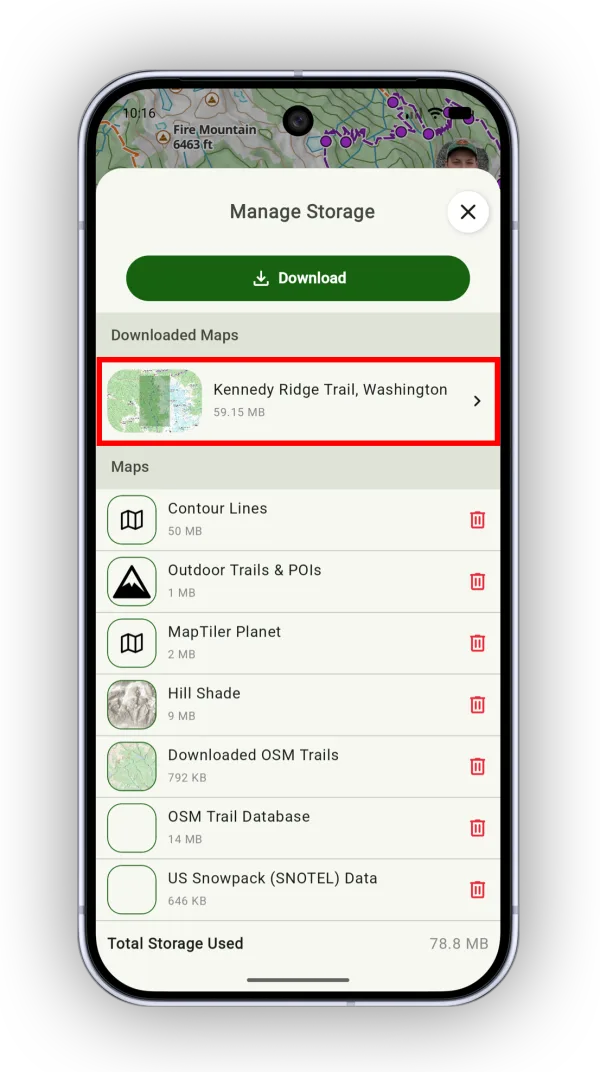
Shown on Android — iPhone looks slightly different. -
Tap Delete Download.
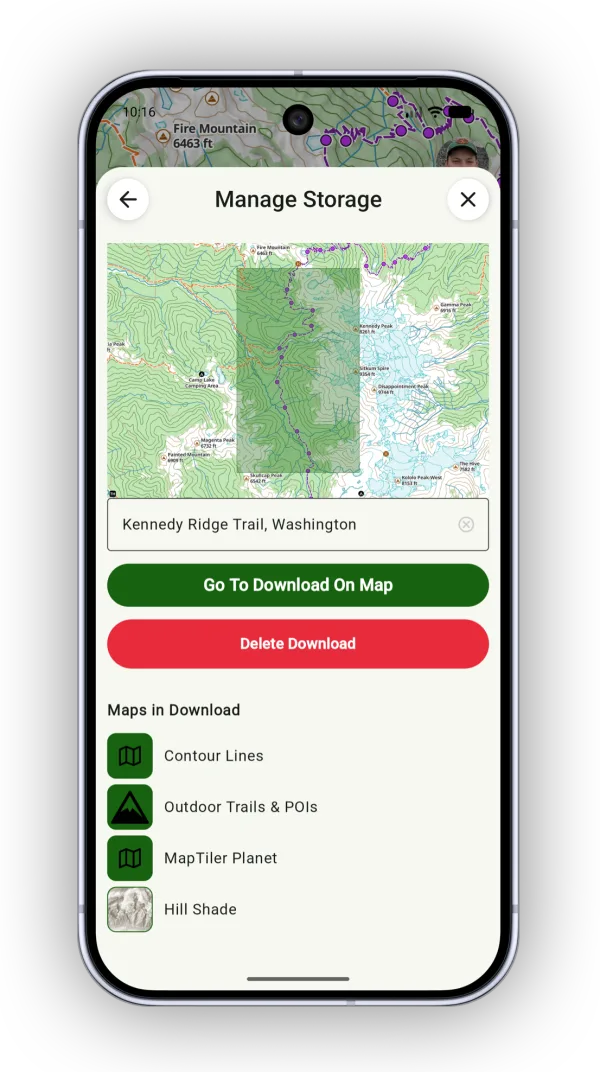
Shown on Android — iPhone looks slightly different.
Updated October 7, 2026
More in Offline & Battery
Still need help?
We’re a small team and we read every message. Email support@topomaps.co and tell us which device you’re on.