
Why Is My Track a Straight Line?
Many Android phones, especially from certain manufacturers, aggressively shut off apps running in the background to limit battery drain. If you want an app to keep working in the background uninterrupted, you have to allow it explicitly.
Track recording in Topo Maps+ is no exception. Your phone can shut off location in the background partway through a recording without telling you, leaving a straight line from where it stopped to where it started again.
How to fix it
-
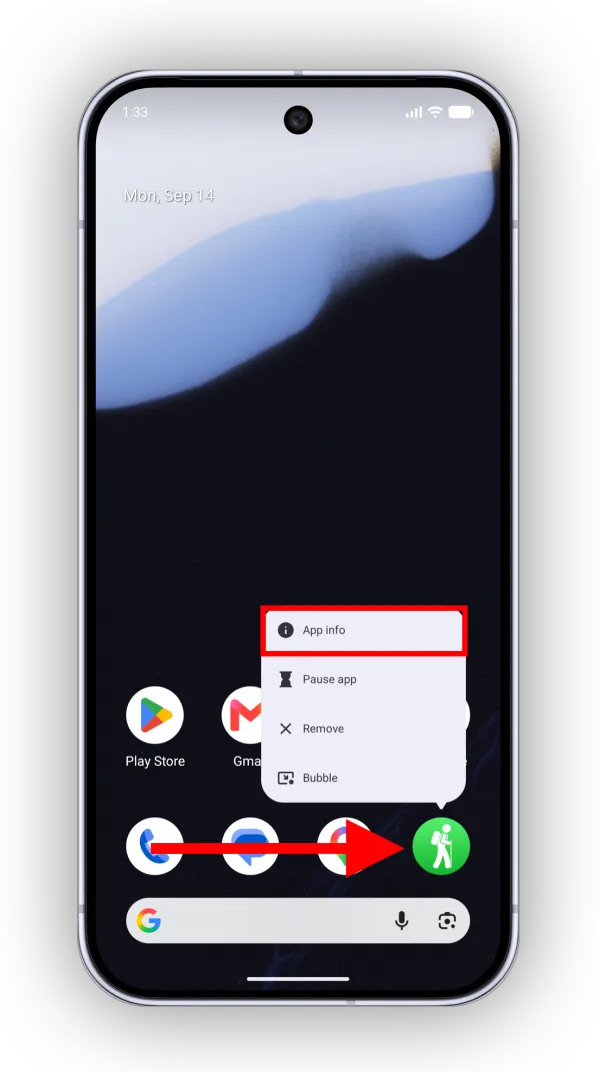
Touch and hold Topo Maps+ on your Home Screen, then tap App info.
-
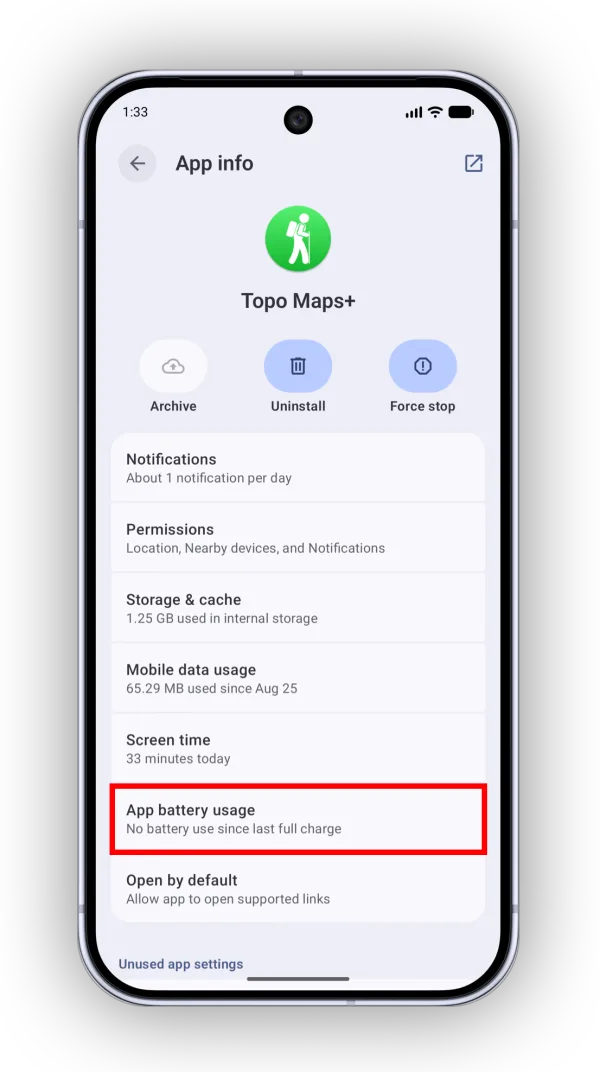
Tap App battery usage (or just Battery, depending on your phone).
-
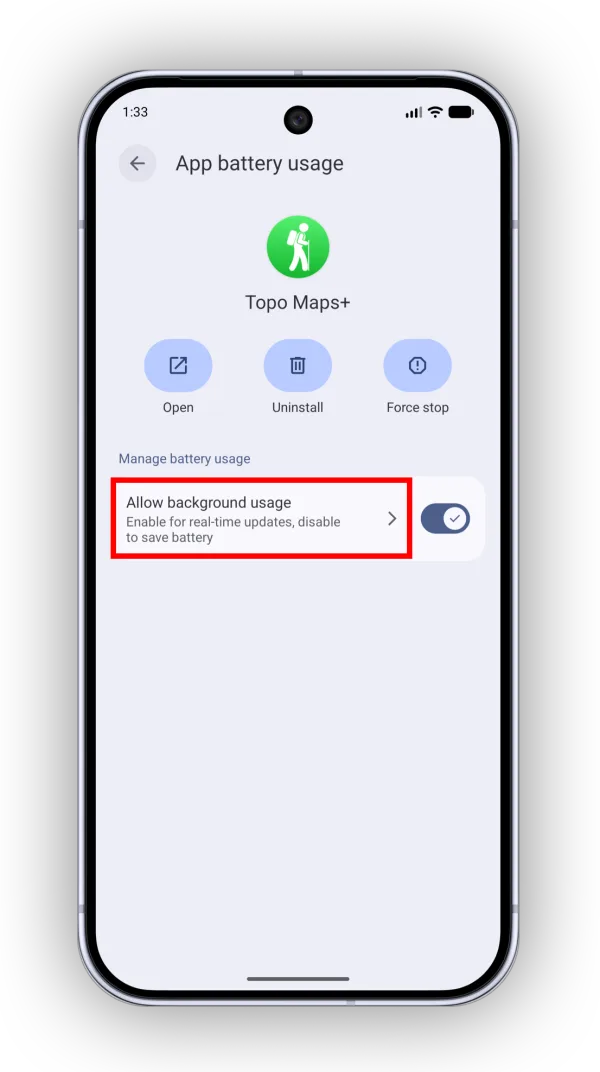
On some phones, you’ll see this screen next. Tap Allow background usage.
-
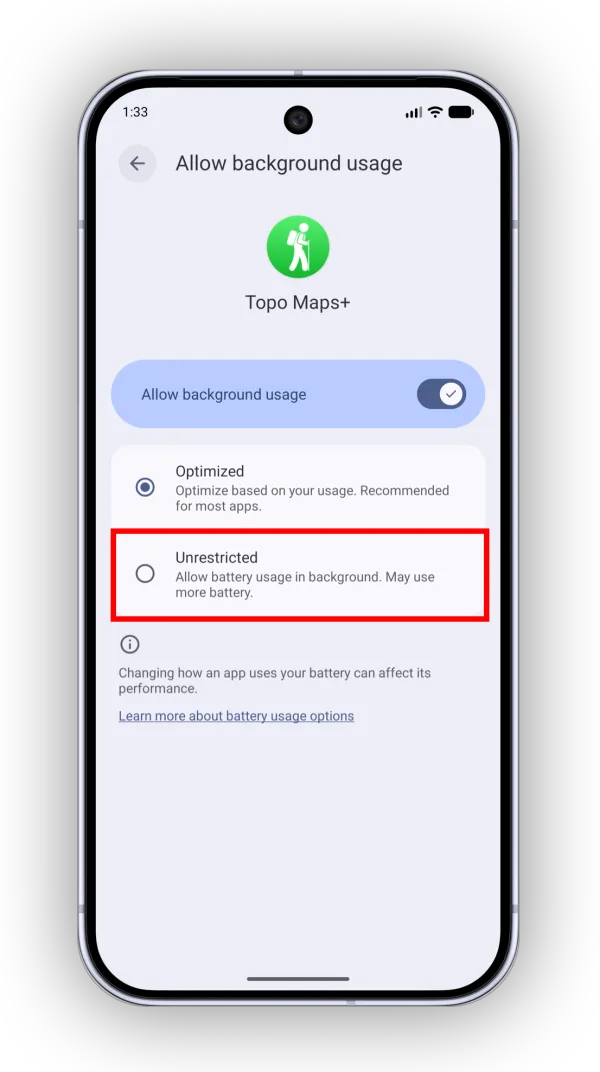
Select Unrestricted. This lets Topo Maps+ use the battery it needs while it’s in the background.
Updated October 7, 2026
More in Troubleshooting & FAQ
Still need help?
We’re a small team and we read every message. Email support@topomaps.co and tell us which device you’re on.