
Where Did My Data Go?
There are a few reasons your data may not be showing in Topo Maps+. Check these, in order:
- Are the My Data overlays turned on? If not, your data won’t show on the map, even if it’s on your device.
- Is your data synced to this device?
- Are you signed in to the right account? It sounds obvious, but extra accounts get created by accident more often than you’d think.
How to check your My Data overlays
-
Tap the Maps button in the toolbar.
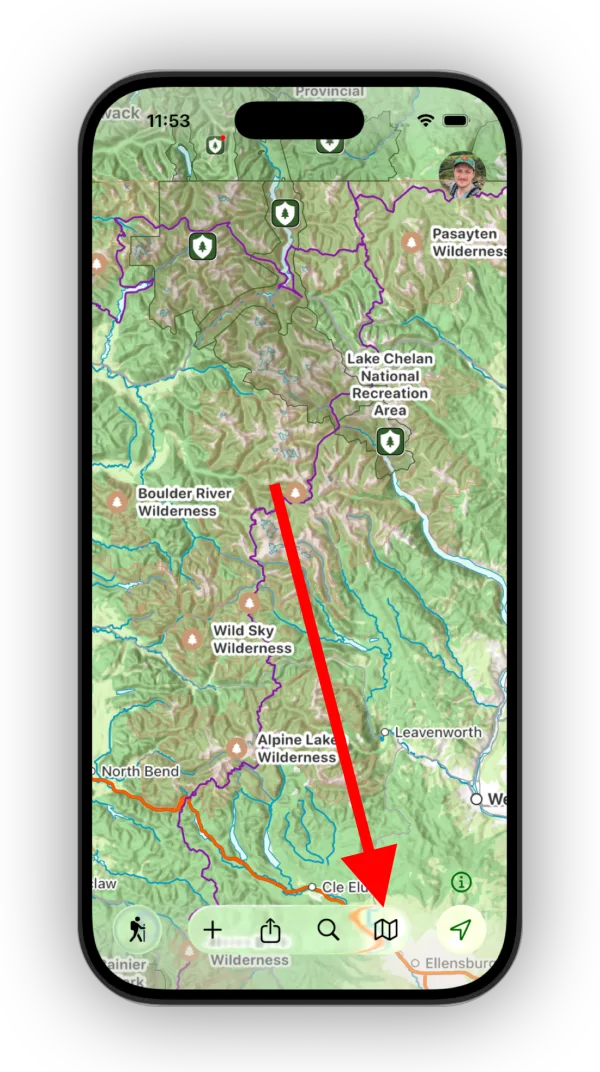
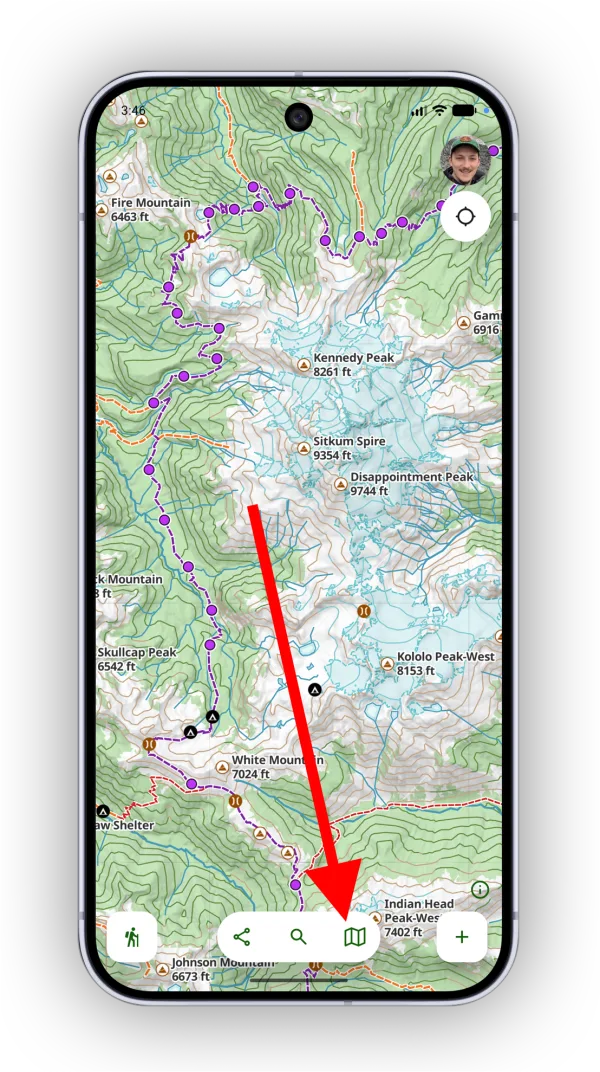
-
Scroll down to My Data and make sure the layers you want to see on the map, such as Waypoints and Routes, are turned on.
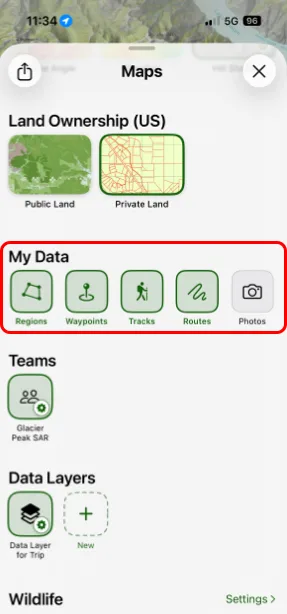
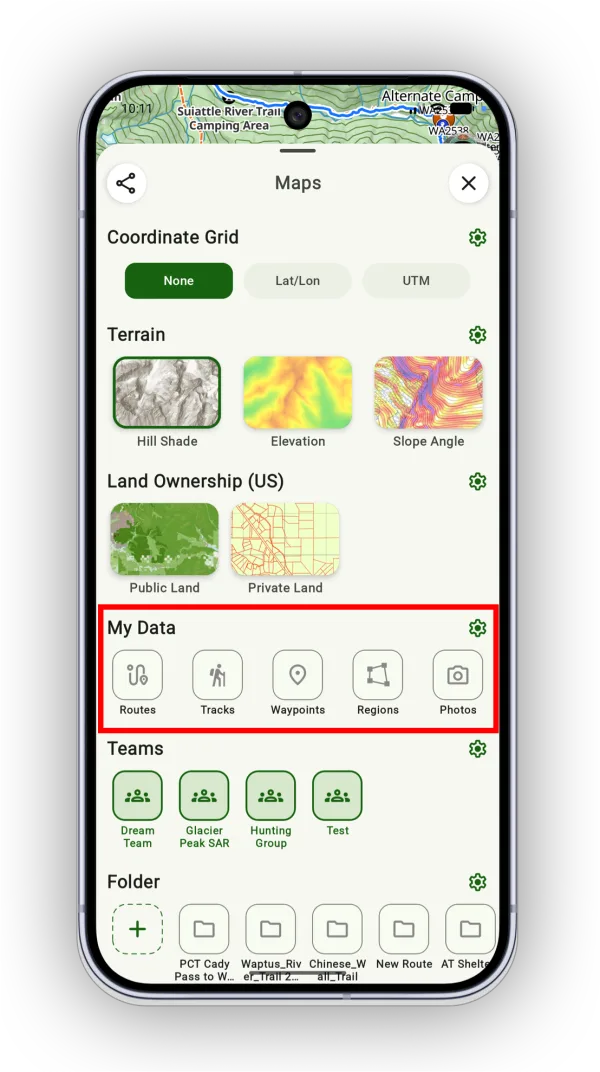
See My Data Overlay for more.
How to check your sync status
-
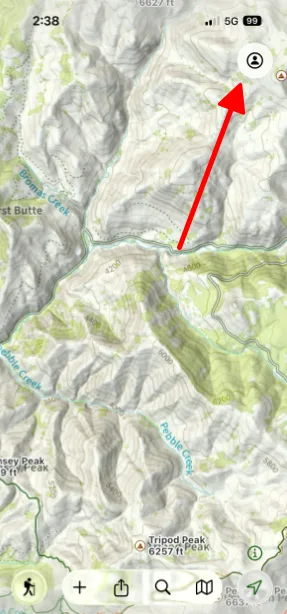
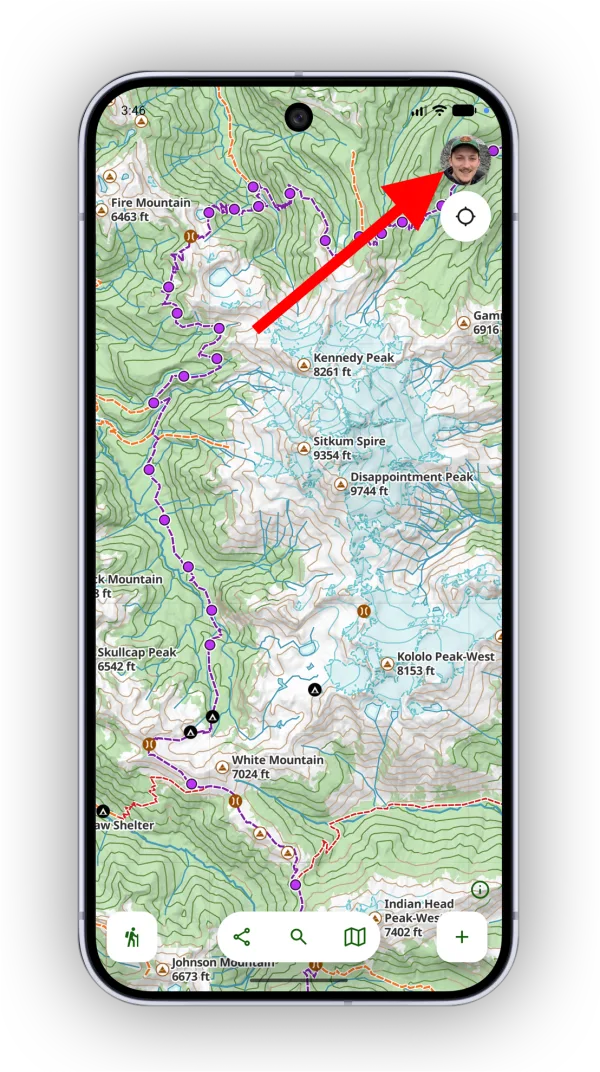
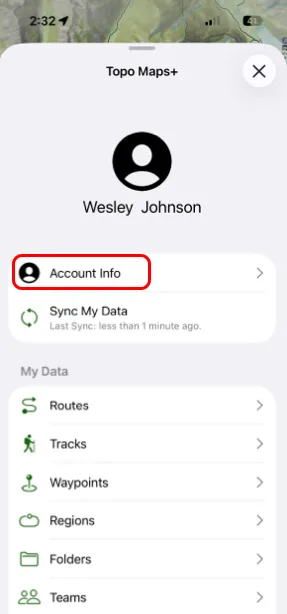
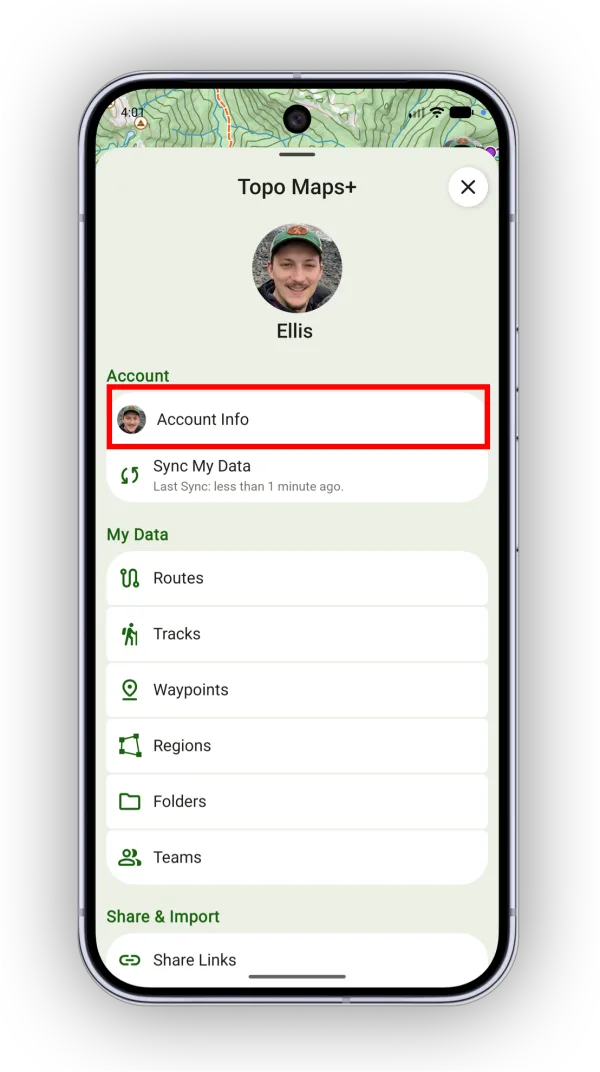
Tap your account button in the top-right corner.
-
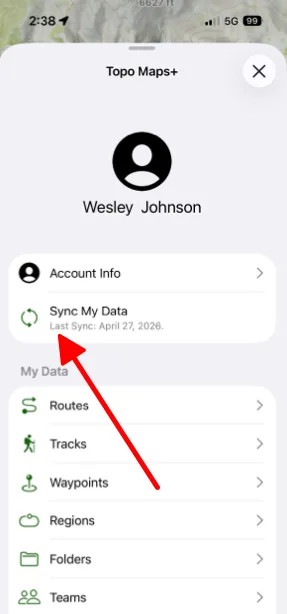
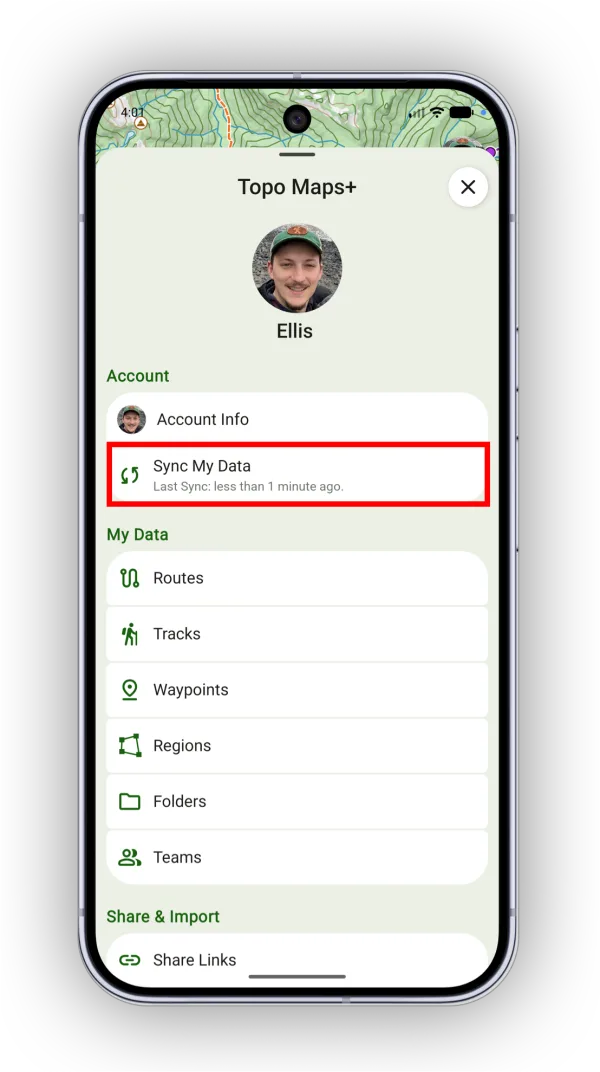
Check the message under Sync My Data. If it says Last Sync: Never, or the last sync time is out of date, tap Sync My Data to sync your account. When the sync finishes, check whether your data is back.
See Syncing Your Account for more.
How to check which account you’re signed in to
-
Tap your account button in the top-right corner.
-
Tap Account Info.
-
Check the email address on your account and make sure it’s the one you expect.
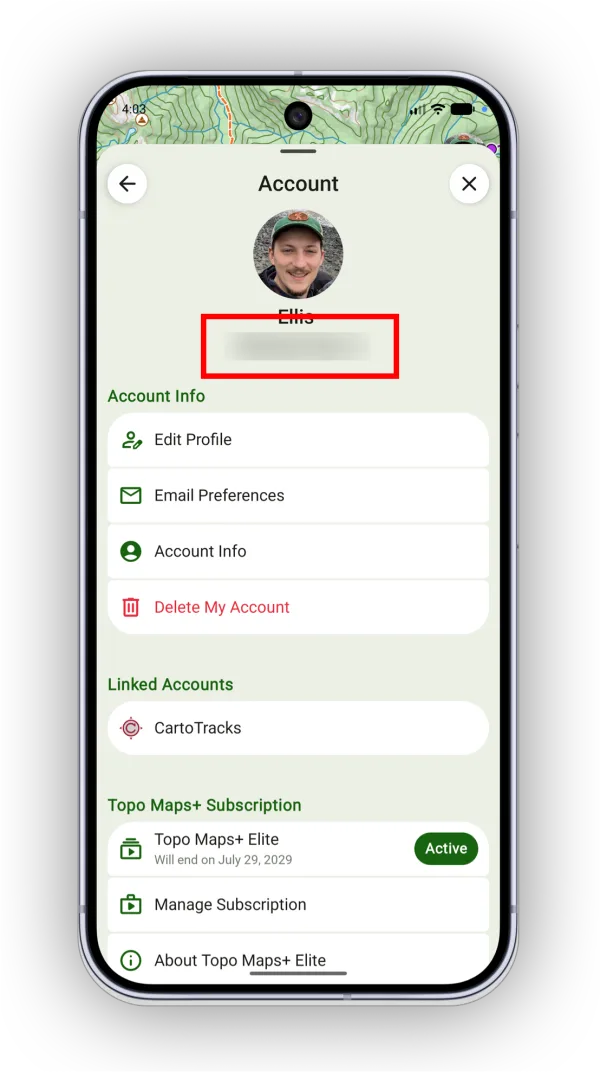
Shown on Android — iPhone looks slightly different.
Updated October 7, 2026
More in Troubleshooting & FAQ
Still need help?
We’re a small team and we read every message. Email support@topomaps.co and tell us which device you’re on.