
Connecting a ZOLEO Device
If you have a ZOLEO device, you can connect it to your Topo Maps+ account to share your location directly in the app. Even without a data connection, your ZOLEO sends your location to Topo Maps+ servers via satellite, keeping your location up to date. Anyone viewing your location still needs an internet connection.
How to register your ZOLEO
-
Tap the Share button at the bottom of the screen.
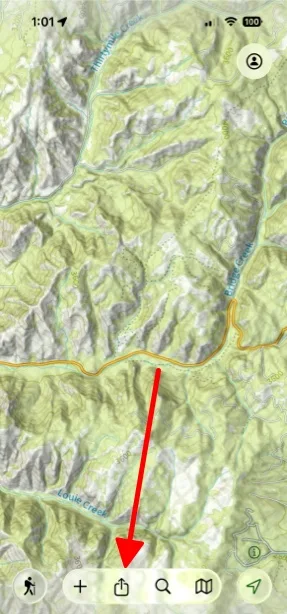
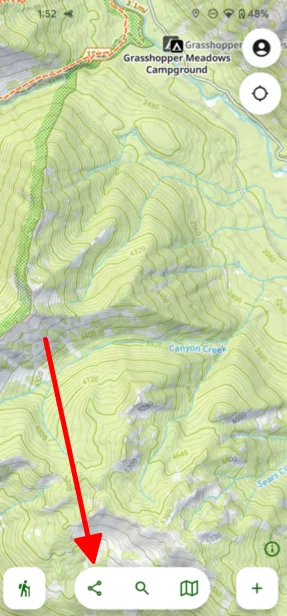
-
Tap Live Location Sharing.
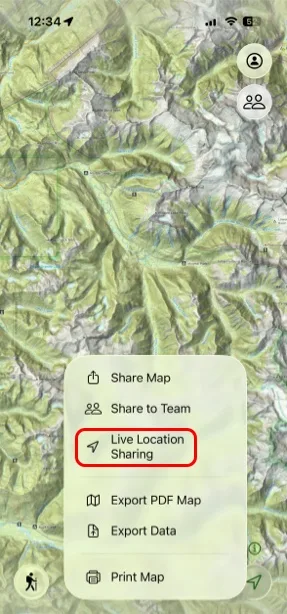
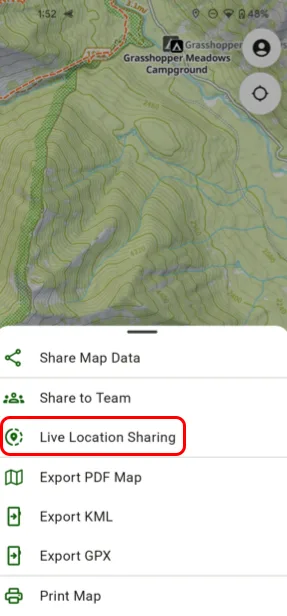
-
Tap My ZOLEO, then tap Setup My ZOLEO.
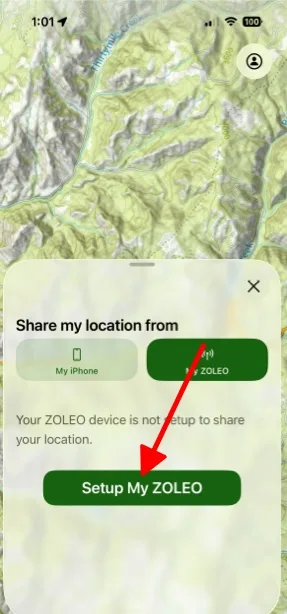
Shown on iPhone — Android looks slightly different. -
Pick the team you want to register the device with, then tap Register My ZOLEO. Once registered, anyone on that team can see your ZOLEO’s location.
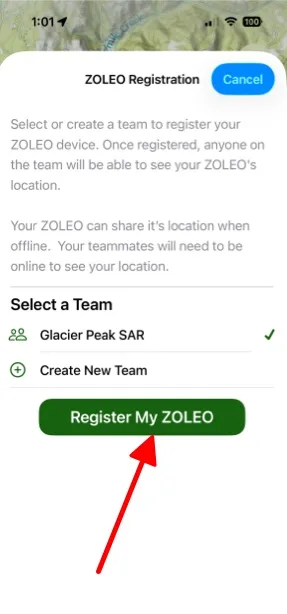
Shown on iPhone — Android looks slightly different. -
You’re taken to ZOLEO’s website. Tap Get Started.
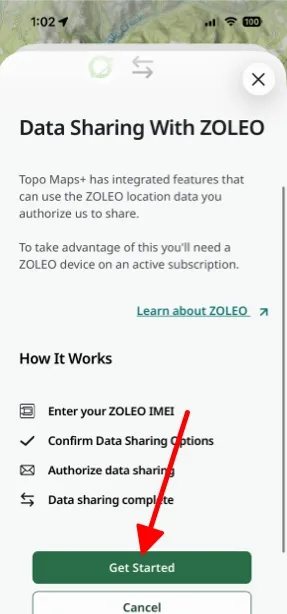
Shown on iPhone — Android looks slightly different. -
Enter your device’s 15-digit IMEI number, found on the back of your ZOLEO.
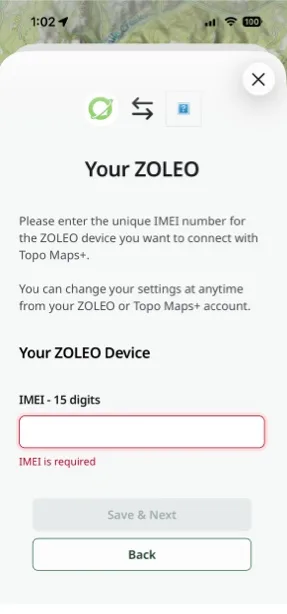
Shown on iPhone — Android looks slightly different. -
Finish the remaining steps, tap Confirm & Send Email, then open ZOLEO’s confirmation email and complete the registration from there.
Topo Maps+ shows a spinner while you complete the registration from the email. Once you finish, it may take a moment for the app to update. When it does, the spinner stops and you see a success message.
Sharing your location
Once your ZOLEO is linked, your teammates (with an internet connection) can see your location whenever you send a Check-In or start a Location Session from your ZOLEO.
Updated October 7, 2026
More in Integrations & Settings
Still need help?
We’re a small team and we read every message. Email support@topomaps.co and tell us which device you’re on.