
Using CartoTracks Maps in Topo Maps+
CartoTracks brings some of the most detailed off-road maps in the country into Topo Maps+. If you’re a CartoTracks customer, link your account in one click and your maps unlock inside Topo Maps+ — nothing to re-buy. Your maps are available in the Topo Maps+ app on iPhone, iPad, and Android, and on the web for trip planning.
Want just the quick overview? See the CartoTracks overview.
How to link your accounts
Linking connects your CartoTracks account to your Topo Maps+ account so your CartoTracks maps show up everywhere you use Topo Maps+.
-
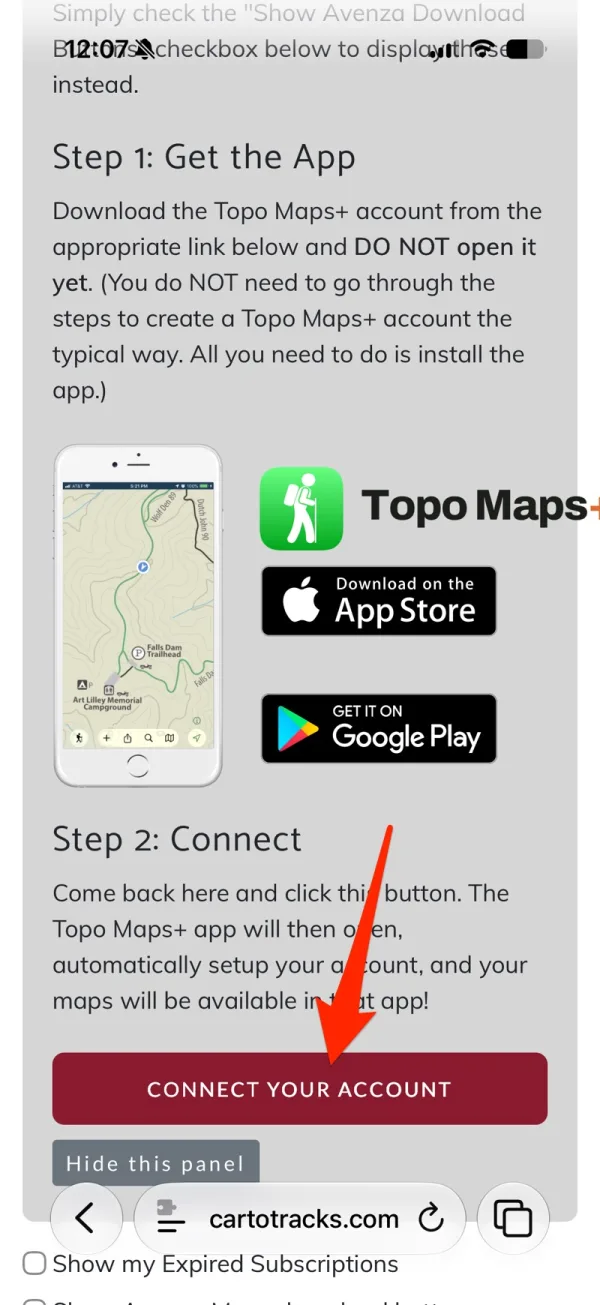
Sign in to your CartoTracks account and tap the button to connect to Topo Maps+. There are no codes to copy.
-
The link opens Topo Maps+ — the app on your phone or tablet, or the web app in your browser — and connects your accounts automatically.
What happens next depends on your situation:
| Your situation | What happens |
|---|---|
| You don’t have a Topo Maps+ account yet | One is created from your CartoTracks account and you’re signed in. |
| You already have a Topo Maps+ account with the same email | You’re asked to sign in to that account, then it’s linked. |
| You’re already signed in to Topo Maps+ | CartoTracks is linked to your current account (you’ll confirm). |
| Your accounts are already linked | You’re signed in with a quick “Welcome back.” |
Linking is tied to your account, so once you’ve linked on one device your CartoTracks maps are available everywhere you sign in to Topo Maps+. You don’t need to link again on each device.
How to check your account status
Confirm your accounts are linked and see exactly which maps you have, and when they renew:
-
Open Topo Maps+ (app or web) and go to My Account.
-
Under Linked Accounts, tap CartoTracks.
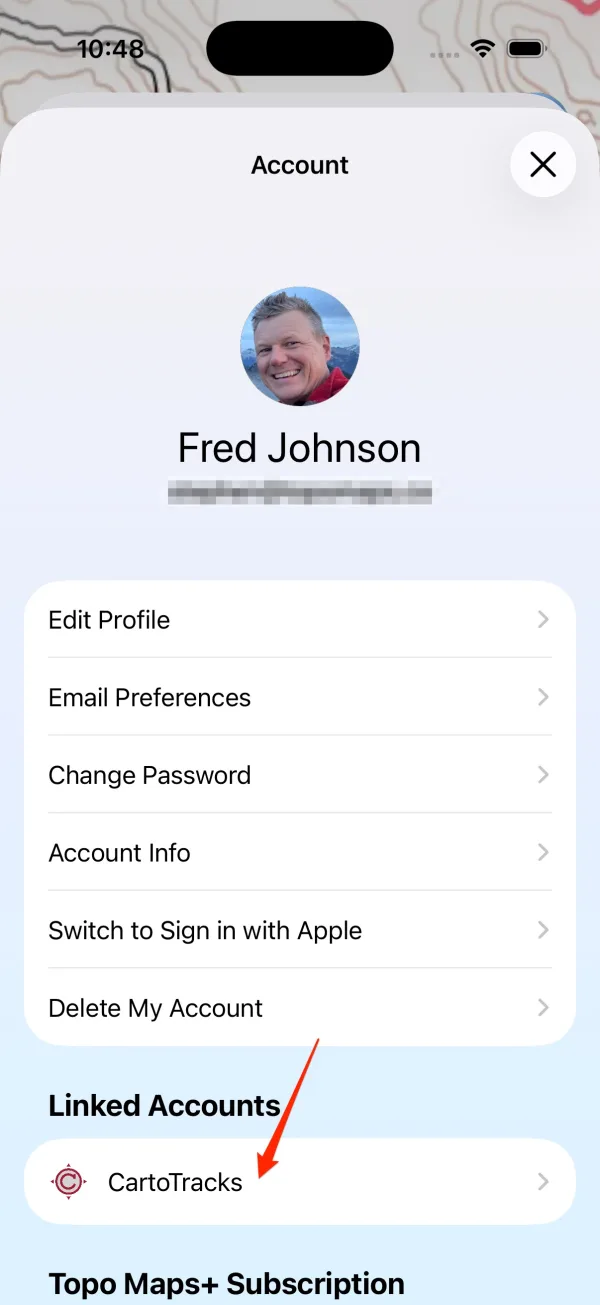
Shown on iPhone — Android looks slightly different.
This screen confirms that your Topo Maps+ and CartoTracks accounts are linked, and lists Your CartoTracks Maps — every map your subscription includes, each with its renewal or access date:
- Renews (date) — an auto-renewing subscription.
- Access until (date) — access through that date.
- No expiration — ongoing access.
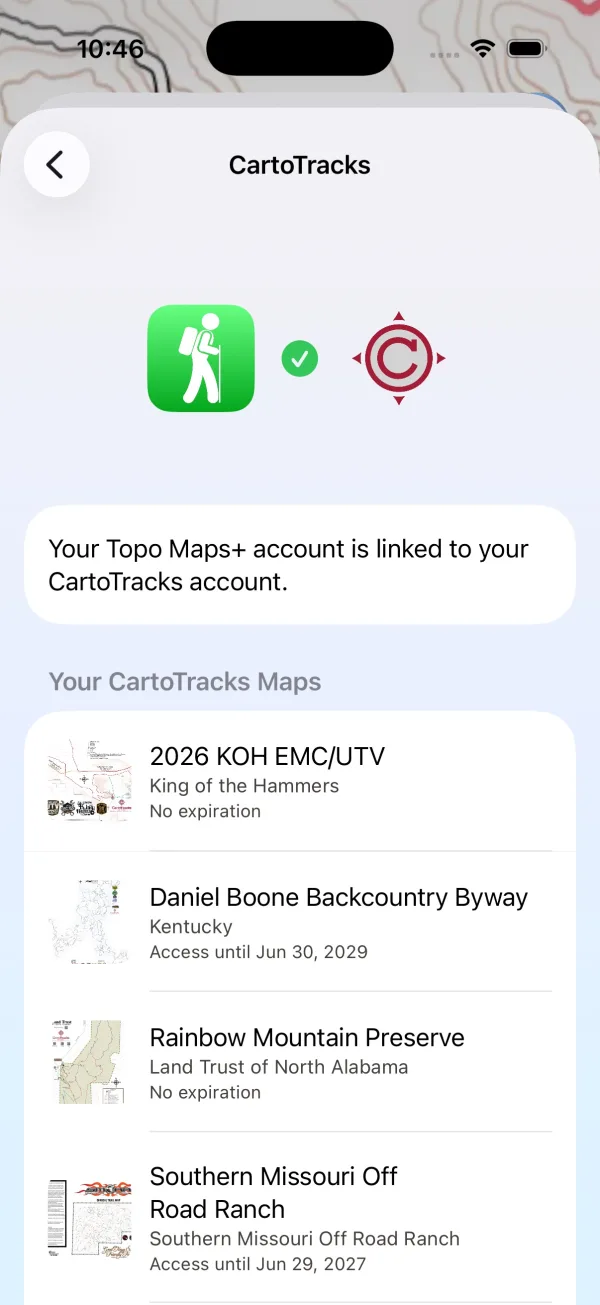
If a map is missing here, it usually isn’t part of your active CartoTracks subscription. Check your subscription on CartoTracks, then reopen this screen.
How to open your CartoTracks maps
Your CartoTracks maps have their own section in the map picker.
-
Tap the Maps button to open map selection.
-
Find the CartoTracks section and tap the map you want.
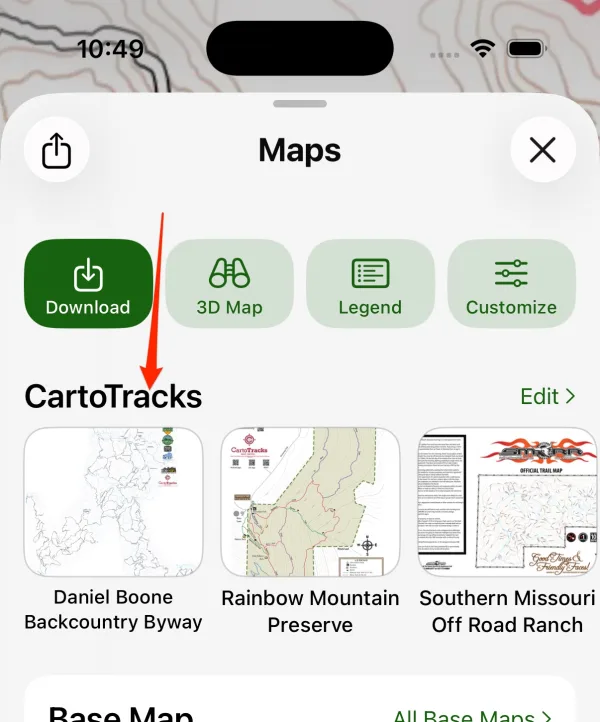
Shown on iPhone — Android looks slightly different.
- One CartoTracks map shows at a time. Turning on a new one turns off the previous one. Tap an active map again to turn it off. When you open a map, the view centers on that area.
- Base map: if you don’t have a paid Topo Maps+ subscription, your base map is set to the free US National Map so there’s a base layer beneath the CartoTracks overlay. You can switch base maps anytime.
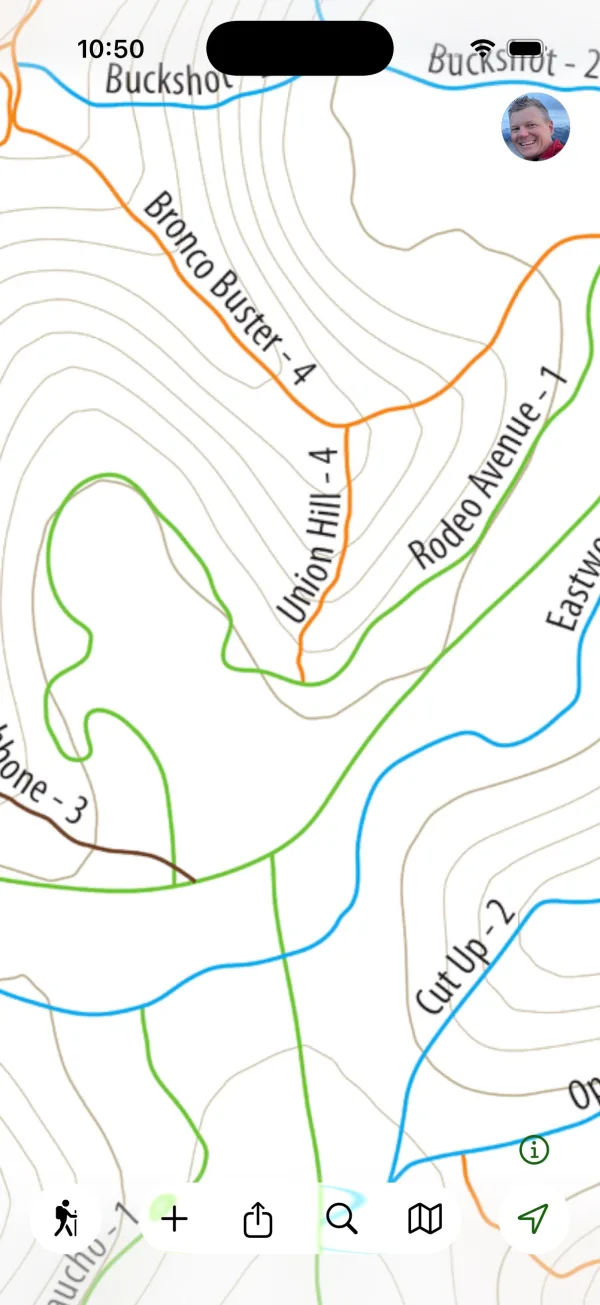
Using your maps offline
On iPhone, iPad, and Android, the first time you open a CartoTracks map Topo Maps+ downloads it to your device, with a progress indicator. After that it works without a connection, so it’s ready in the field.
The separate Download button saves the surrounding base map and overlays for an area, which is a Topo Maps+ Pro feature. Your CartoTracks map itself is already saved once you’ve opened it.
On the web, CartoTracks maps stream online, which is perfect for planning your trip before you head out.
Reordering or hiding maps
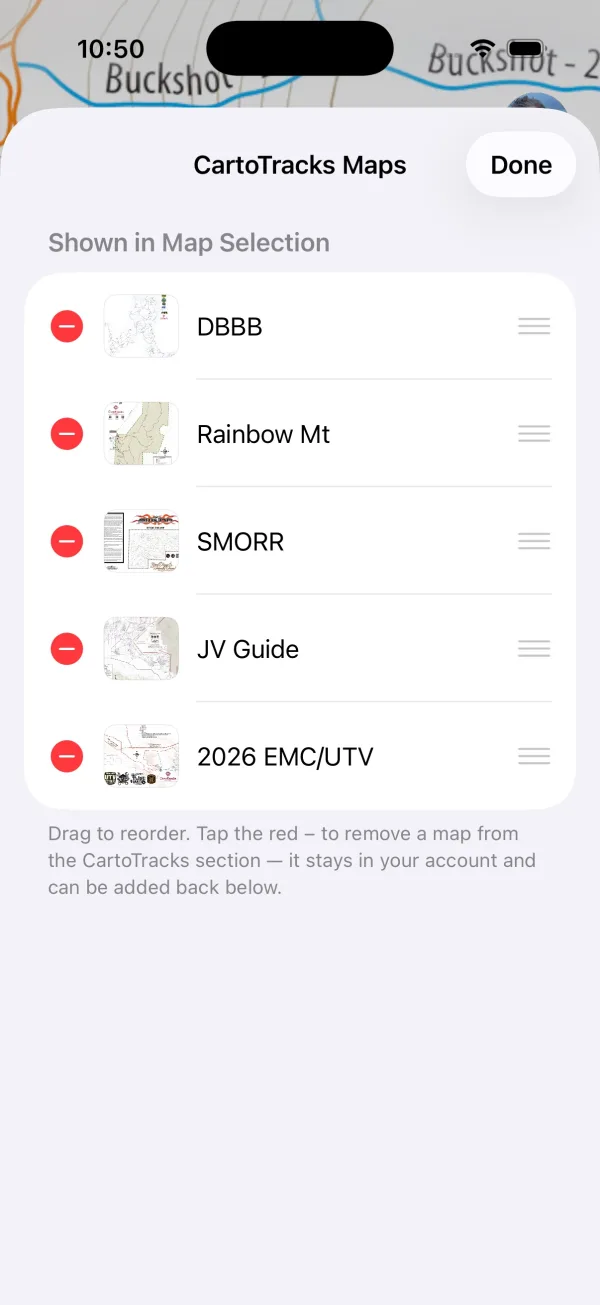
Tap Edit in the CartoTracks section to drag your maps into the order you like, remove ones you don’t use from the list, or add them back. A removed map stays in your account.
Troubleshooting
- “This CartoTracks link has expired.” Links are time-limited. Return to your CartoTracks account and open a fresh link.
- “This CartoTracks link is invalid.” The link couldn’t be verified. Request a new one from CartoTracks.
- “This email is already linked to a different CartoTracks account” or “…already linked to a different Topo Maps+ account.” Contact support@topomaps.co and we’ll sort it out.
- I tapped the link but nothing happened. Make sure Topo Maps+ is installed (or that you’re signed in to the web app), then open the link again.
- My maps aren’t showing. Confirm your accounts are linked (see How to check your account status). If your subscription is active and maps still don’t appear, contact support@topomaps.co.
- I don’t see any CartoTracks options. Make sure you’re on Topo Maps+ 10.2 or later (iPhone and iPad) or 2.1.1 or later (Android). Update from the App Store or Google Play, then reopen the app.
Updated October 7, 2026
More in Integrations & Settings
Still need help?
We’re a small team and we read every message. Email support@topomaps.co and tell us which device you’re on.