
Keyboard Shortcuts
Topo Maps+ for Mac, and for iPad with an external keyboard, has keyboard shortcuts that make planning quicker. Most are standard Apple shortcuts, but some are unique to Topo Maps+.
Symbols used: ⌘ = Command, ⇧ = Shift, ⌥ = Option.
Finding shortcuts
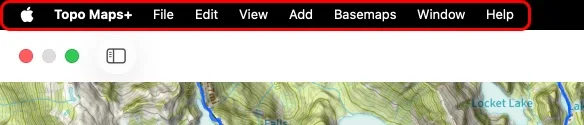
Open any menu in the menu bar at the top of the screen. Each command lists its shortcut next to it.
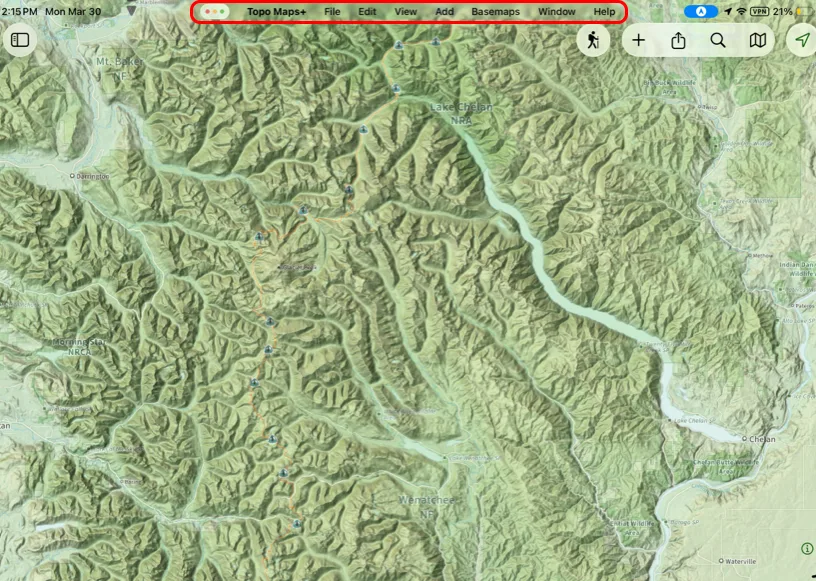
On iPad, the same menus appear at the top of the screen.
Switching basemaps
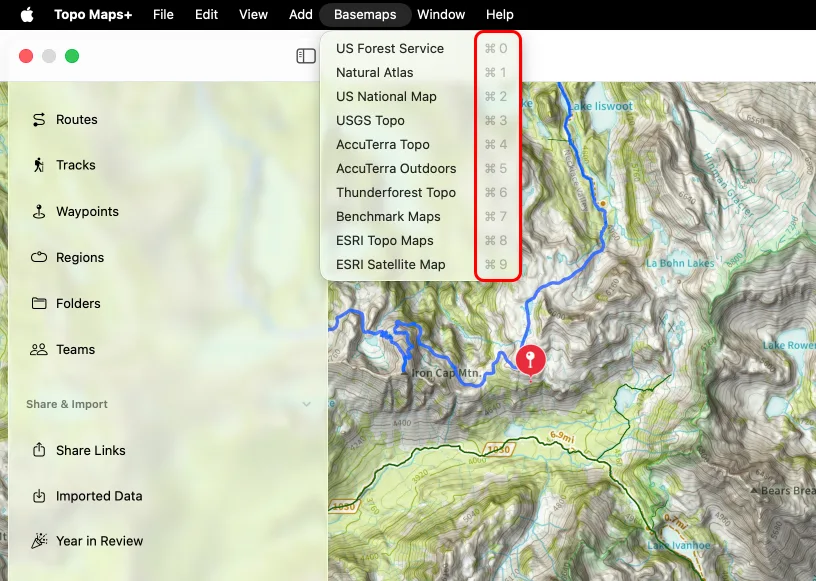
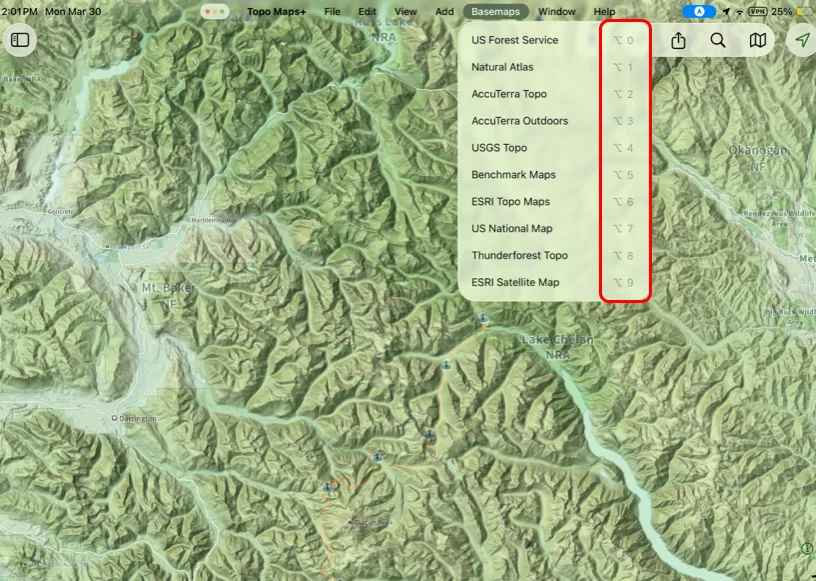
The most useful shortcuts switch between basemaps. Each number key switches to one of your favorite maps, the ones you've marked as favorites in the maps menu (tap Edit there to customize the list). The Basemaps menu shows which number goes with which map.
-
On Mac: ⌘1, ⌘2, … ⌘9, ⌘0.
-
On iPad: the Basemaps menu lists the shortcuts with the Option key: ⌥1, ⌥2, … ⌥9, ⌥0.
Other helpful shortcuts
| Shortcut | Action |
|---|---|
| ⌘, | Settings |
| ⌘I | Import |
| ⌘E | Export |
| ⌘P | |
| ⌘R | Add Route |
| ⌘W | Add Waypoint |
| ⌘G | Add Region |
| ⌘+ | Zoom In |
| ⌘- | Zoom Out |
Updated October 7, 2026
More in Getting Started
Still need help?
We’re a small team and we read every message. Email support@topomaps.co and tell us which device you’re on.