
Newsletters and Emails
Topo Maps+ can send you emails with helpful tips, product updates, and special offers. You choose whether to get them in Email Preferences. This requires a Topo Maps+ account. If you don't have one, see Creating an Account.
How to change your email preferences
-
Tap the account button in the top-right corner of the app.
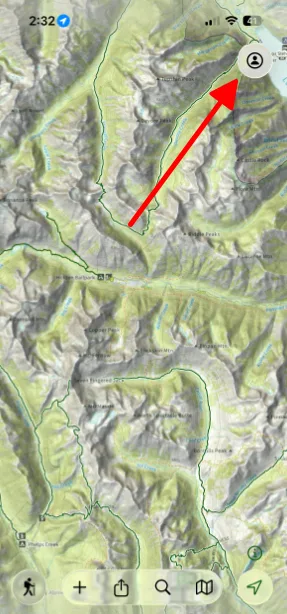
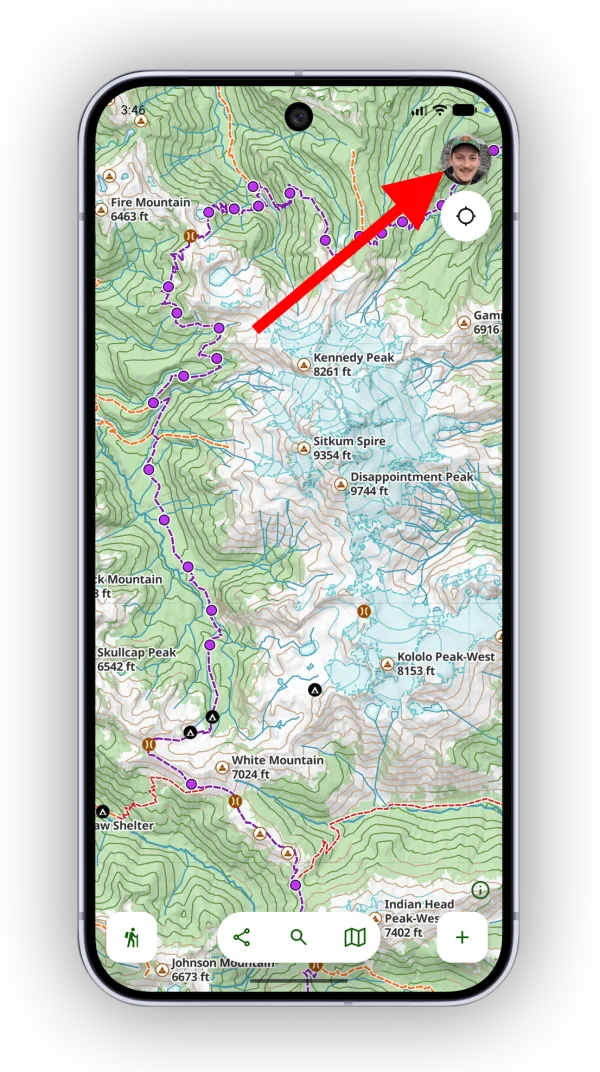
-
Tap Account Info.
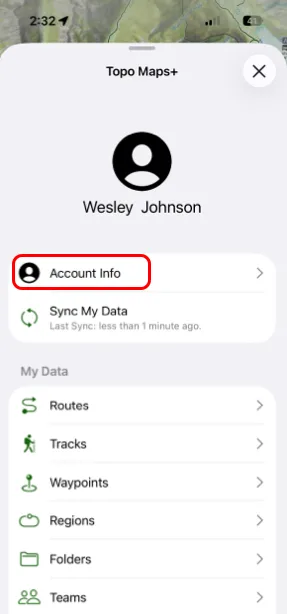
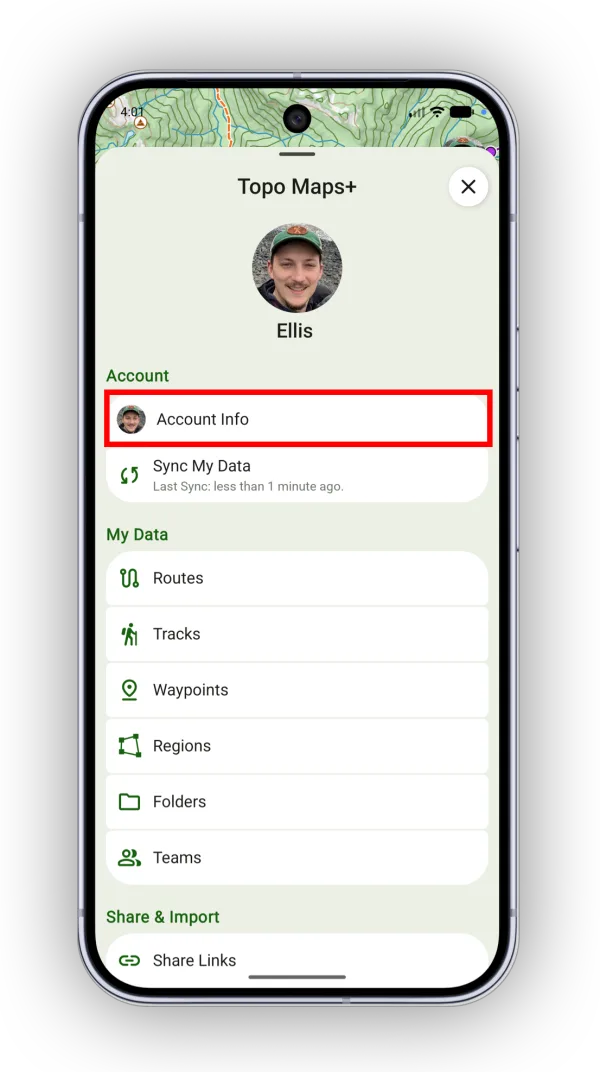
-
Tap Email Preferences.
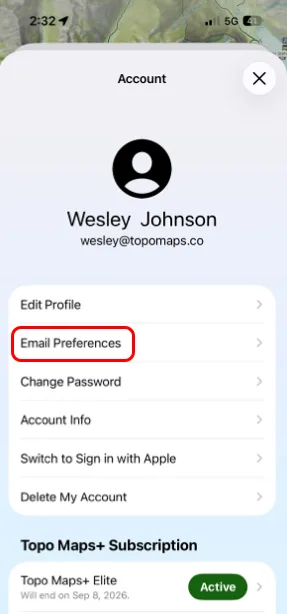
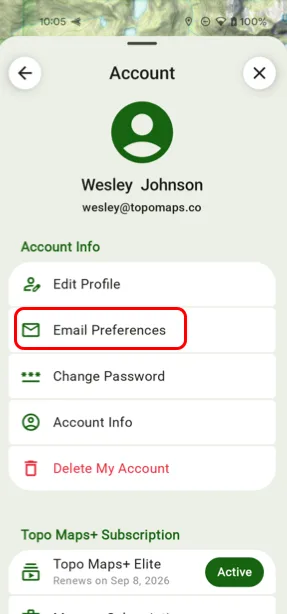
-
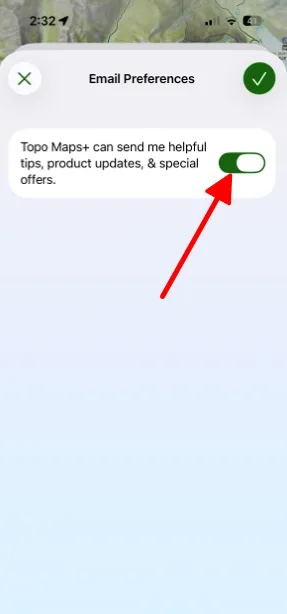
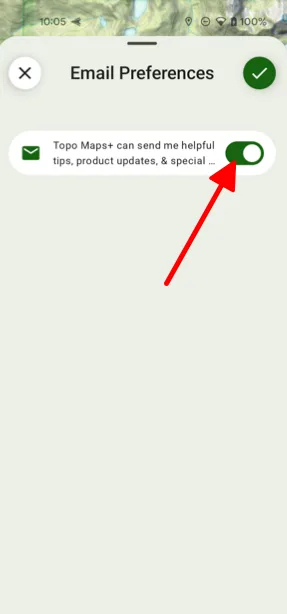
Turn on Topo Maps+ can send me helpful tips, product updates, & special offers, or turn it off to stop the emails. Tap the checkmark in the top-right corner to save.
Updated October 7, 2026
More in Account & Subscription
Still need help?
We’re a small team and we read every message. Email support@topomaps.co and tell us which device you’re on.