
Team Member Permissions
Each member of a team has a permission level that controls what they can do with the team's data.
Permission levels
- Team Owner: Everything below, plus deleting the team.
- Team Admin: Everything below, plus adding, removing, and changing team members.
- Editor: View, add, and edit data on the team, including other members' data.
- Contributor: View and add data, and edit only the items they added.
- Viewer: View data only.
How to change a member's permission
-
Tap your account button in the top-right corner, then tap Teams.
-
Select your team.
-
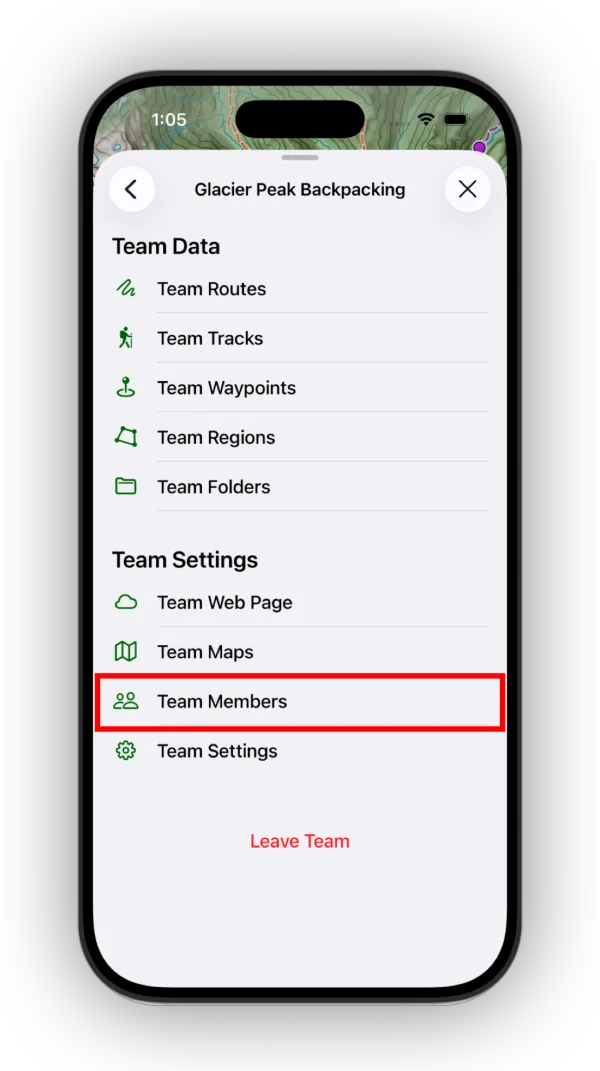
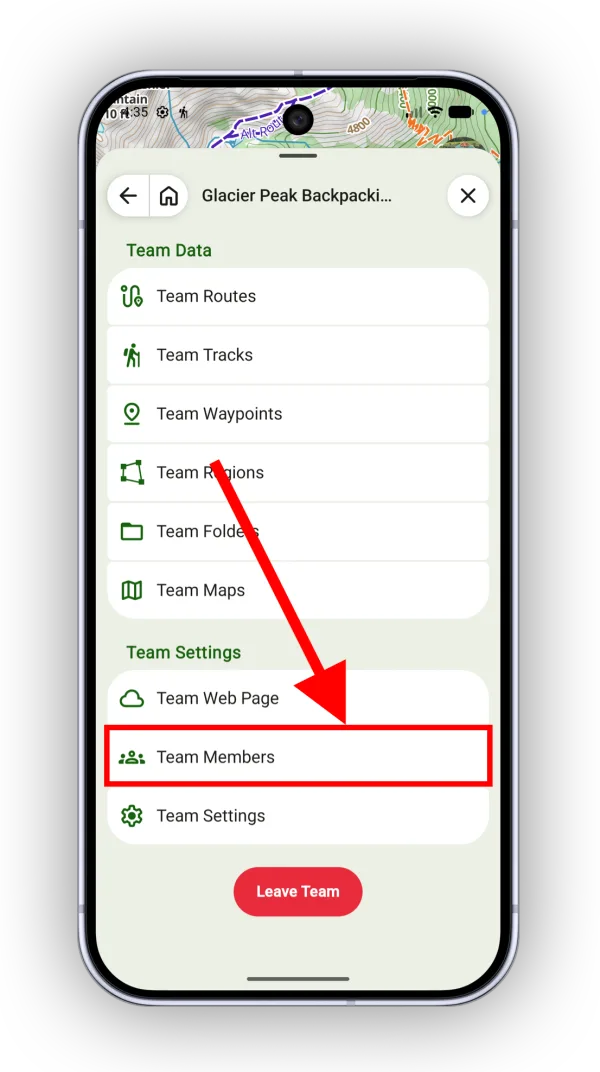
Tap Team Members.
-
Tap the settings icon on the team member's row.
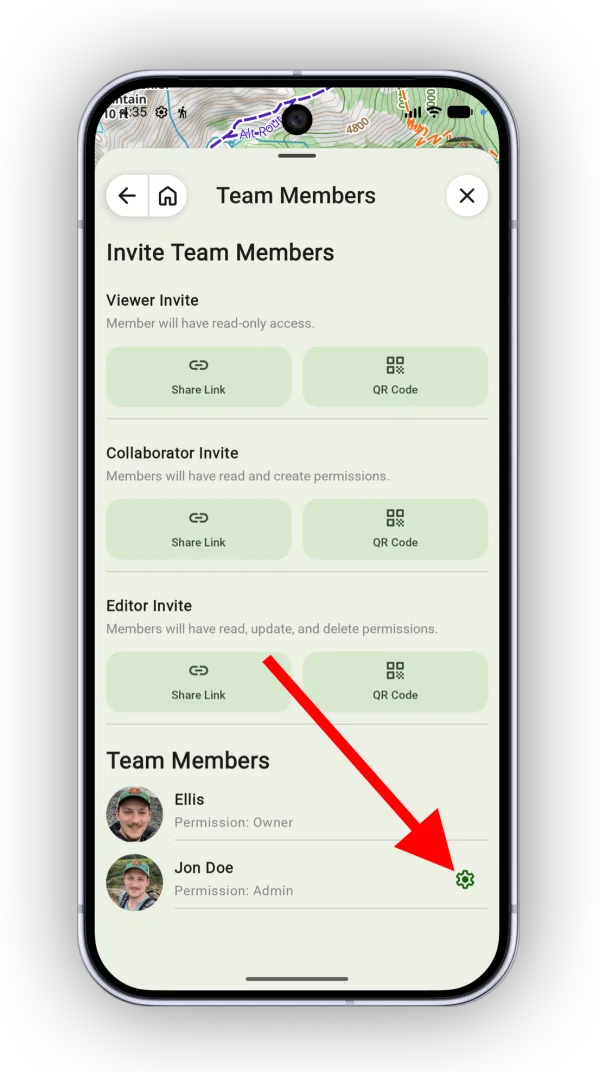
Shown on Android — iPhone looks slightly different. -
Select the new permission.
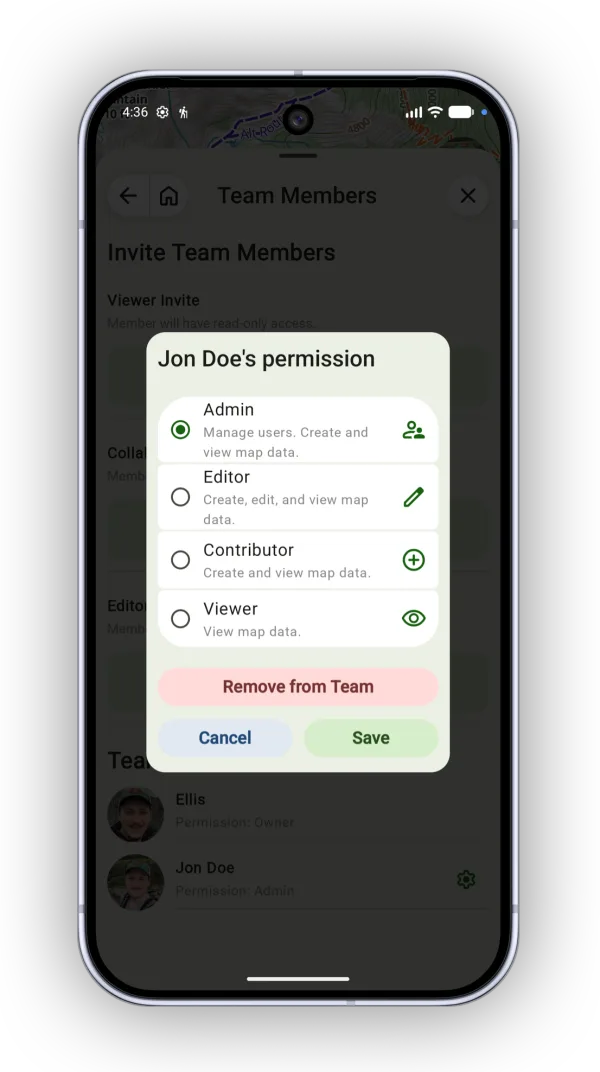
Shown on Android — iPhone looks slightly different.
Updated October 7, 2026
More in Teams & Pro Tools
Still need help?
We’re a small team and we read every message. Email support@topomaps.co and tell us which device you’re on.