
Importing & Exporting Shapefiles
Topo Maps+ imports shapefiles as data layers, keeping their attributes, and exports data layers as shapefiles.
How to import a shapefile
-
Tap the Add button in the toolbar, then tap Import Data.
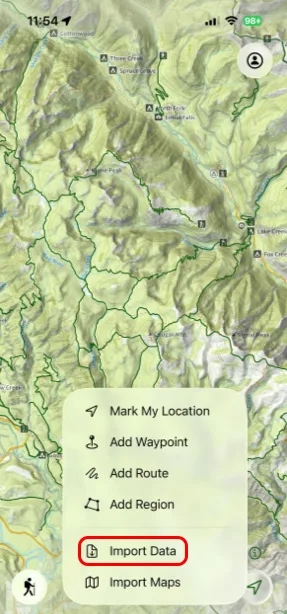
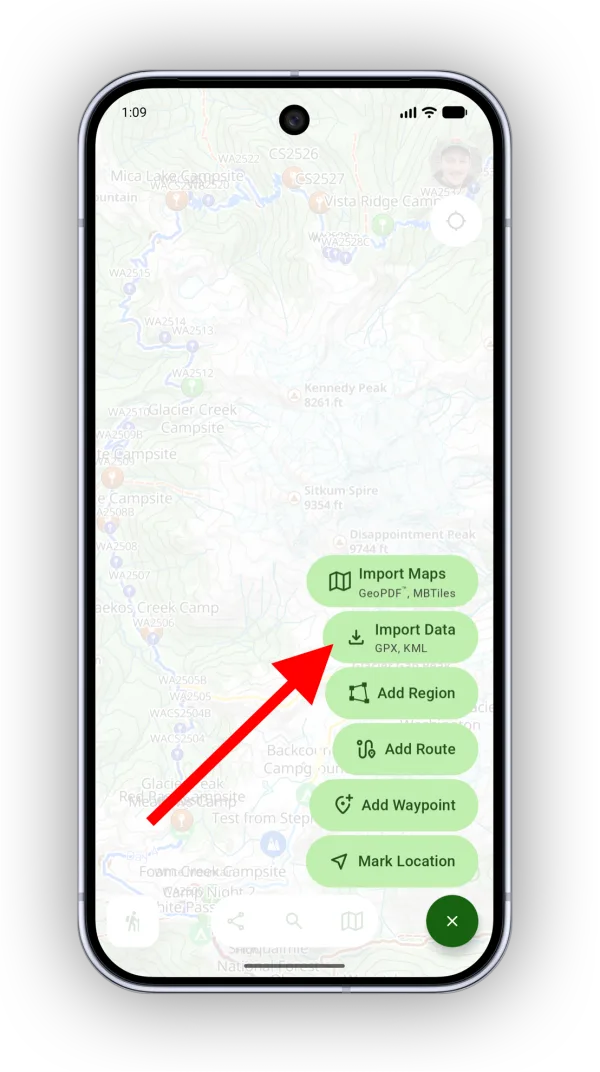
-
Select your .zip file. Topo Maps+ analyzes it and shows the attribute schema it found.
-
Name the data layer and tap Import Shapefile.
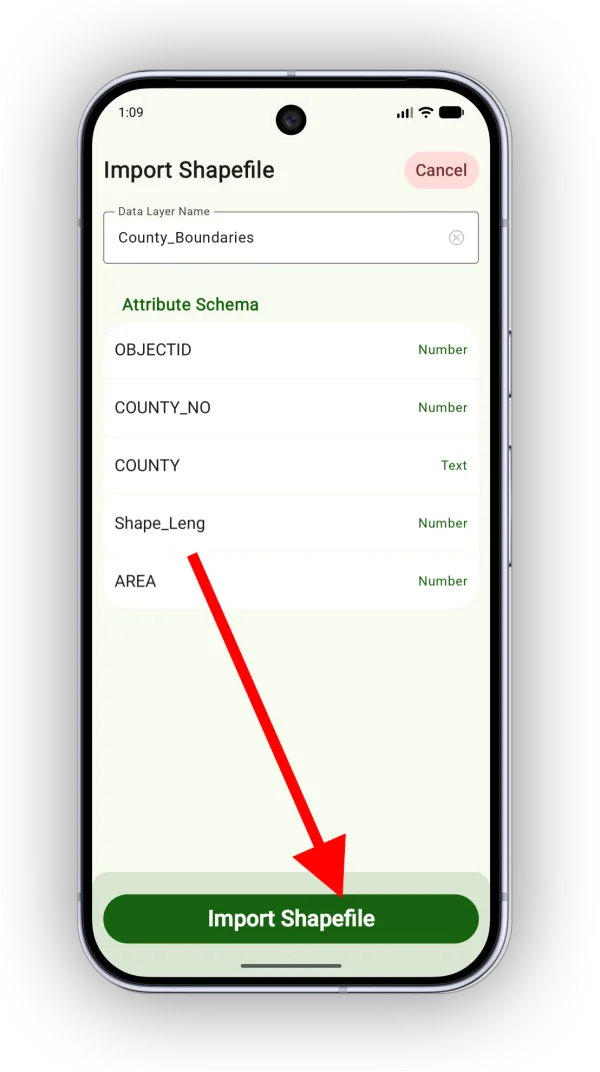
Shown on Android — iPhone looks slightly different.
To view or edit the new data layer, tap the Maps button in the toolbar and scroll down to Data Layers.
How to export a data layer as a shapefile
-
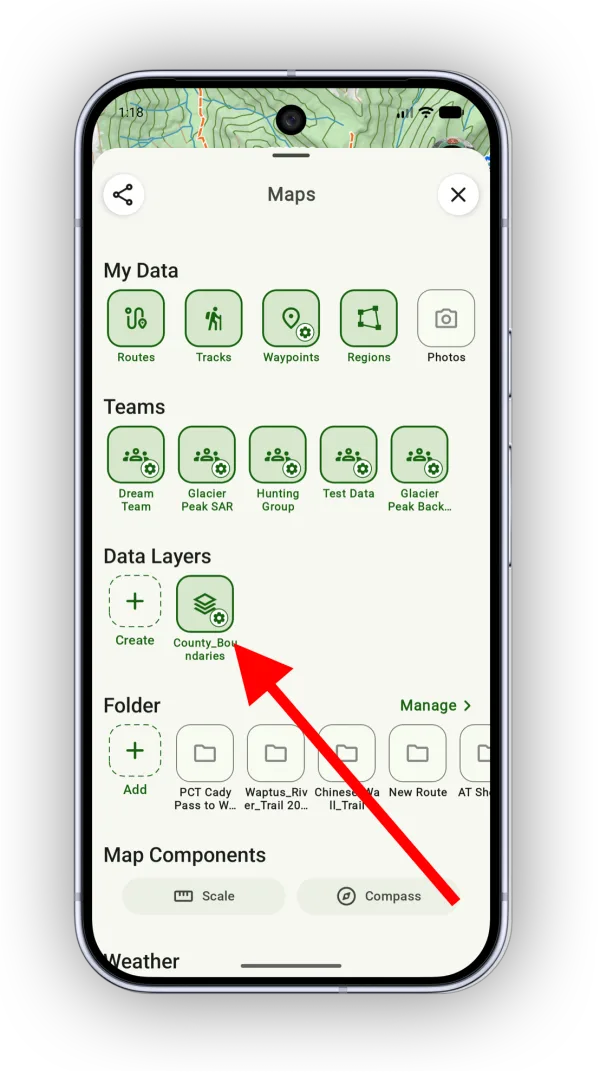
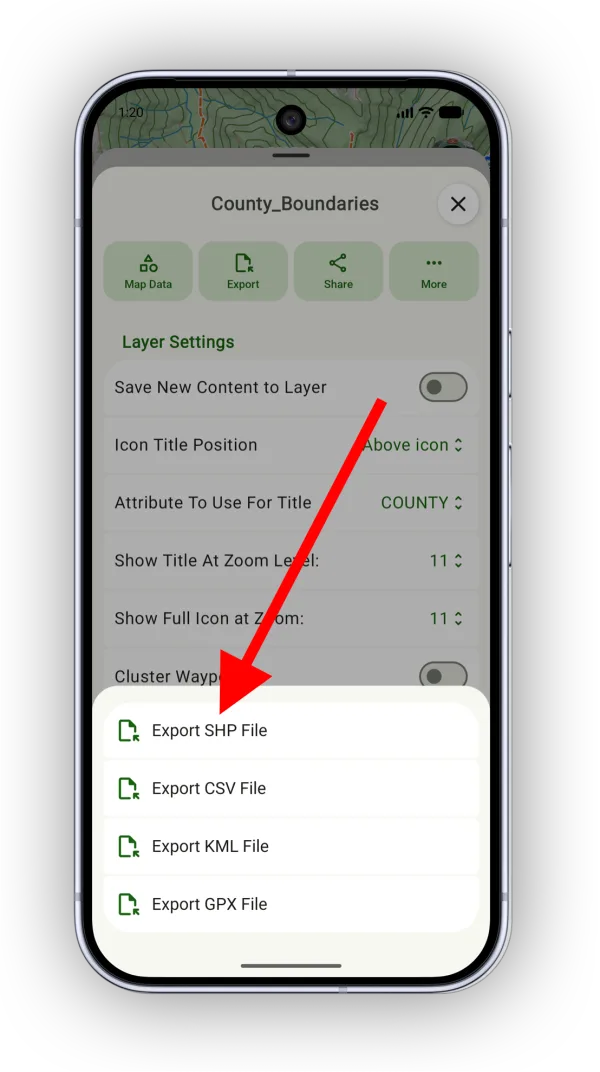
Tap the Maps button and, under Data Layers, tap the settings icon on the layer (or tap and hold it) to open it.
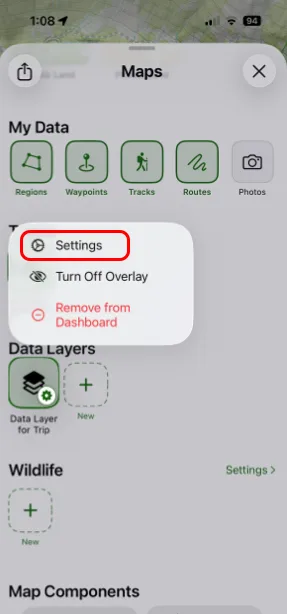
-
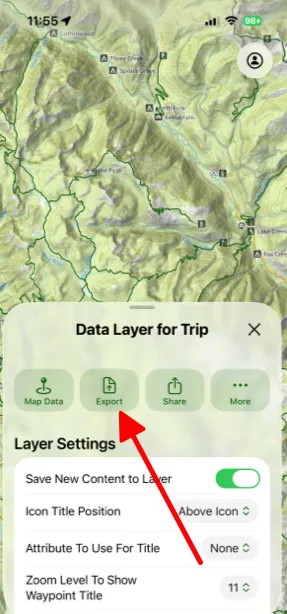
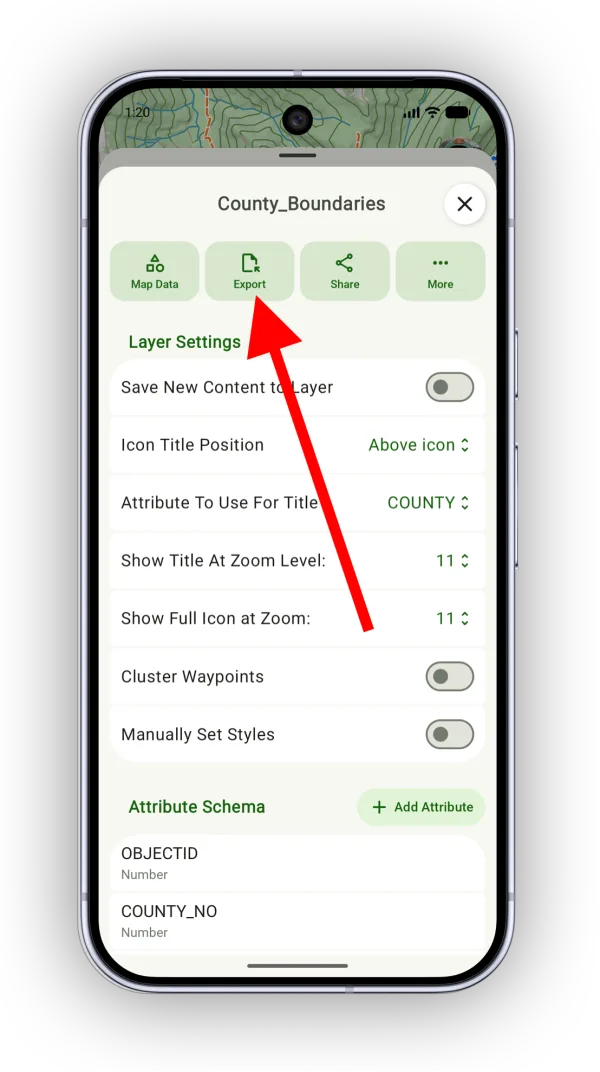
Tap Export.
-
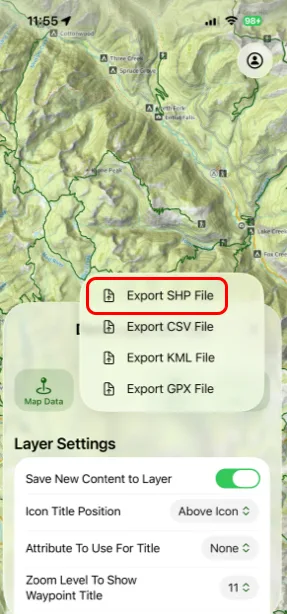
Tap Export SHP File.
Updated October 7, 2026
More in Teams & Pro Tools
Still need help?
We’re a small team and we read every message. Email support@topomaps.co and tell us which device you’re on.