
Recovering Deleted Items
Deleted a route, waypoint, or other item by accident? You can bring it back. First turn on deleted items in Settings, then restore what you need.
How to recover a deleted item
-
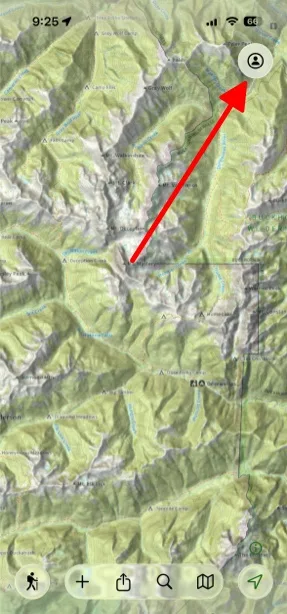
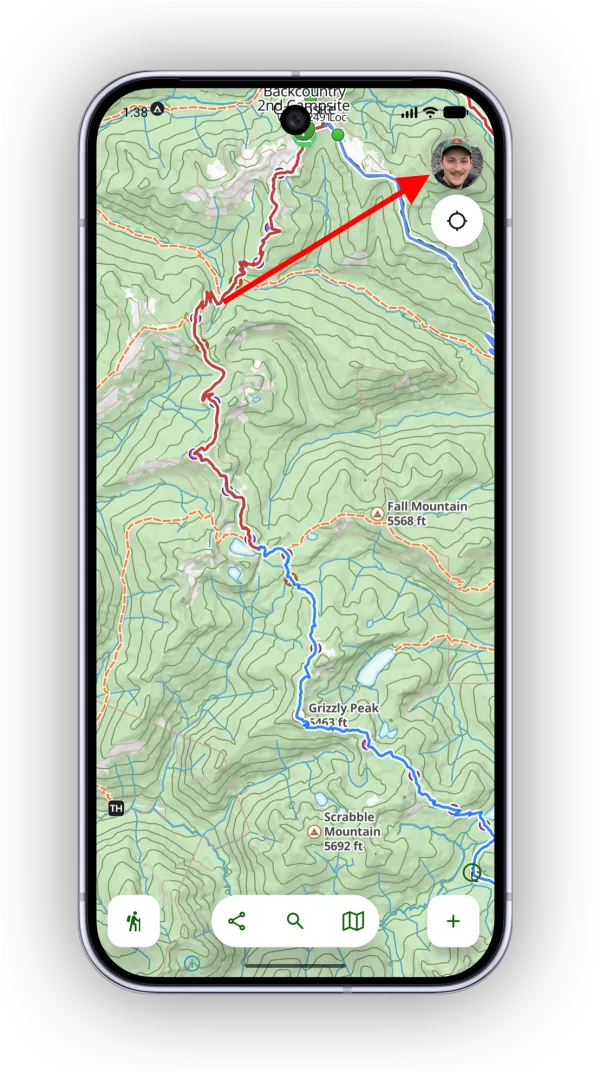
Tap the Account button in the top-right corner.
-
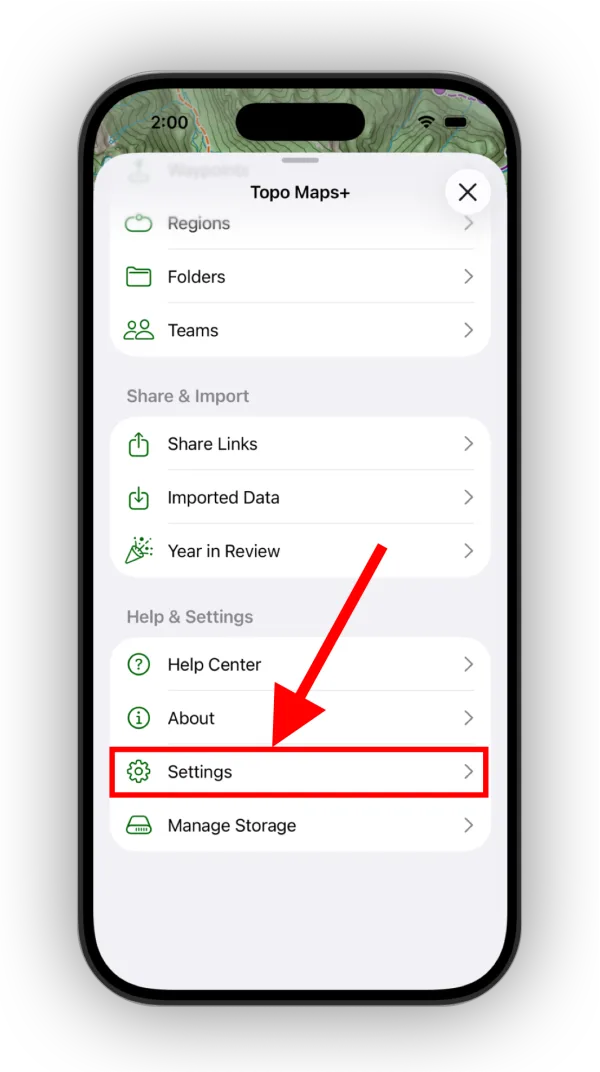
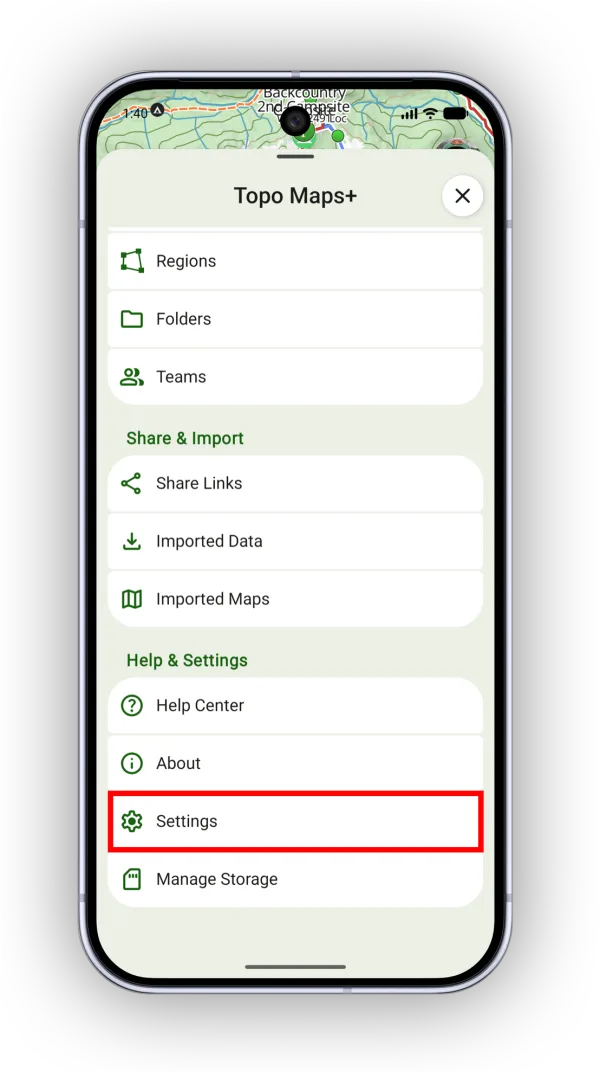
Tap Settings.
-
Turn on Show Deleted Items in My DataShow Deleted Items.
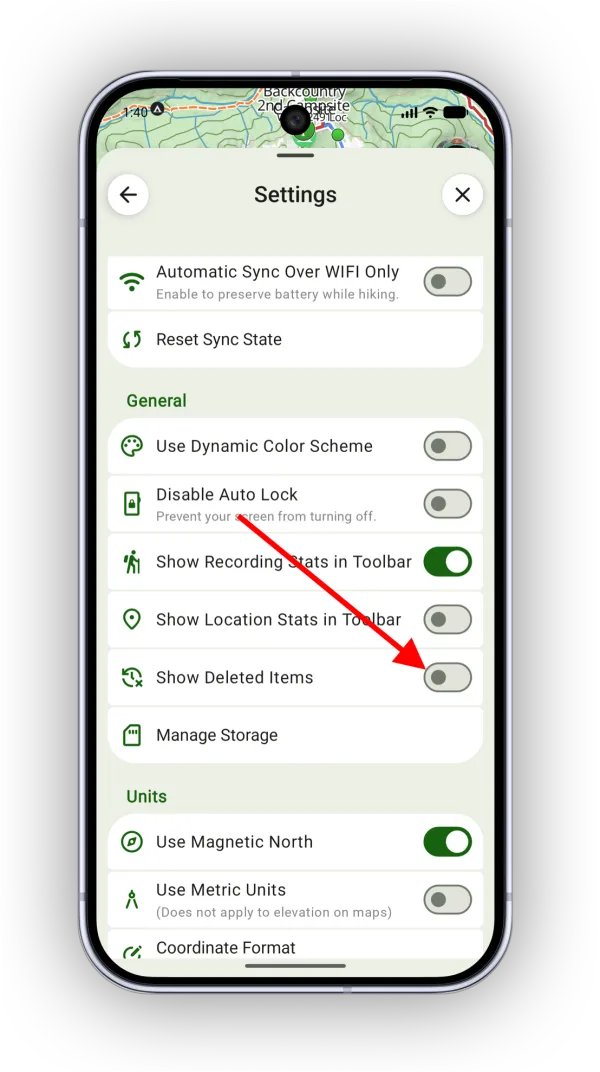
Shown on Android — iPhone looks slightly different. -
Tap the back arrow. A new Deleted Items row appears in the menu. Tap it to browse your deleted data.
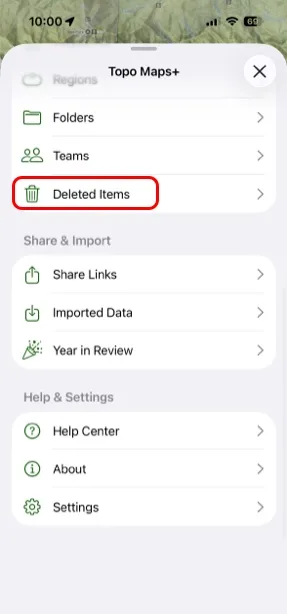
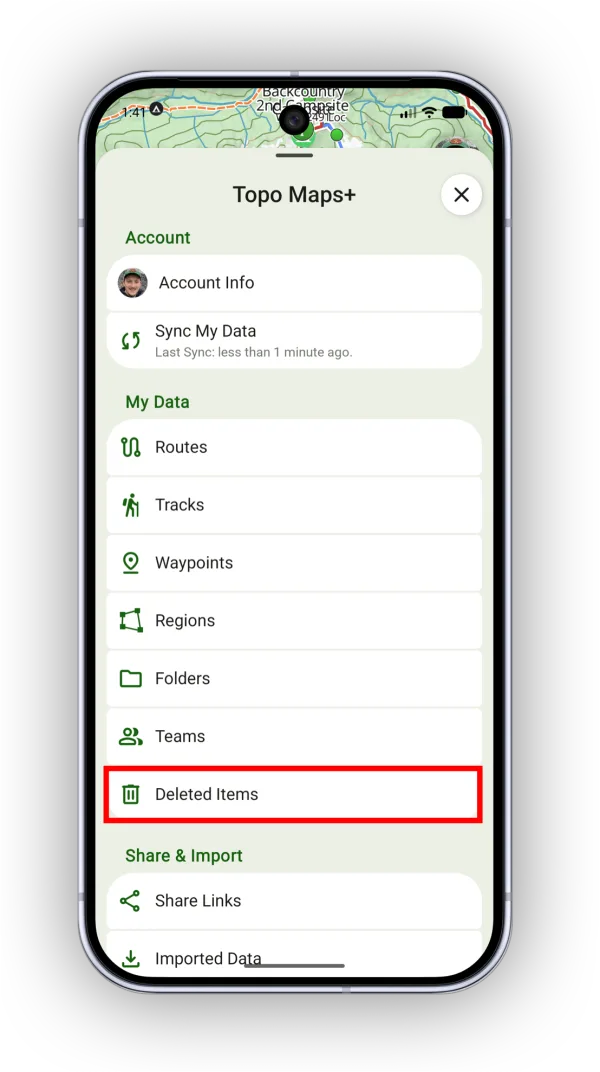
-
Tap the item you want to restore, and confirm. It goes back into your data.
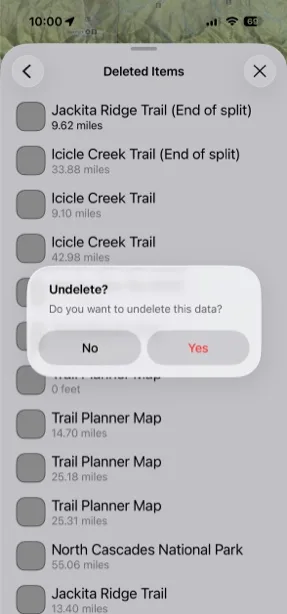
Shown on iPhone — Android looks slightly different.
Updated October 7, 2026
More in Routes, Waypoints & Regions
Still need help?
We’re a small team and we read every message. Email support@topomaps.co and tell us which device you’re on.