
Adding Waypoints
On Apple Watch? Waypoints on Apple Watch
Waypoints mark spots you care about: a campsite, a water source, a trailhead. There are several ways to add one in Topo Maps+.
How to add a waypoint by tapping and holding
This is the quickest way to add a waypoint.
-
Tap and hold the spot on the map where you want the waypoint. Crosshairs appear there.
-
Tap Add.
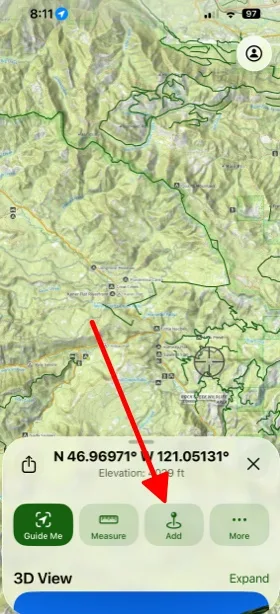
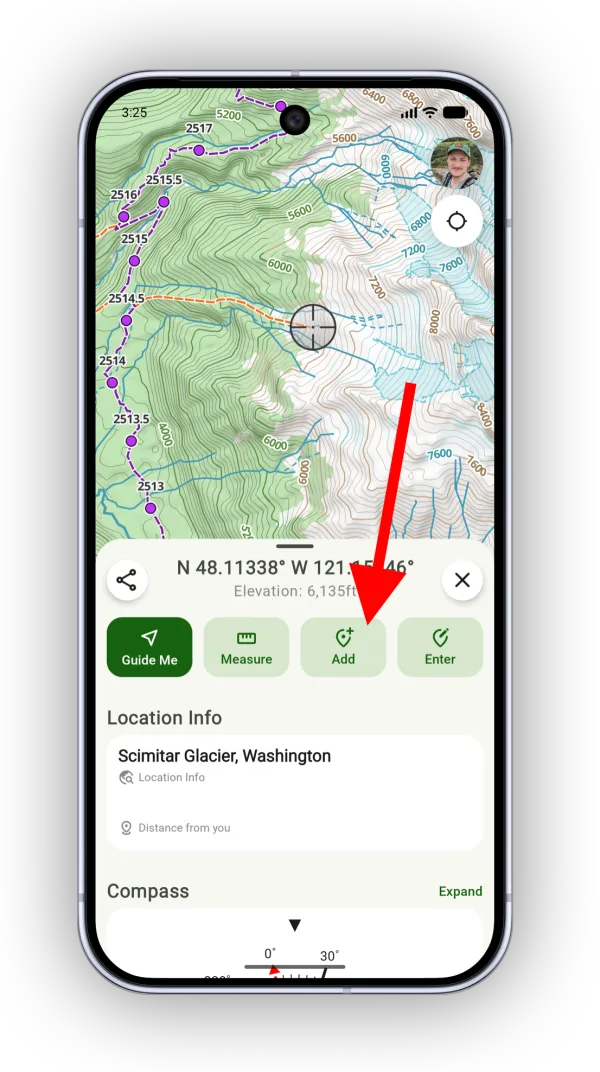
-
The waypoint's details open. From here you can add a photo, a note, or an icon, or view it in 3D.
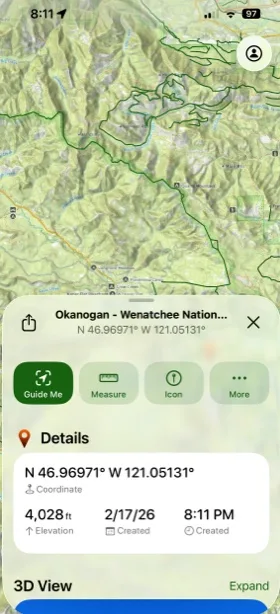
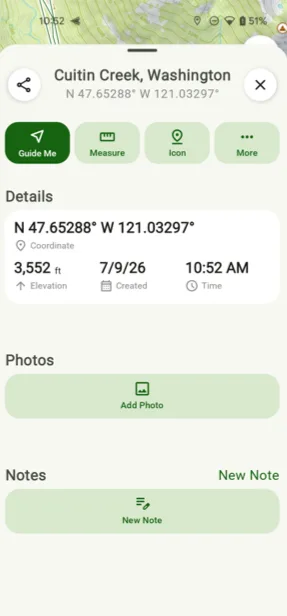
How to add a waypoint from the Add menu
-
Tap the Add button in the toolbar.
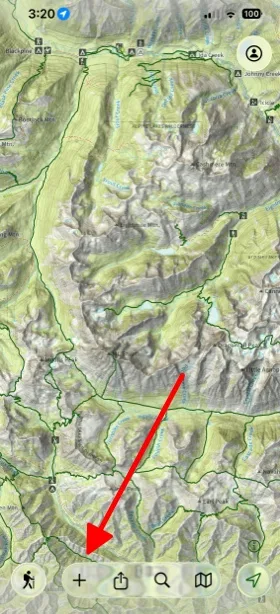
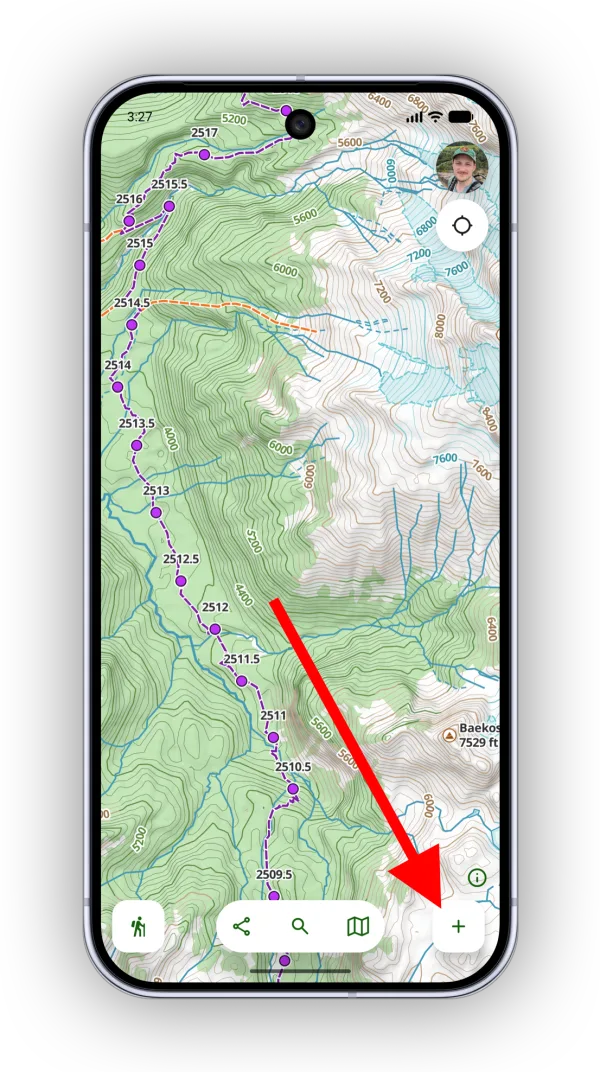
-
Tap Add Waypoint.
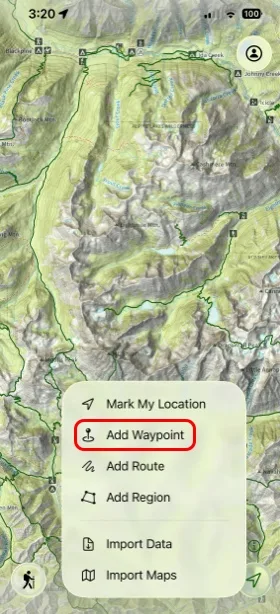
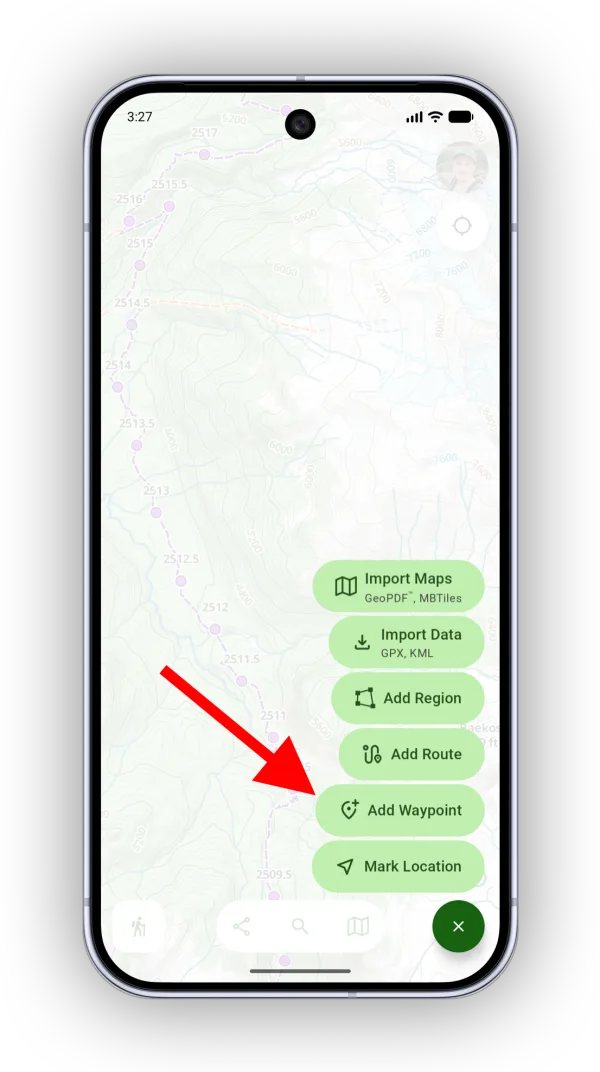
-
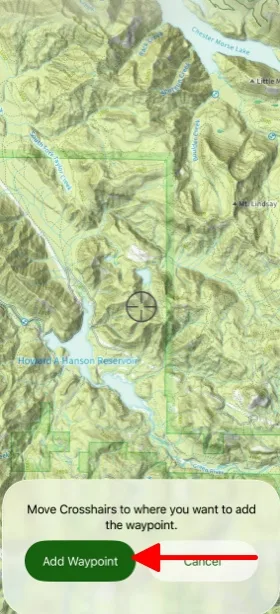
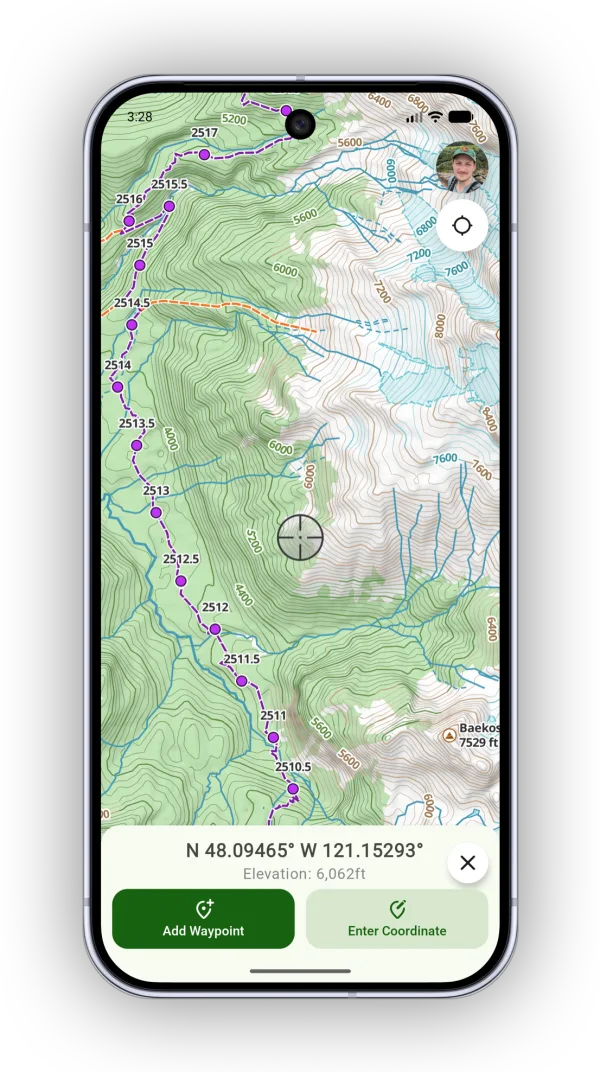
A smaller panel opens so you can still see the map. Move the crosshairs to the exact spot you want, then tap Add Waypoint.
How to mark your current location
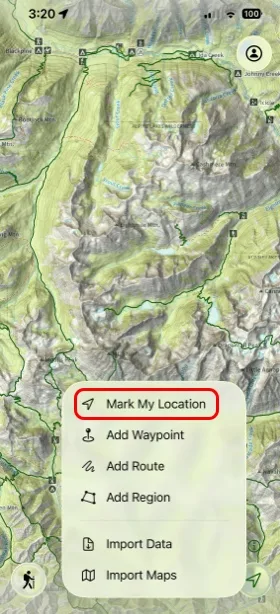
Tap Add, then tap Mark My LocationMark Location. A waypoint is added where you're standing.
How to add a waypoint at a coordinate
Paste the coordinate into search, tap the result, and tap Add. Or tap Add → Add Waypoint → Enter Coordinate. See Add a Waypoint at a Coordinate for the details.
How to add a waypoint at a photo
If you have photos showing on the map, you can drop a waypoint where a photo was taken.
-
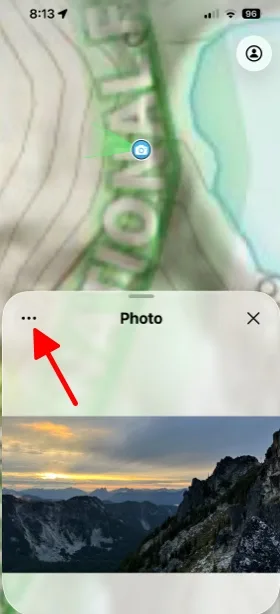
Tap the photo on the map, then tap the … button.
Shown on iPhone — Android looks slightly different. -
Tap Add Waypoint.
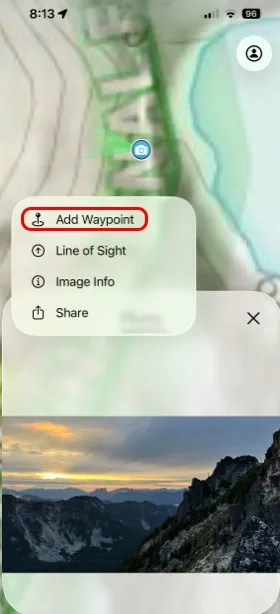
Shown on iPhone — Android looks slightly different.
Updated October 7, 2026
More in Routes, Waypoints & Regions
Still need help?
We’re a small team and we read every message. Email support@topomaps.co and tell us which device you’re on.