
Add a Waypoint at a Coordinate
If you have a coordinate, from a friend, a guidebook, or another app, you can go straight to it in Topo Maps+ and mark it with a waypoint. There are a few ways to do it.
How to enter a coordinate after tapping and holding
-
Tap and hold anywhere on the map to bring up crosshairs.
-
Tap Enter and type or paste your coordinate.
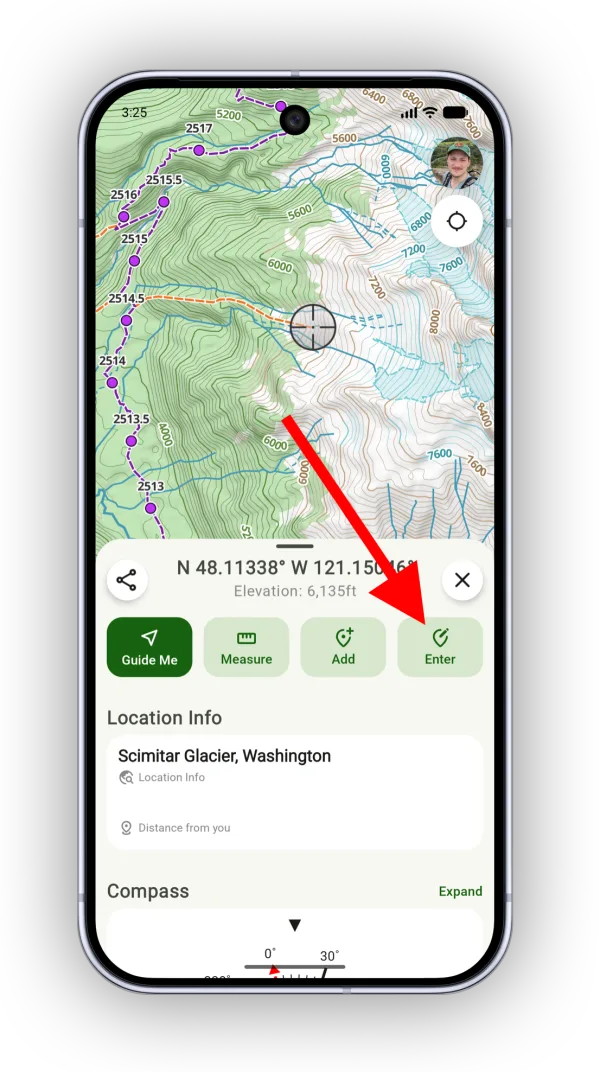
Shown on Android — iPhone looks slightly different.
How to enter a coordinate from the Add menu
-
Tap the Add button.
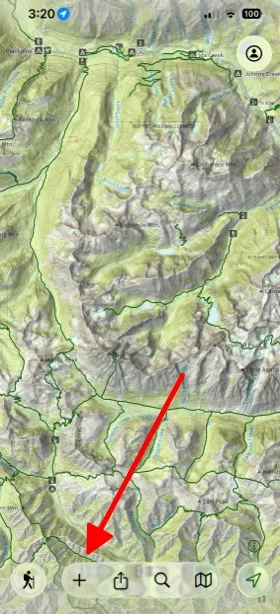
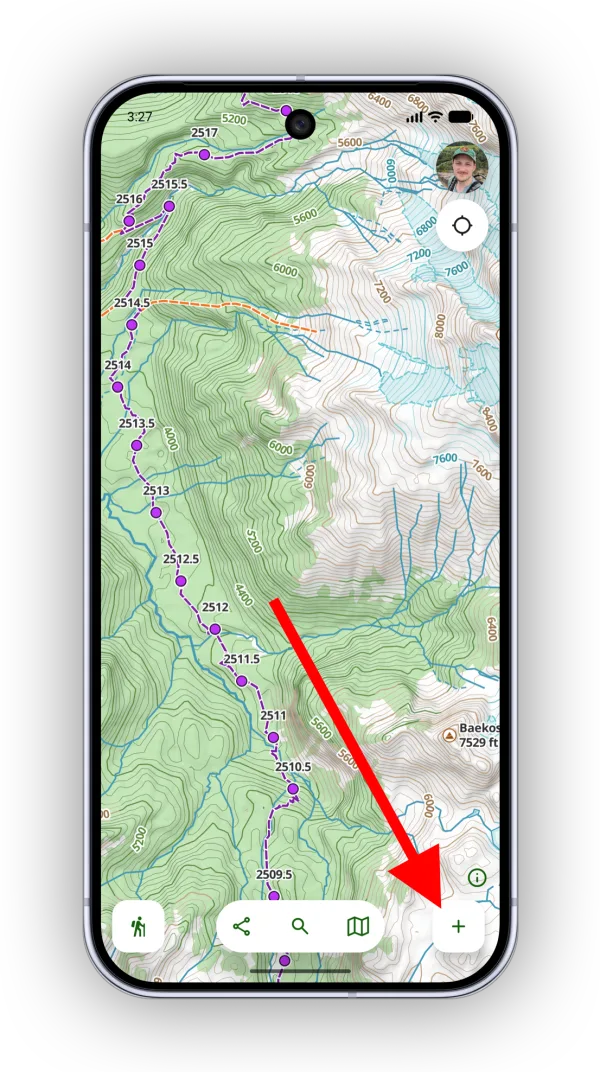
-
Tap Add Waypoint.
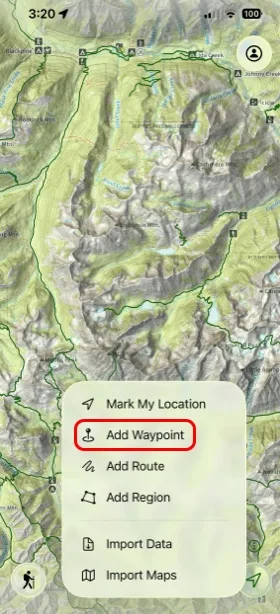
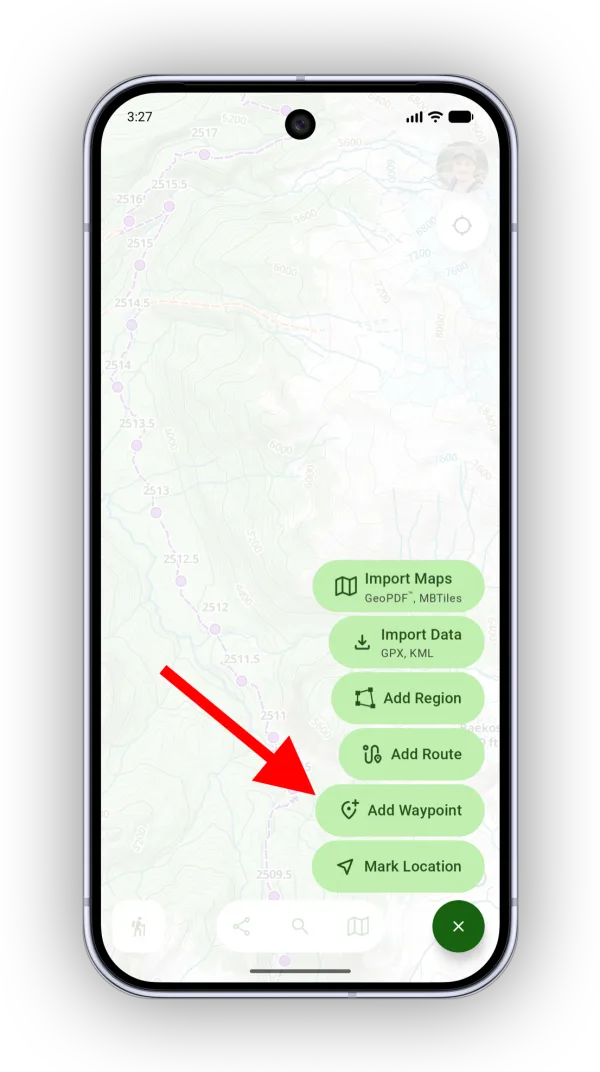
-
Tap Enter Coordinate and enter your coordinate to go to it, then tap Add Waypoint.
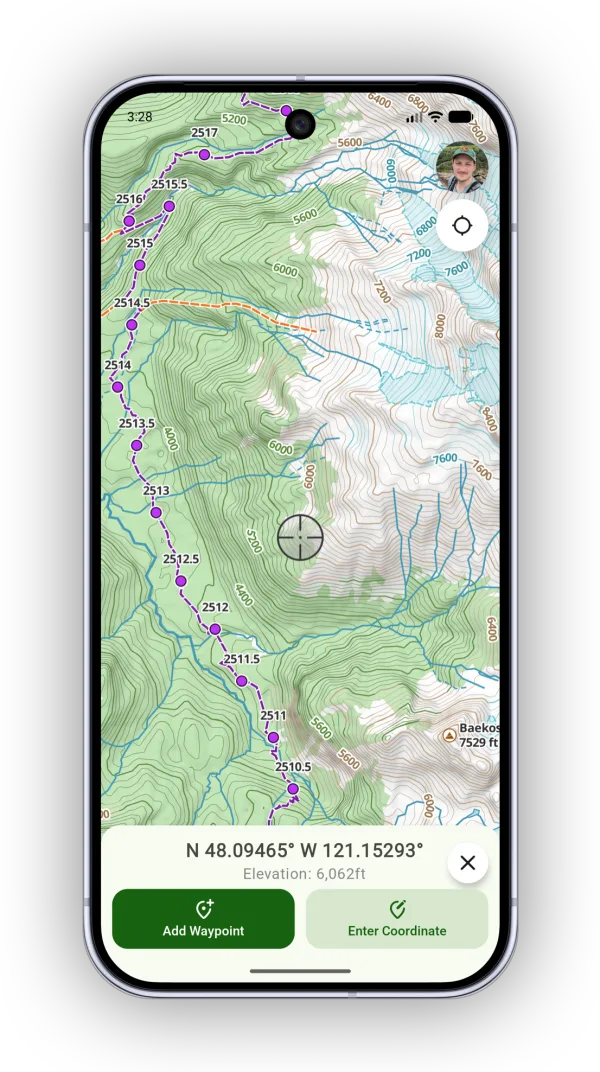
Shown on Android — iPhone looks slightly different.
How to use search
Paste the coordinate into search, tap the result, then tap Add.
For other ways to add waypoints, see Adding Waypoints.
Updated October 7, 2026
More in Routes, Waypoints & Regions
Still need help?
We’re a small team and we read every message. Email support@topomaps.co and tell us which device you’re on.