
Using the Action Button on Apple Watch Ultra
On an Apple Watch Ultra, you can set the Action Button to start a track recording or add a waypoint in Topo Maps+.
How to record tracks with the Action Button
-
Open the Settings app on your watch and tap Action Button.
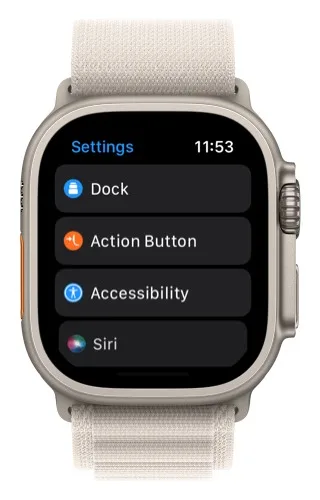
-
Make sure Action is set to Workout, then tap App.
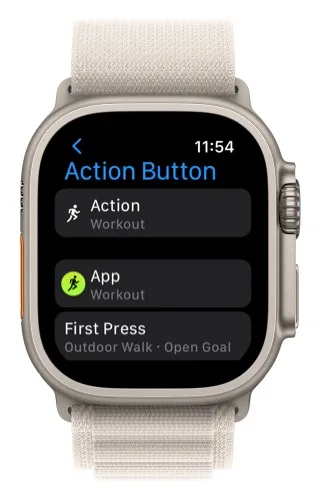
-
Tap Topo Maps+.
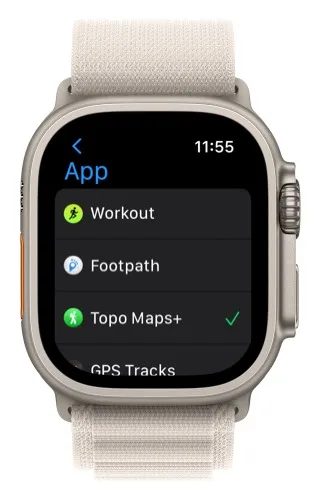
-
The first time you press the Action Button, it starts a new recording in Topo Maps+.
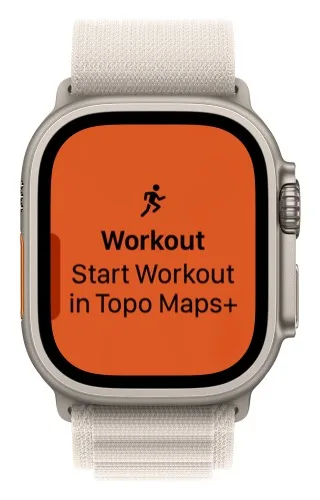
-
After that, pressing the Action Button switches between the map and your metrics.
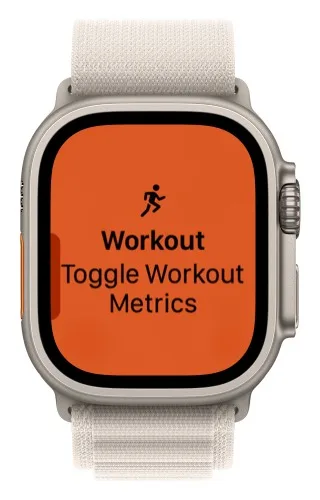
This lets you use Topo Maps+ without touching the screen: combine the Action Button with the Digital Crown to zoom the map, see your metrics, and switch between metric screens. See Recording Tracks on Apple Watch for more on recording.
How to add a waypoint with the Action Button
-
Open the Settings app on your watch and tap Action Button.
-
Tap Action.
-
Tap Shortcut.
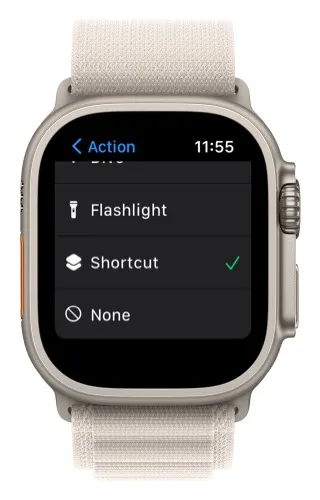
-
Choose Add waypoint in Topo Maps+ as the shortcut.
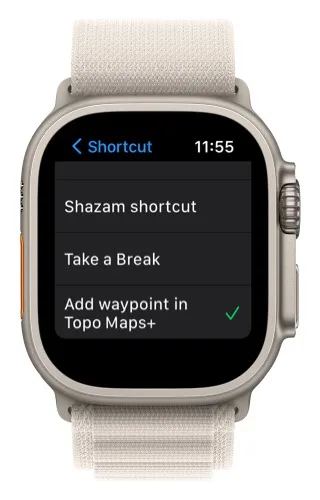
For more on the Action Button, see Apple's Action Button guide.
Updated October 7, 2026
More in Apple Watch
Still need help?
We’re a small team and we read every message. Email support@topomaps.co and tell us which device you’re on.