
Progress on Trail for Apple Watch
Apple Watch
On your phone? Progress on Trail
Progress on Trail shows how far you have left on the trail you're following, and the distance and elevation to each segment along the way. To use it on the watch, you need to be recording a track.
How to view Progress on Trail
-
Tap the menu button (three dots) in the bottom-right corner, then tap Record Track.
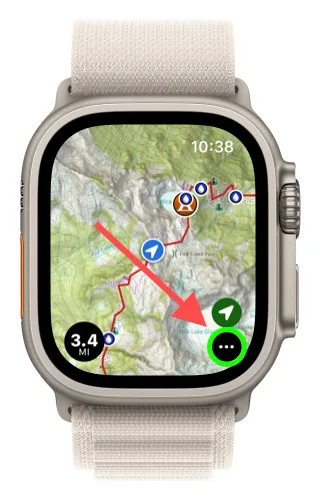
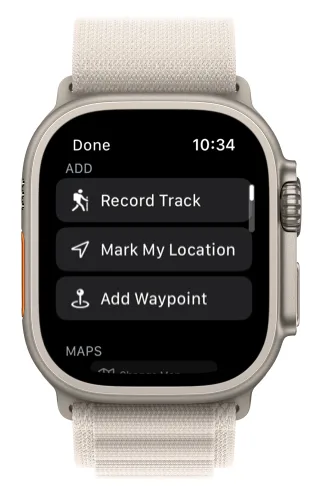
-
To open the track menu, tap Record Track again, or tap the distance button that appears in the bottom-left corner of the map.
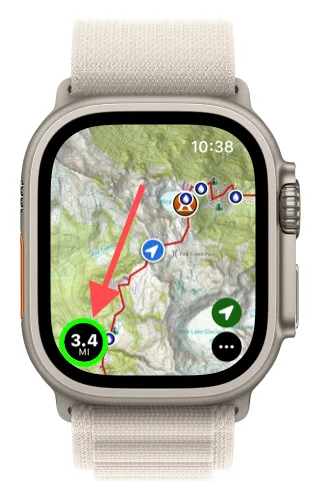
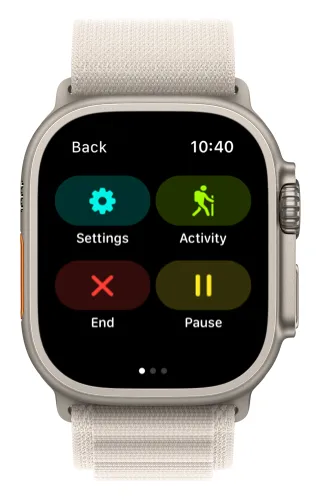
-
Swipe over two screens to reach Progress on Trail. To choose a trail, tap the gear icon.
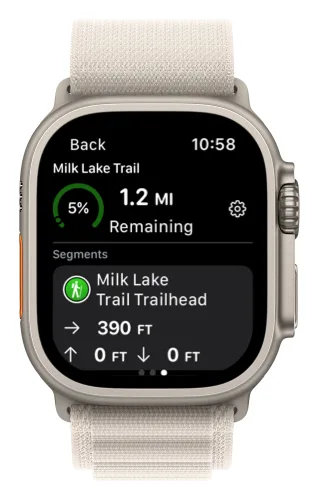
See Recording Tracks on Apple Watch for more on the recording screens.
Updated October 7, 2026
More in Apple Watch
Still need help?
We’re a small team and we read every message. Email support@topomaps.co and tell us which device you’re on.