
Downloading Maps on Apple Watch
On your phone? Downloading Maps for Offline
To use Topo Maps+ on your watch offline, download maps before you head out. Every downloaded map is available when you're out of service in the backcountry.
How to download a map
-
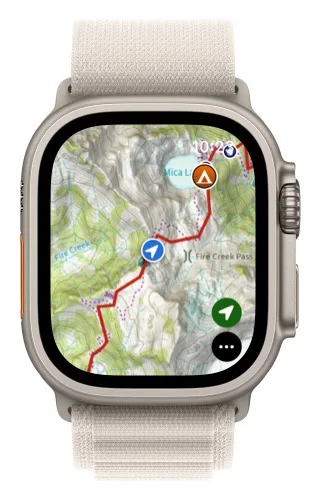
Tap the menu button in the bottom-right corner.
-
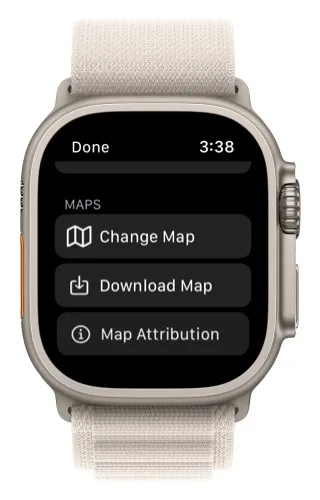
Scroll down and tap Download Map.
-
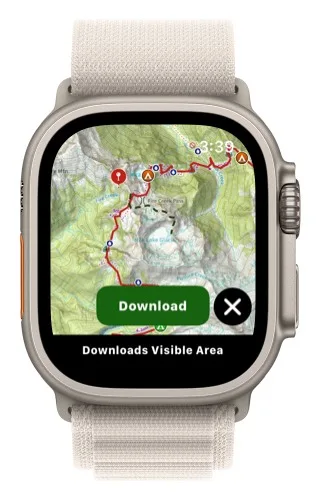
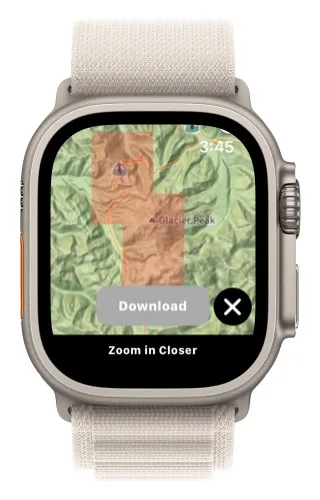
Pan and zoom the map to the area you want, then tap Download. The download covers the area visible on the screen.
-
Keep the app open while the map downloads.
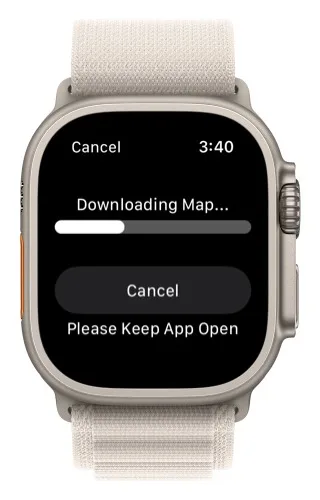
Downloaded areas are shown with a red box over them, so you can check what you've already downloaded.
How to delete a downloaded map
-
Tap the menu button (three dots) in the bottom-right corner.
-
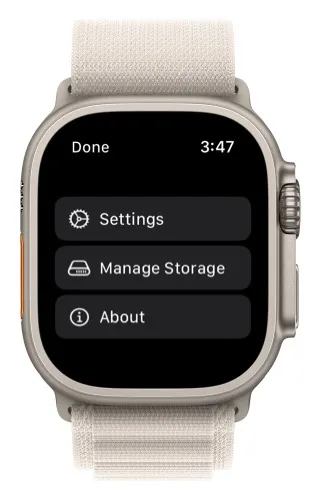
Scroll down and tap Manage Storage.
-
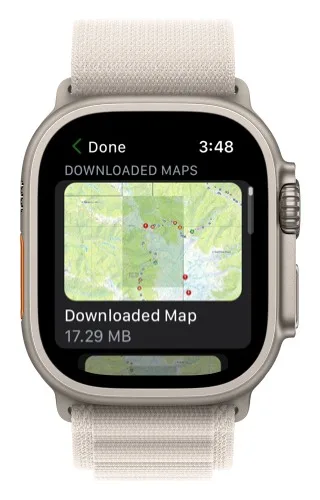
Tap the downloaded map you want to delete.
-
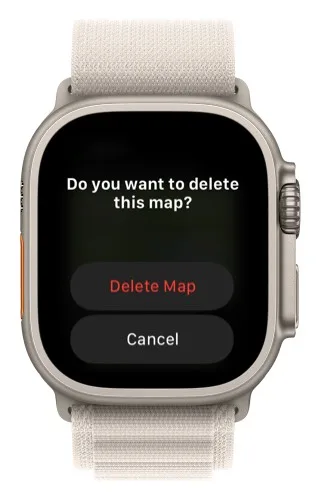
Tap Delete Map.
Updated October 7, 2026
More in Apple Watch
Still need help?
We’re a small team and we read every message. Email support@topomaps.co and tell us which device you’re on.