
Sending Downloads to Apple Watch
Apple Watch
You can download maps right on the watch, but it's much easier to download them on your iPhone. If you already have downloads there, you can send them straight to your watch.
How to send a download to your watch
On your iPhone:
-
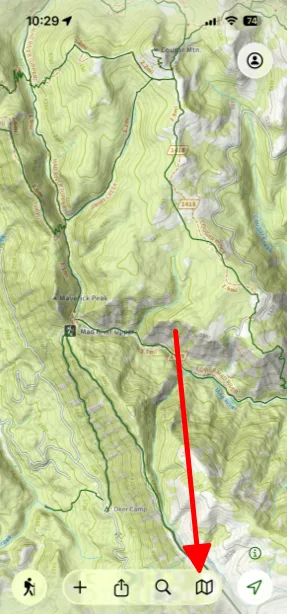
Tap the maps button in the bottom-right corner of the screen.
-
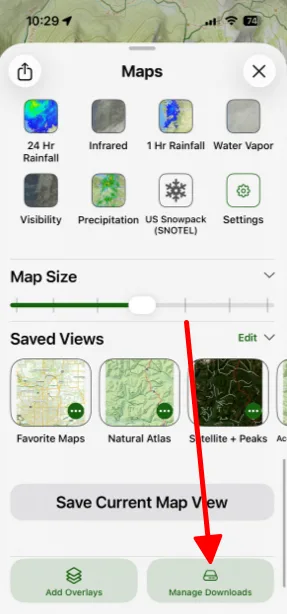
Scroll to the bottom and tap Manage Downloads.
-
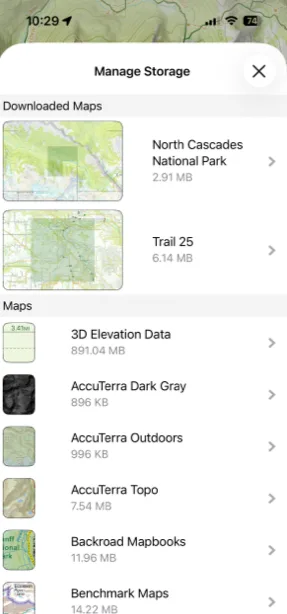
Tap the download you want to send.
-
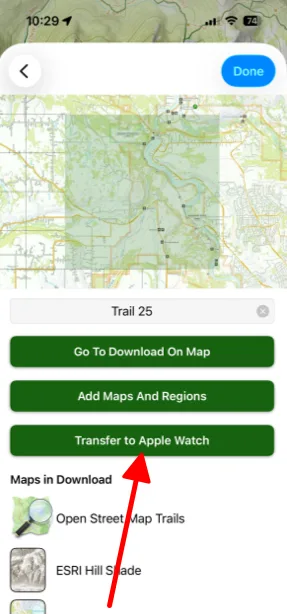
Tap Transfer to Apple Watch.
To download maps on your iPhone in the first place, see Downloading Maps.
Updated October 7, 2026
More in Apple Watch
Still need help?
We’re a small team and we read every message. Email support@topomaps.co and tell us which device you’re on.