
Previewing Maps from the iPhone
Apple Watch
Navigating to a specific spot on the small Watch screen can be tricky. Instead, find the spot on your iPhone and open the same view on your watch.
How to view a spot on your watch
-
Open Topo Maps+ on your Apple Watch.
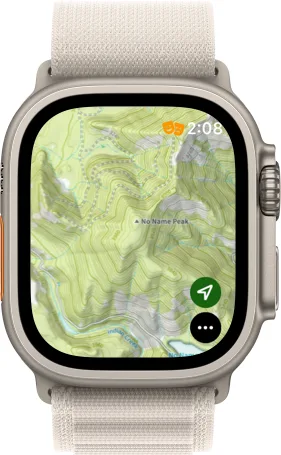
-
On your iPhone, tap and hold where you want the watch view to be centered.
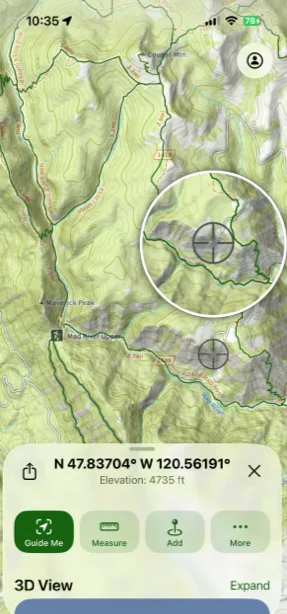
-
In the panel that opens, tap More.
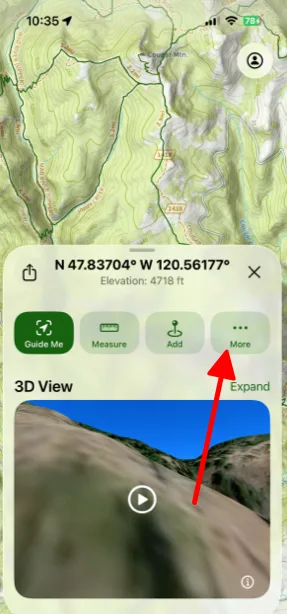
-
Tap View on Apple Watch.
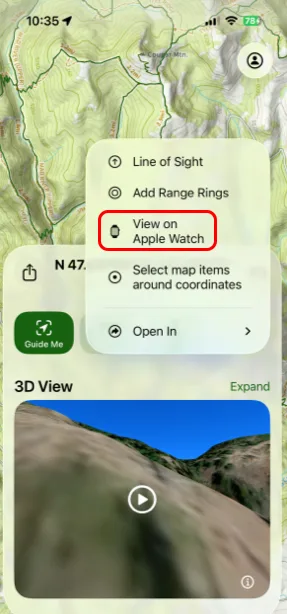
Updated October 7, 2026
More in Apple Watch
Still need help?
We’re a small team and we read every message. Email support@topomaps.co and tell us which device you’re on.