
Live Activity
iPhone & iPad
While you record a track, a Live Activity on your Lock Screen shows details about the recording, so you can check your stats without unlocking your phone.
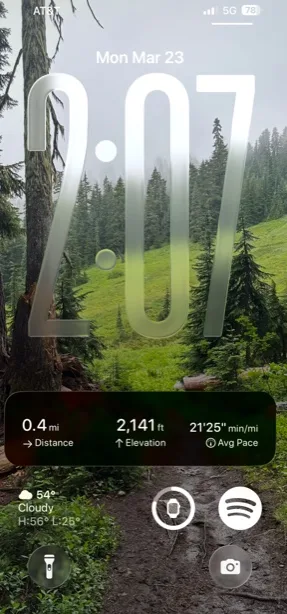
How to customize the Live Activity
-
Tap the Menu button in the top-right corner.
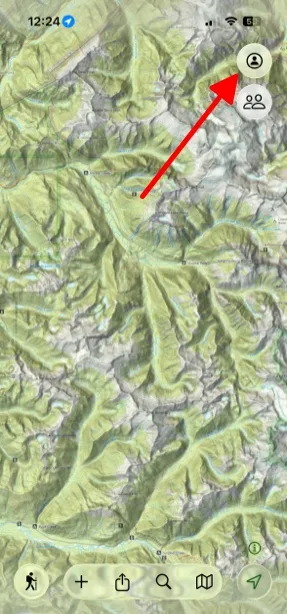
Shown on iPhone — Android looks slightly different. -
Scroll to the bottom and tap Settings.
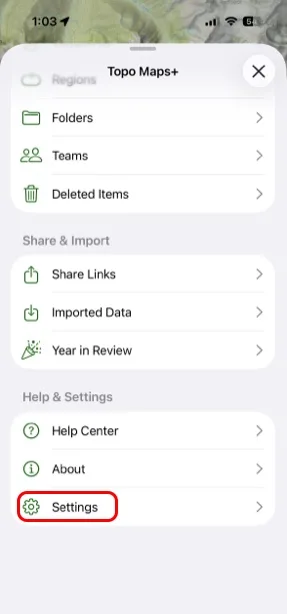
Shown on iPhone — Android looks slightly different. -
Under Recording Tracks, tap Live Activity.
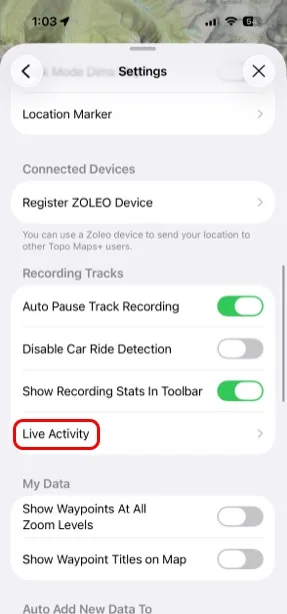
Shown on iPhone — Android looks slightly different. -
Turn on Enable Live Activity, then choose which stat appears in each position.
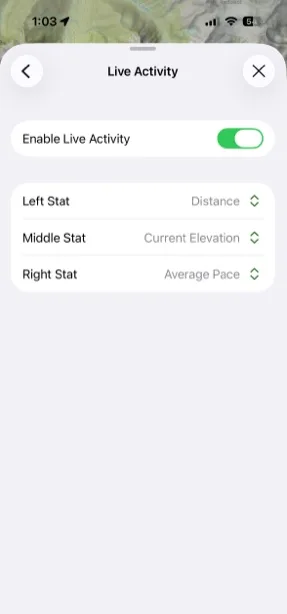
Shown on iPhone — Android looks slightly different.
Updated October 7, 2026
More in On the Trail
Still need help?
We’re a small team and we read every message. Email support@topomaps.co and tell us which device you’re on.