
Off Trail Notifications
iPhone & iPad
This feature isn’t available in the Android app yet.
An off trail notification alerts you when you end up more than a set distance off the trail you’re following.
How to set up an off trail notification
-
Tap the Hike button in the toolbar, then tap More.
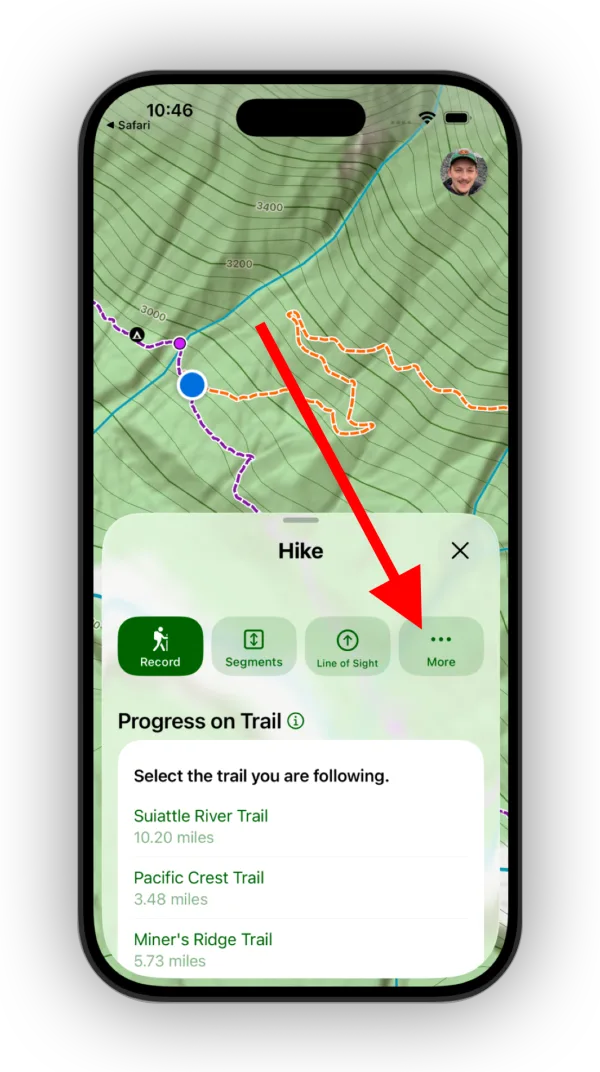
Shown on iPhone — Android looks slightly different. -
Tap Off Trail Alert.
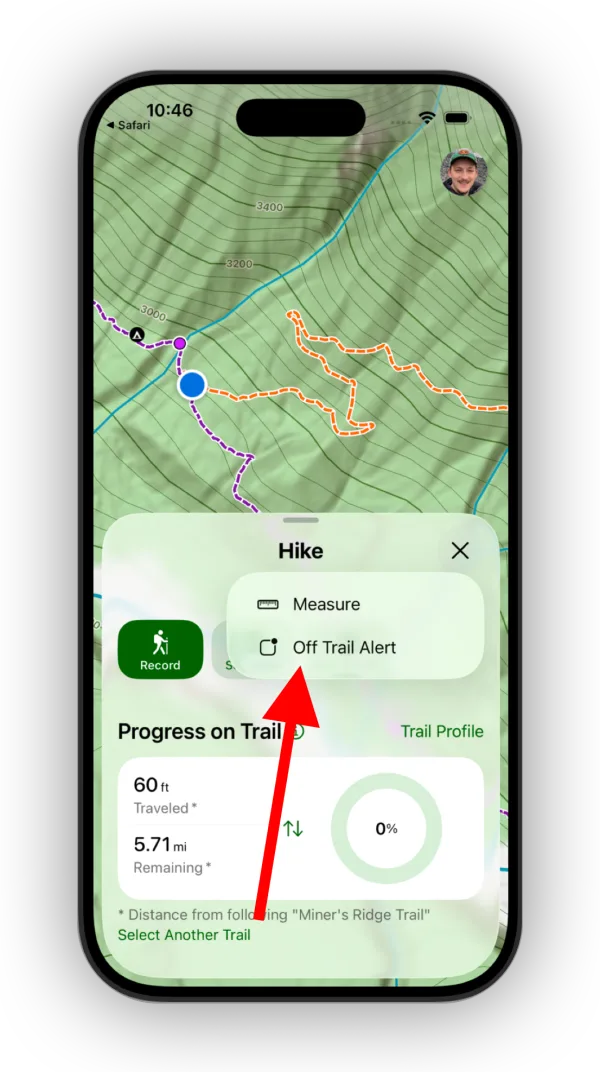
Shown on iPhone — Android looks slightly different. -
Tap Select Trail.
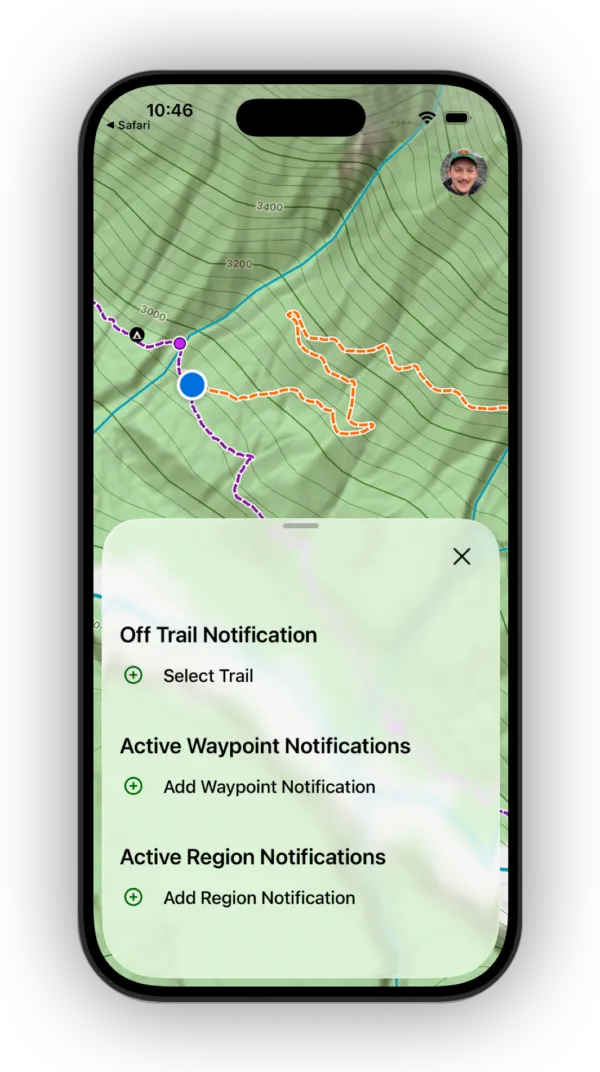
Shown on iPhone — Android looks slightly different. -
Select the trail you’ll be following.
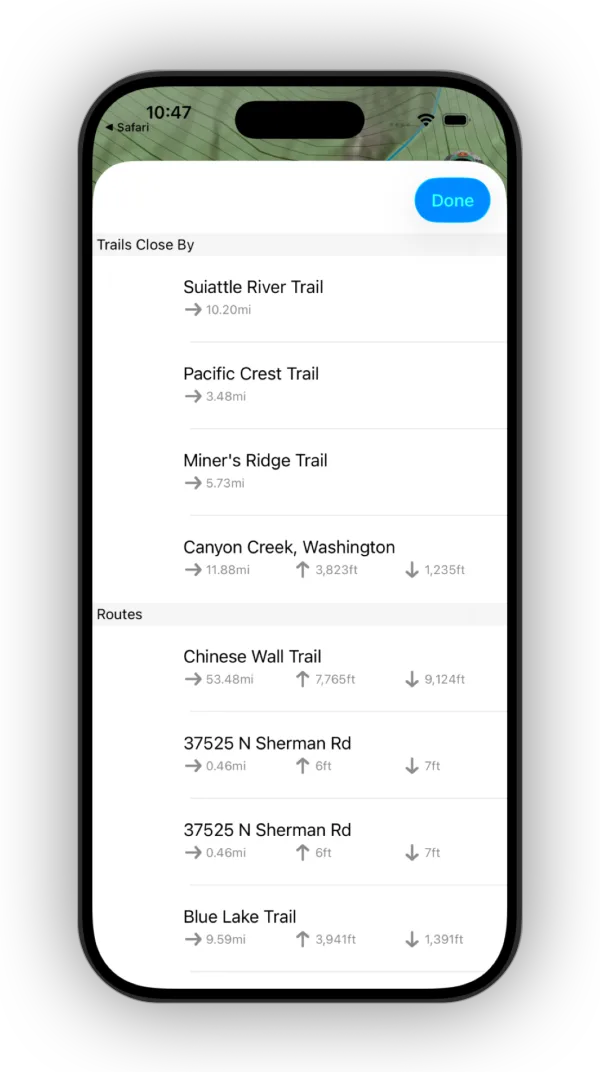
Shown on iPhone — Android looks slightly different. -
Set how far off the trail you can go before you’re alerted.
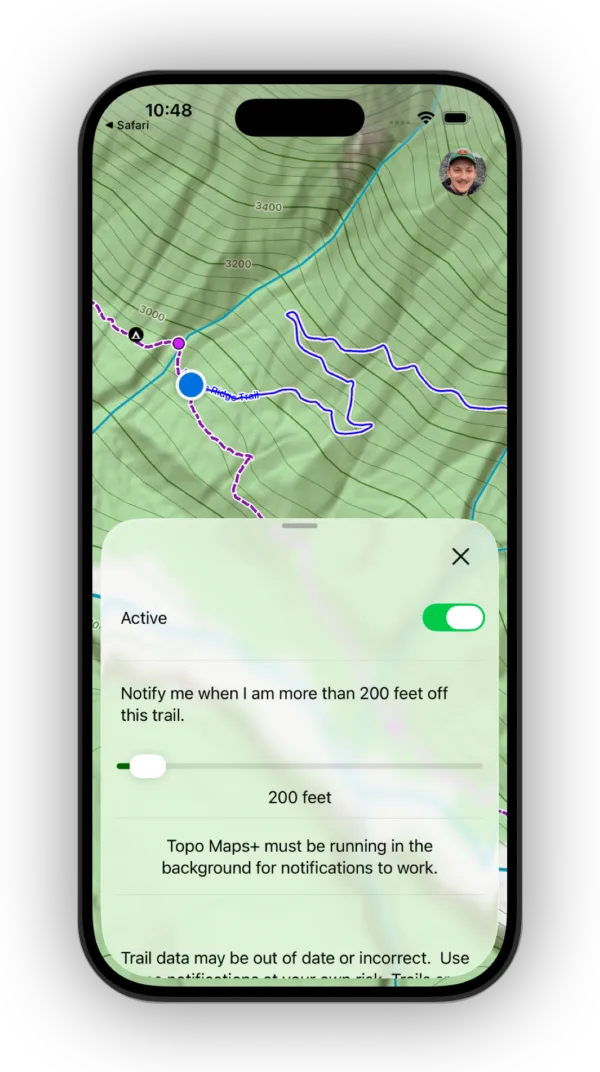
Shown on iPhone — Android looks slightly different.
You can also set alerts for waypoints and regions. See Proximity alerts.
Updated October 7, 2026
More in On the Trail
Still need help?
We’re a small team and we read every message. Email support@topomaps.co and tell us which device you’re on.