
Proximity Alerts
This feature isn’t available in the Android app yet.
Proximity alerts send you a notification based on how far you are from a route, waypoint, or region. Set one up by tapping the item on the map, or from the Hike menu.
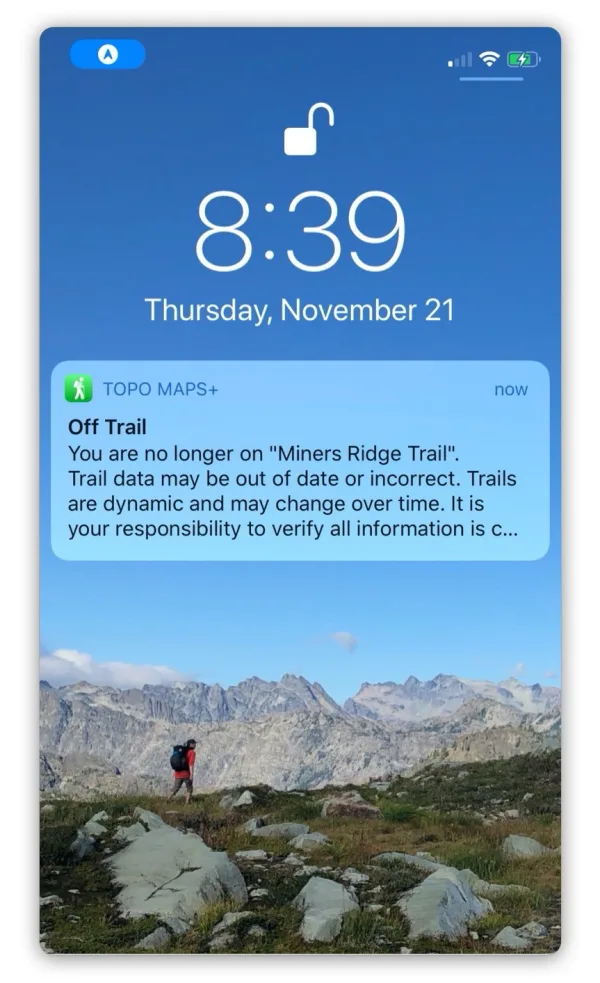
How to set an alert for a trail or route
-
Tap the route or trail on the map, then tap More.
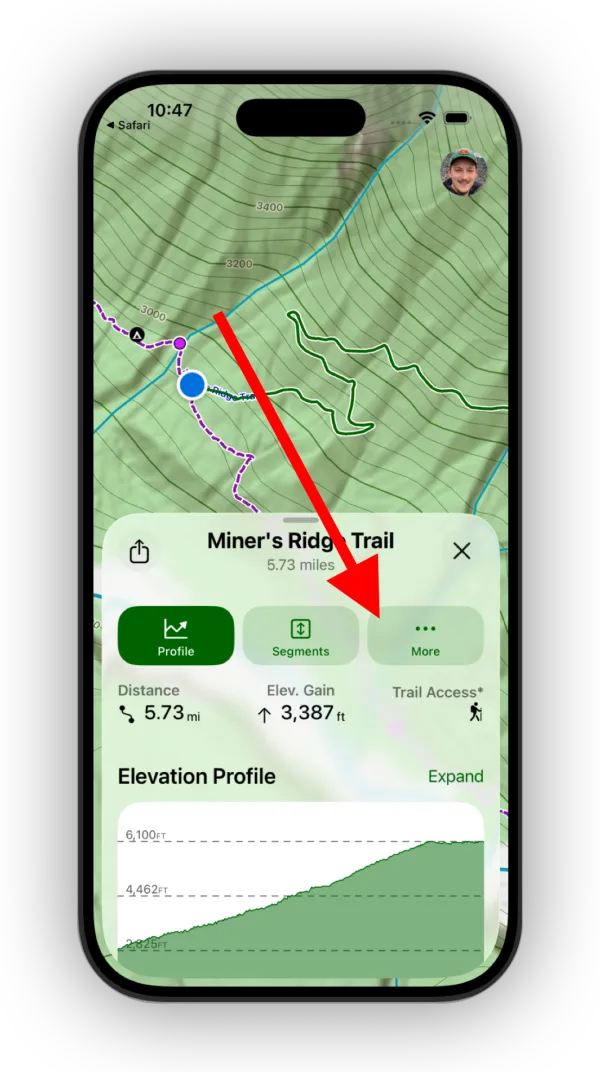
Shown on iPhone — Android looks slightly different. -
Tap Off Trail Alert.
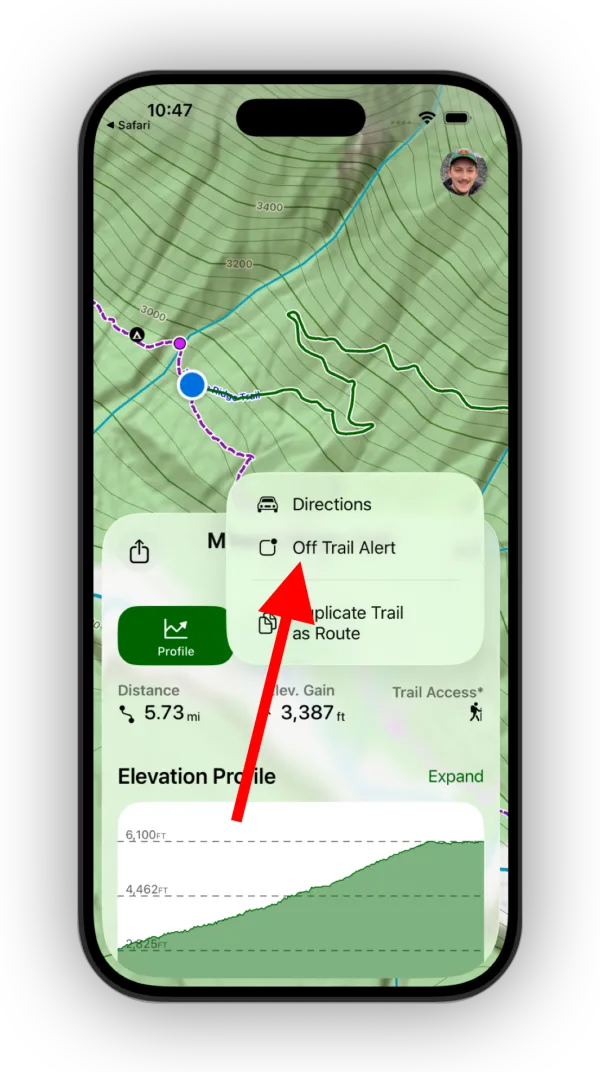
Shown on iPhone — Android looks slightly different. -
Choose how far off the trail you need to be before it alerts you.
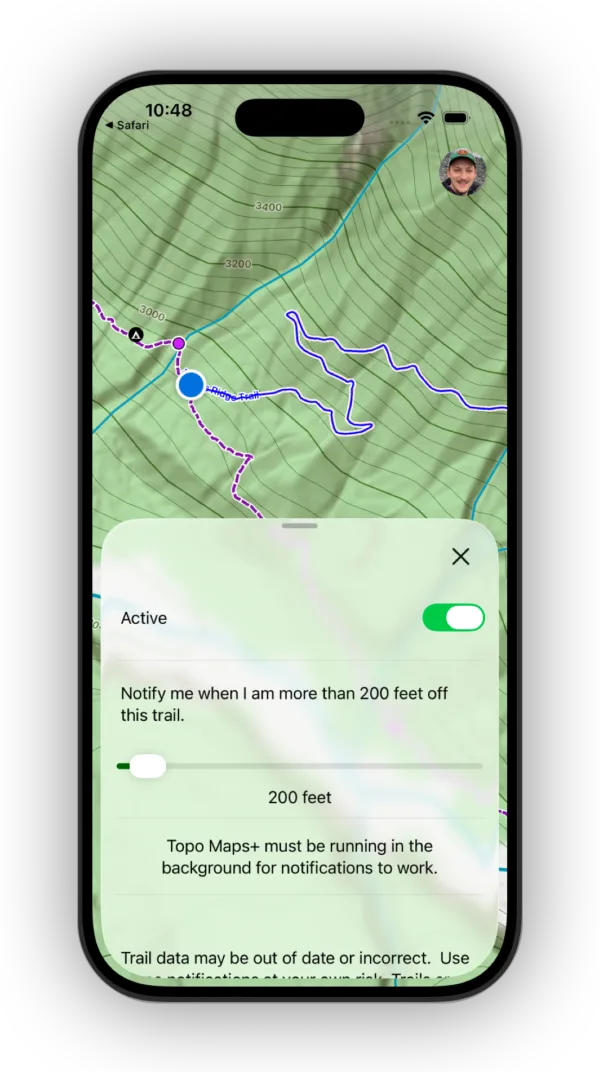
Shown on iPhone — Android looks slightly different.
How to set an alert for a waypoint
-
Tap the waypoint on the map, then tap More.
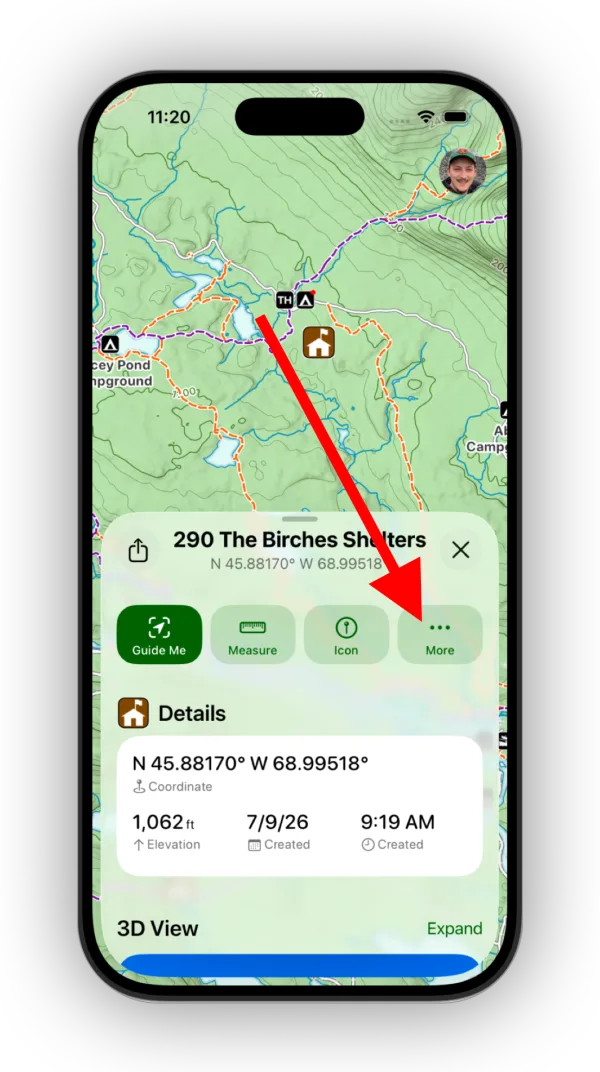
Shown on iPhone — Android looks slightly different. -
Tap Alert.
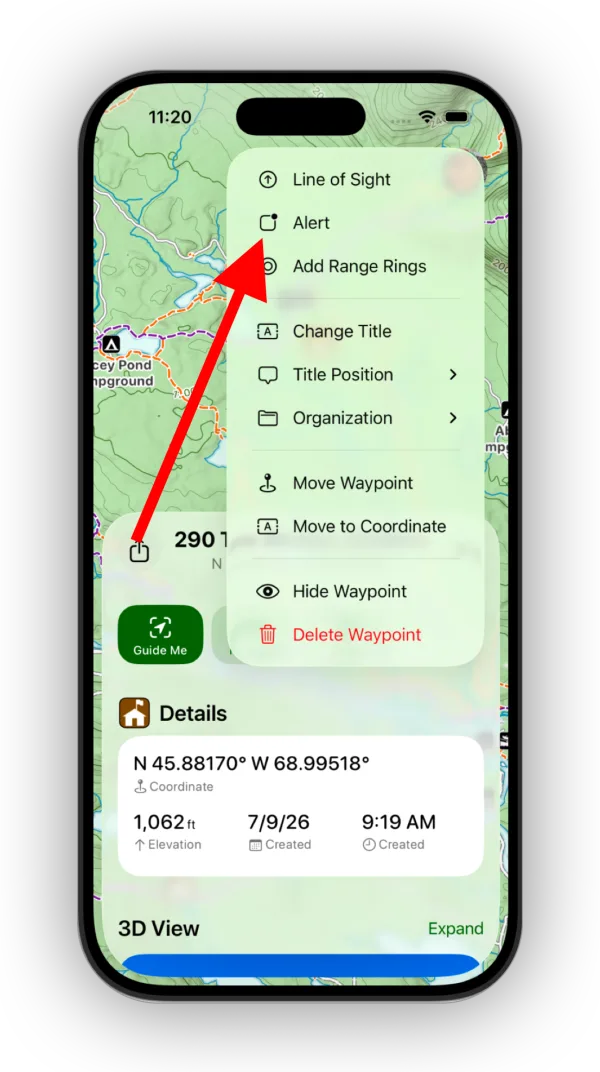
Shown on iPhone — Android looks slightly different. -
Choose how close you need to be to the waypoint for it to notify you.
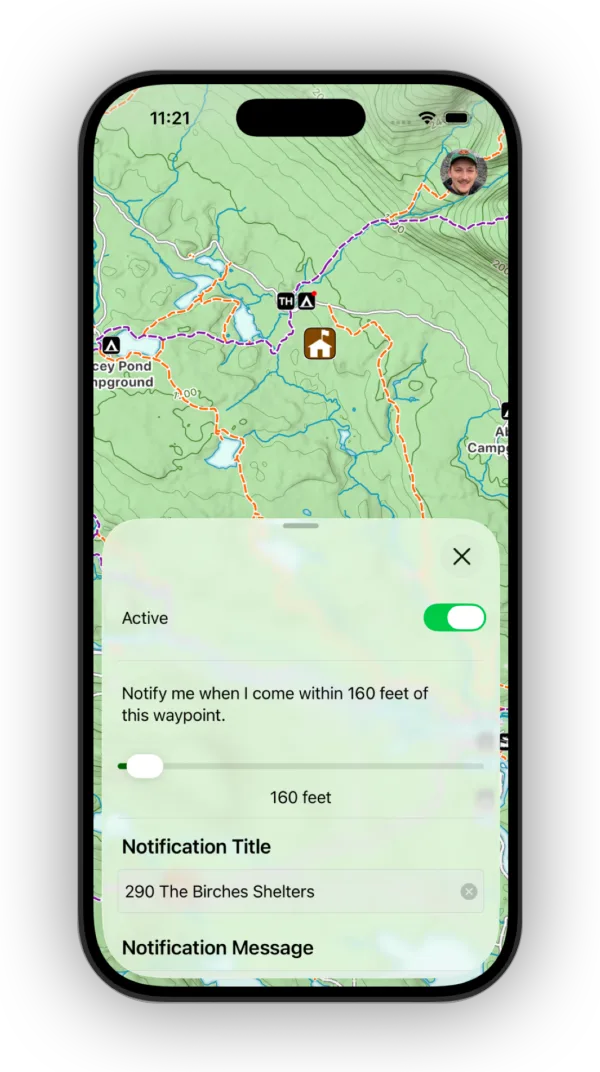
Shown on iPhone — Android looks slightly different.
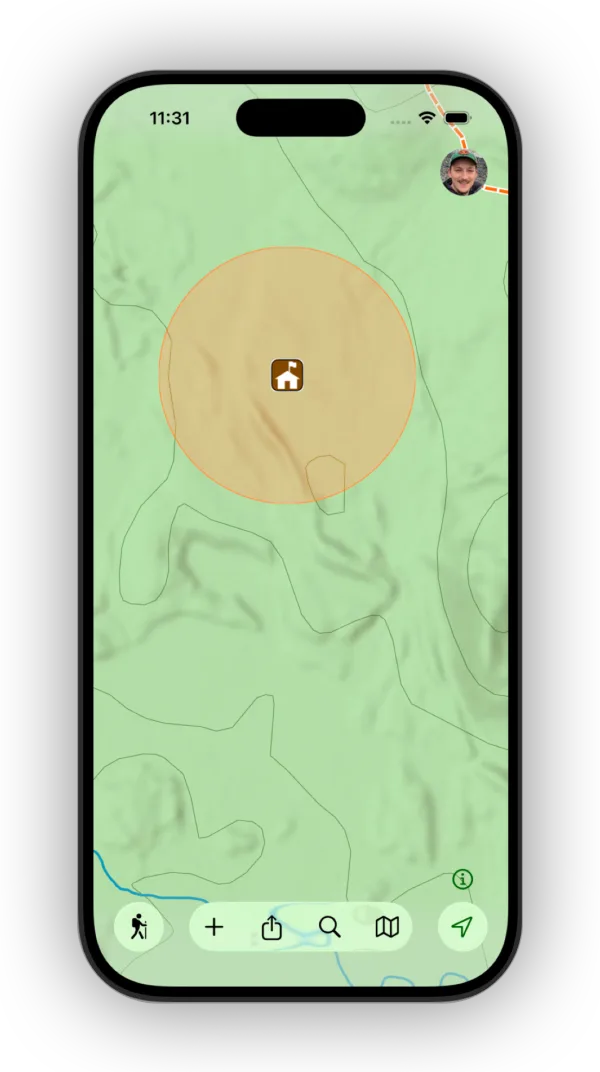
The alert distance appears as an orange circle around the waypoint.
How to set an alert for a region
-
Tap the region on the map, then tap Alert.
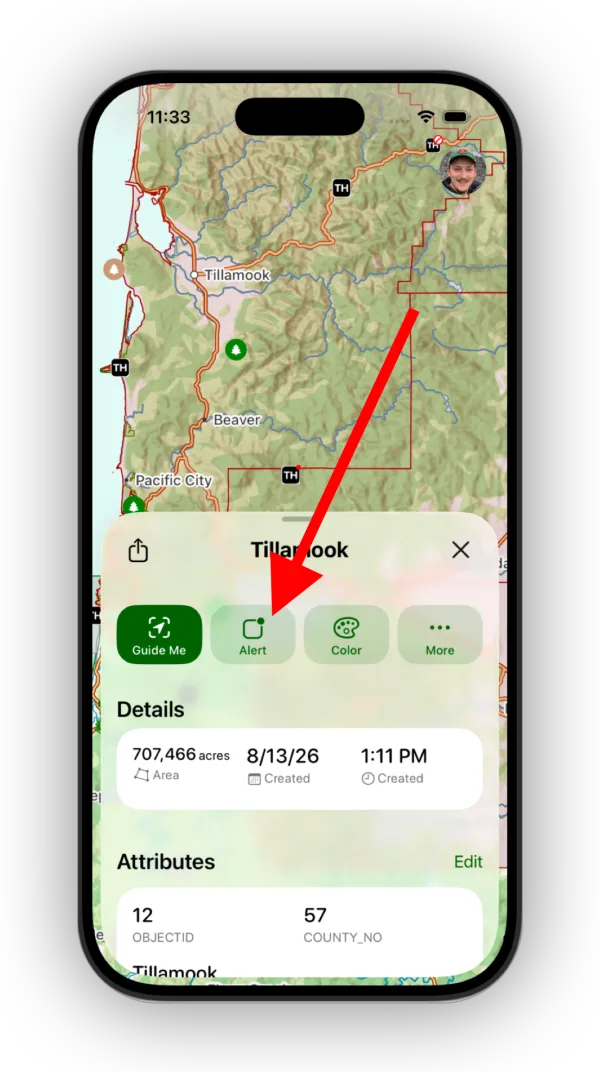
Shown on iPhone — Android looks slightly different. -
Choose whether you want to be notified when you Enter, Exit, or cross the region’s boundary (Boundary Cross).
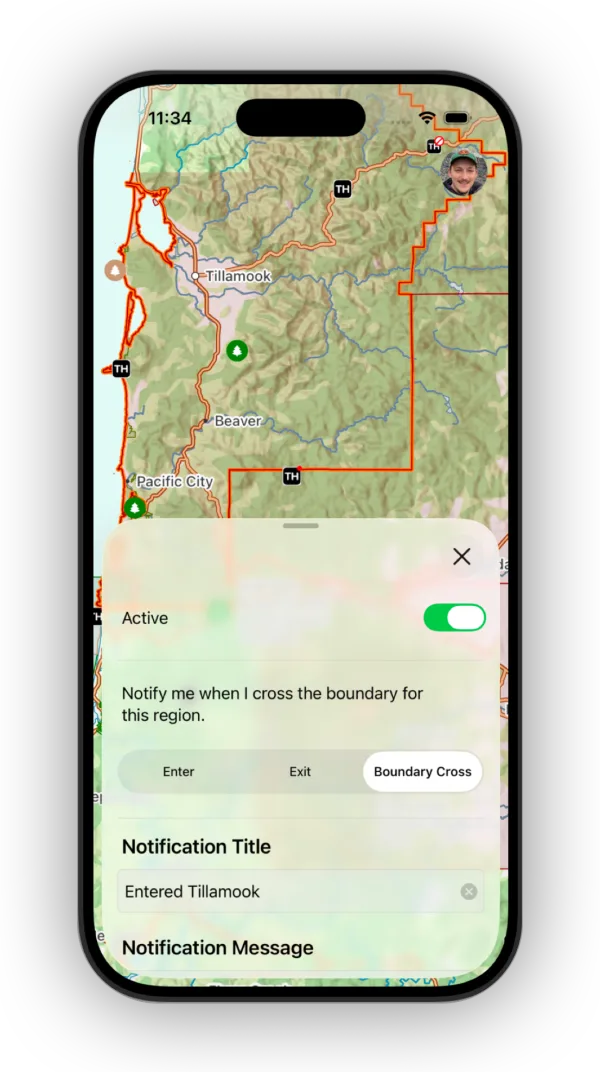
Shown on iPhone — Android looks slightly different.
Updated October 7, 2026
More in On the Trail
Still need help?
We’re a small team and we read every message. Email support@topomaps.co and tell us which device you’re on.