
Guide Me
On Apple Watch? Guide Me on Apple Watch
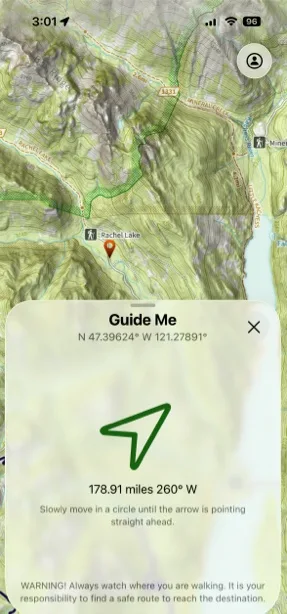
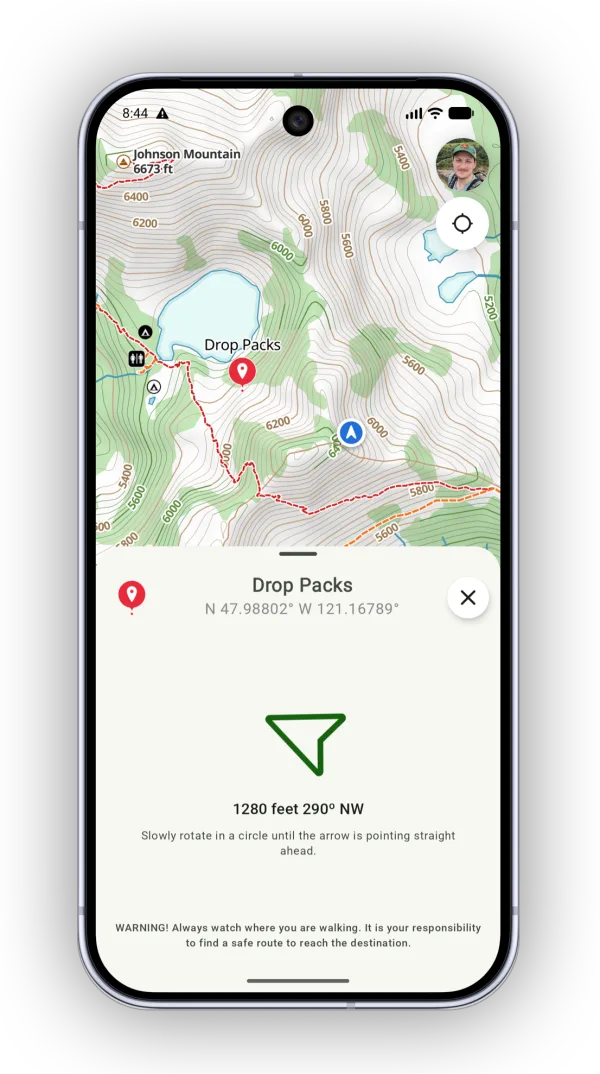
Guide Me points you to a waypoint by showing the distance and bearing to it from your current location.
How to use Guide Me
-
Select a waypoint and tap Guide Me.
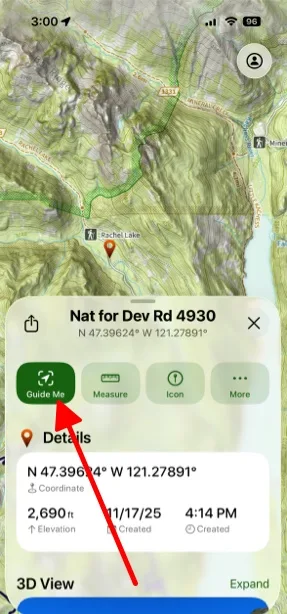
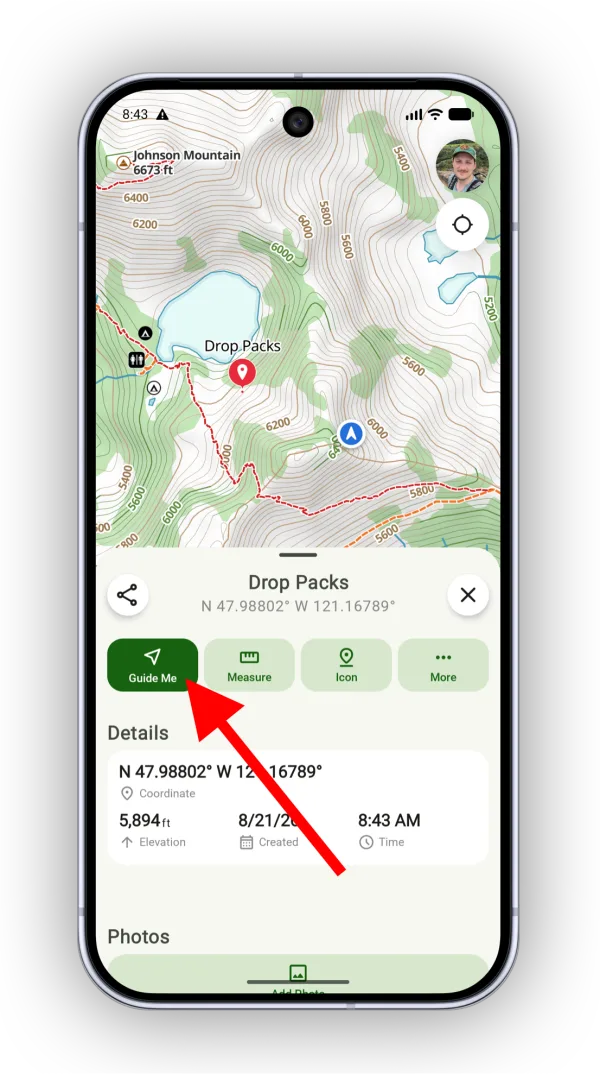
-
The arrow shows your bearing to the waypoint. Hold your phone flat, parallel to the ground, and turn in a circle until the arrow turns green. When it’s green, you’re pointing toward the waypoint.
Updated October 7, 2026
More in On the Trail
Still need help?
We’re a small team and we read every message. Email support@topomaps.co and tell us which device you’re on.