
Offroading Maps
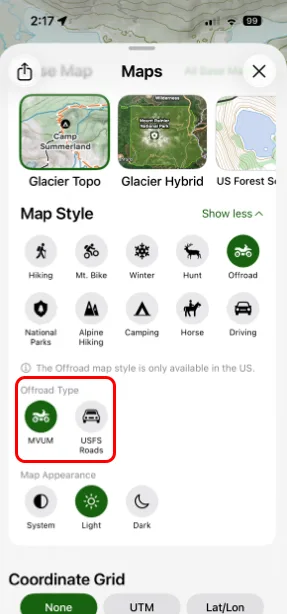
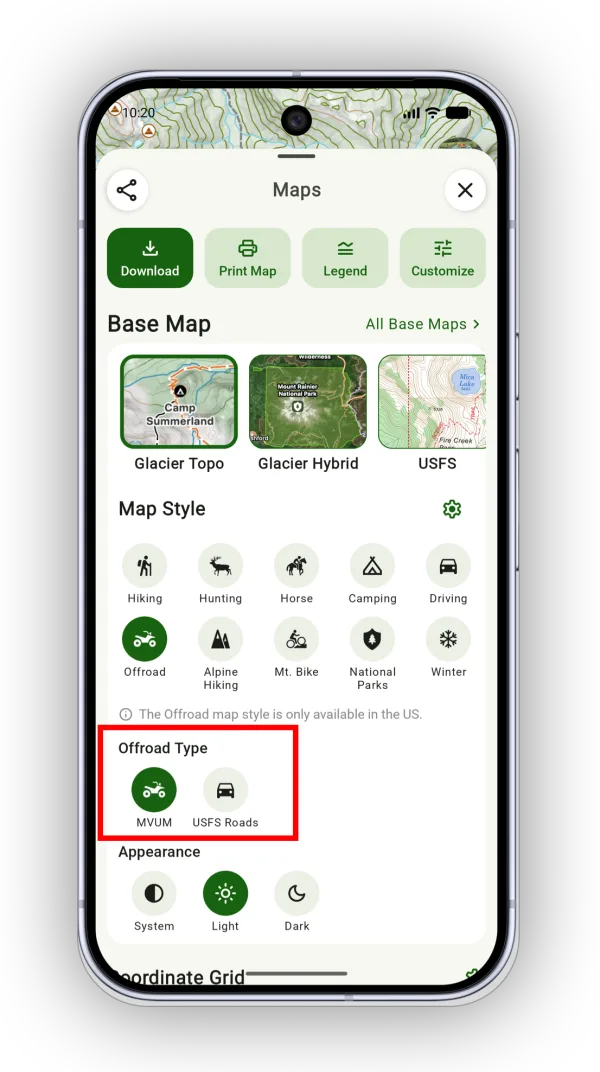
The Offroad map style adds Motor Vehicle Use Map (MVUM) or US Forest Service (USFS) roads to any map, including Glacier Topo and Glacier Hybrid, so you can see which roads are open and to what vehicles.
How to turn on offroad roads
-
Tap the Maps button in the toolbar.
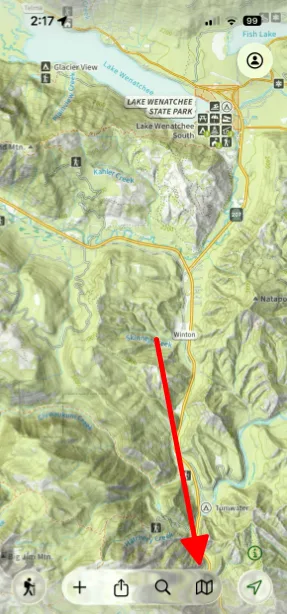
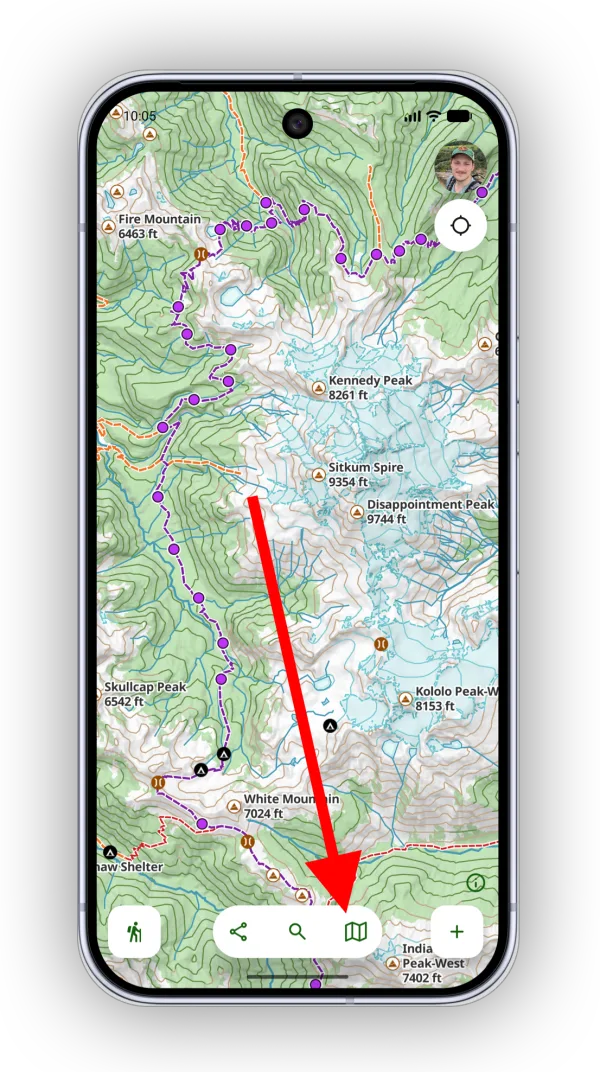
-
Select the Offroad map style.
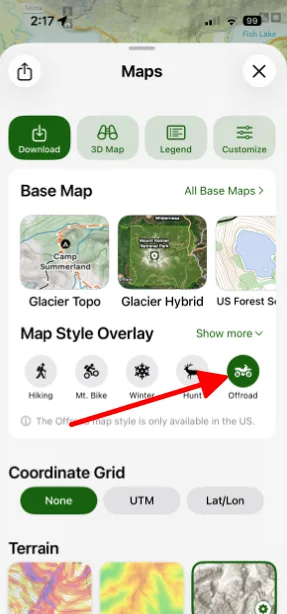
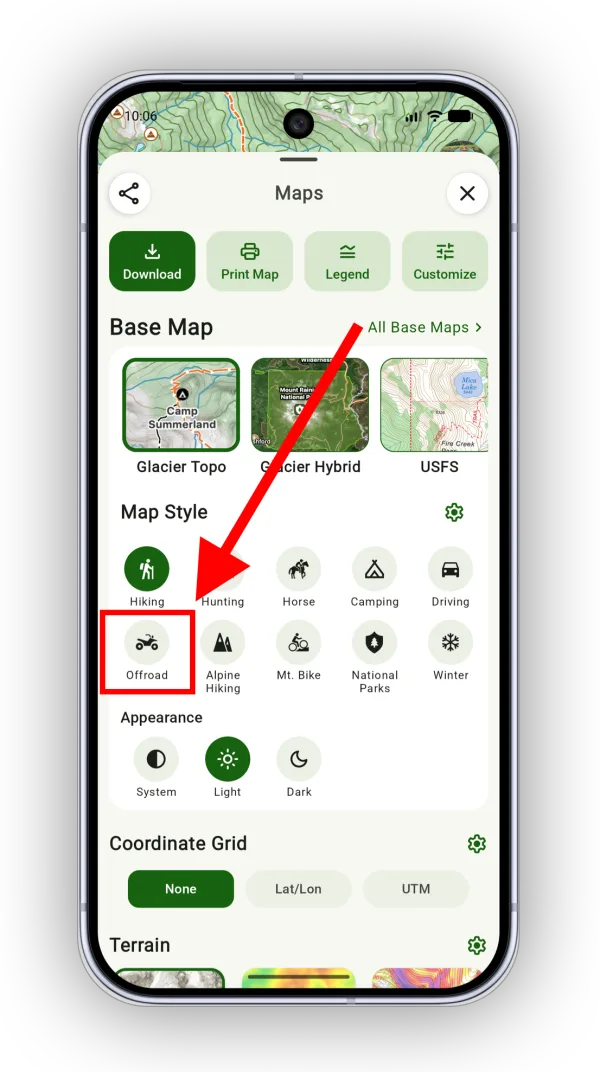
-
Under Offroad Type, select the road type you want to view: MVUM or USFS Roads. If you don't see it, tap Show more.
Viewing road details
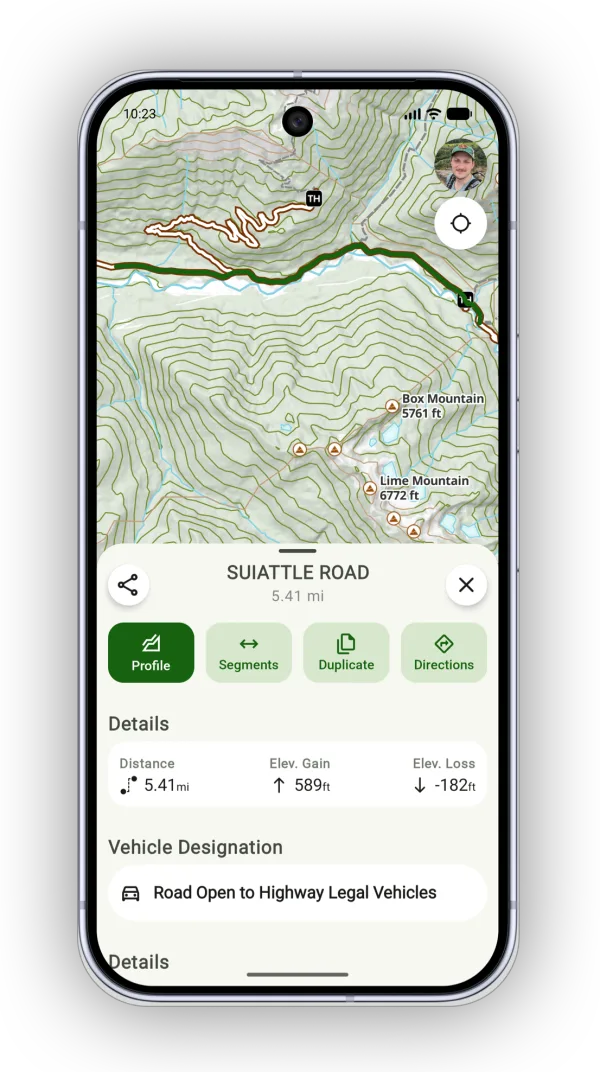
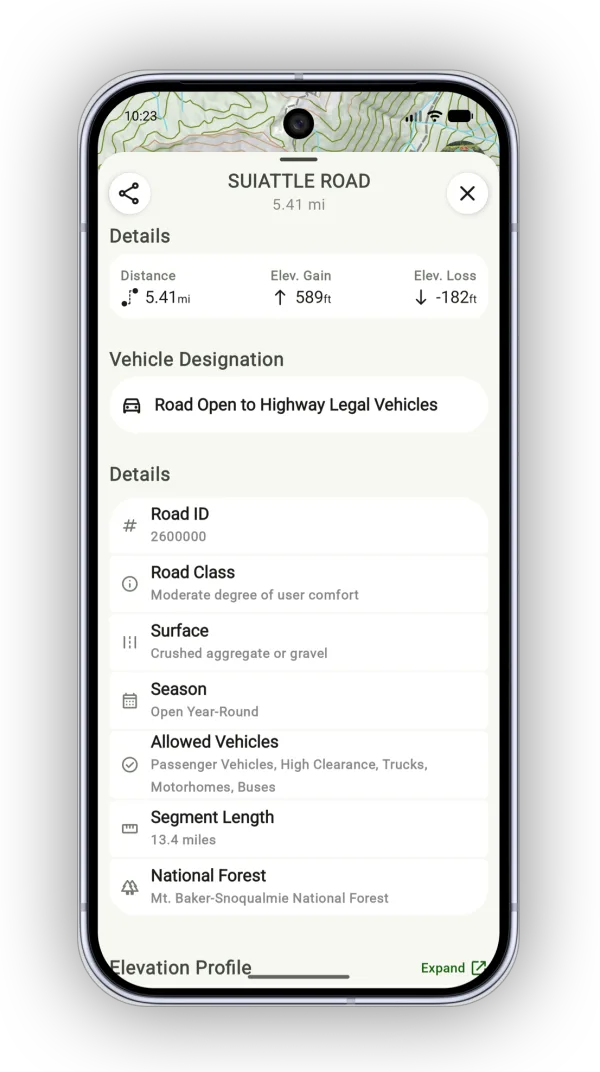
Tap a road on the map to see its details, such as vehicle designation, road class, surface, season, and allowed vehicles.
Updated October 7, 2026
More in Maps & Overlays
Still need help?
We’re a small team and we read every message. Email support@topomaps.co and tell us which device you’re on.