
Weather Overlays
iPhone & iPad
This feature isn’t available in the Android app yet.
Weather overlays show current conditions on top of your map. The Weather section of the Maps screen has these overlays, updated every hour:
- Precipitation (US NEXRAD Precipitation)
- 1 Hr Rainfall (US NEXRAD 1 Hour Rainfall)
- 24 Hr Rainfall (US NEXRAD 24 Hour Rainfall)
- Infrared (US NEXRAD Infrared)
- Water Vapor (US NEXRAD Water Vapor)
- Visibility (US NEXRAD Visibility)
- US Snowpack (SNOTEL), updated daily. See SNOTEL (US Snowpack) Overlay.
The NEXRAD weather overlays require a Topo Maps+ Pro subscription.
How to turn on a weather overlay
-
Tap the Maps button in the toolbar.
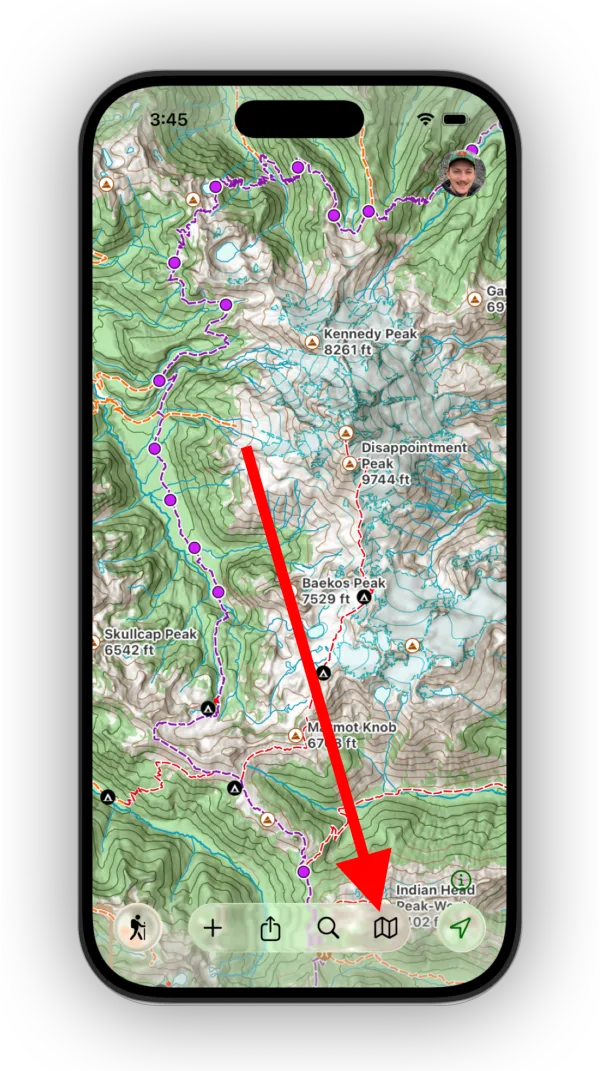
Shown on iPhone — Android looks slightly different. -
Scroll down to the Weather section and select an overlay.
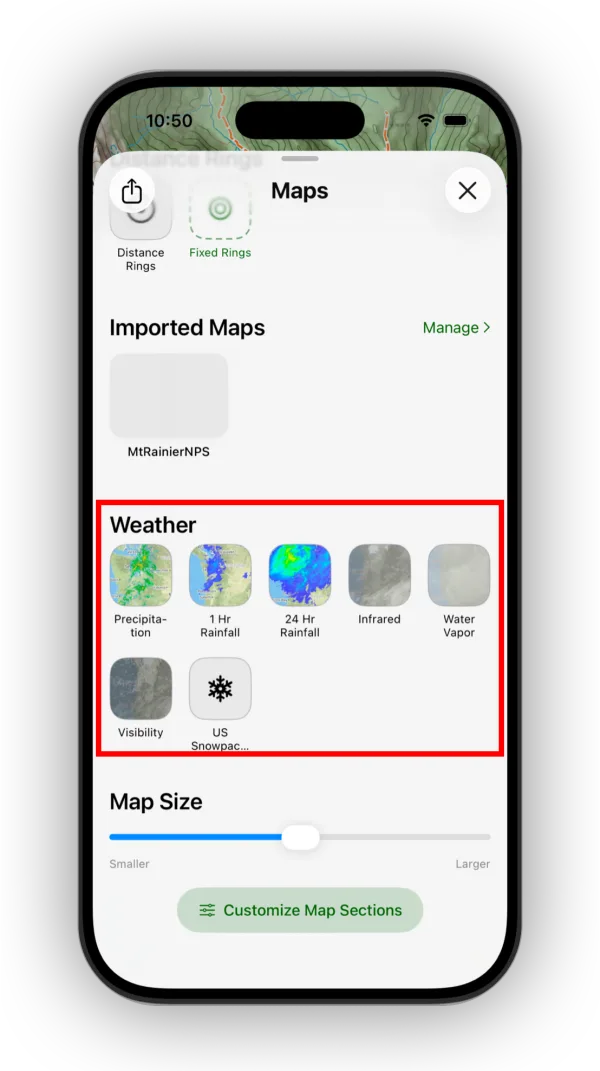
Shown on iPhone — Android looks slightly different.
Updated October 7, 2026
More in Maps & Overlays
Still need help?
We’re a small team and we read every message. Email support@topomaps.co and tell us which device you’re on.