
Map Activity Style
Using the web app? Map Dashboard on the Web App
Change the map to match your activity with a single tap. Each activity style highlights the trails, roads, and features that matter for what you're doing.
How to change the activity style
-
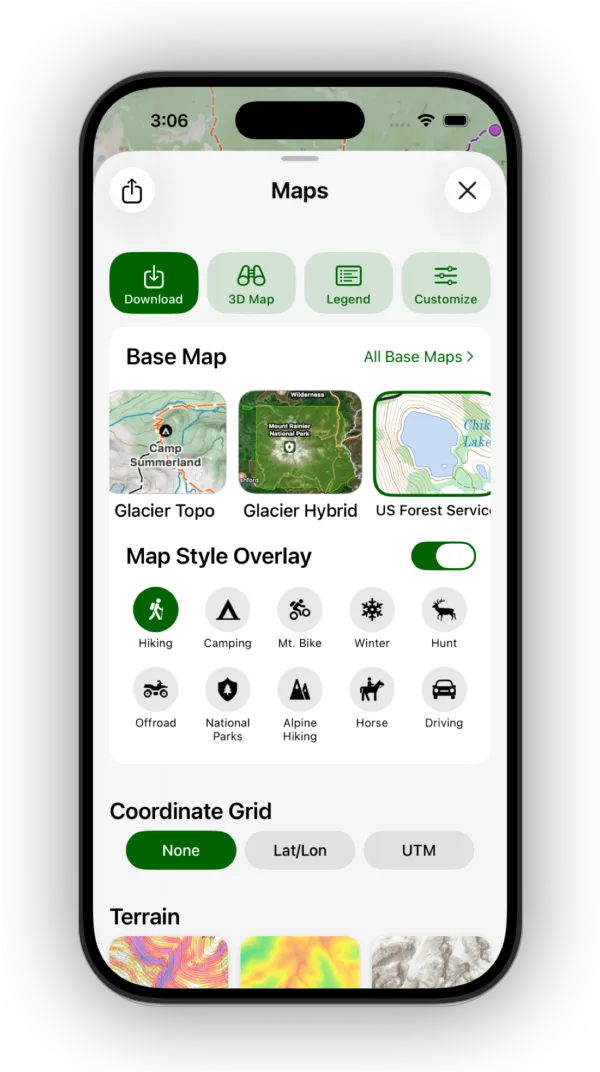
Tap the Maps button in the toolbar.
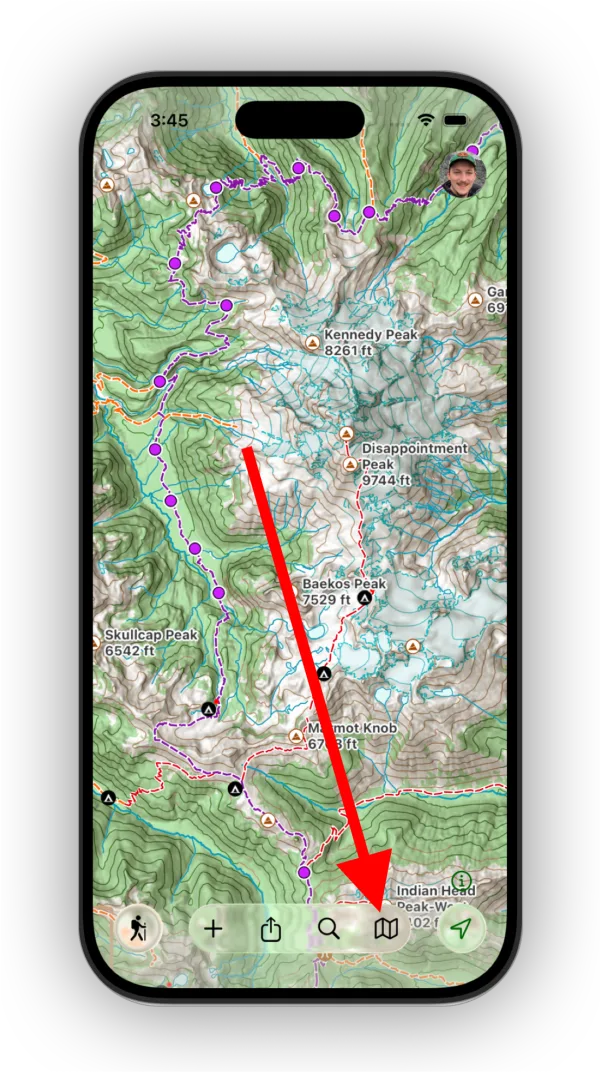
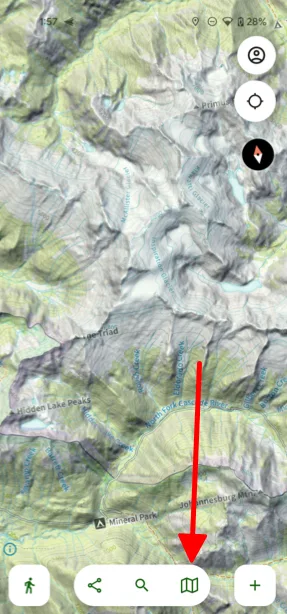
-
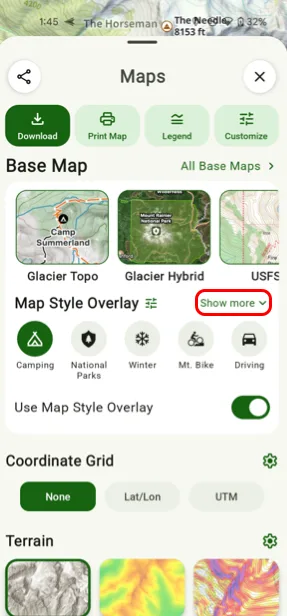
Under Map StyleMap Style Overlay, tap the activity you want to use. Tap Show more to see every activity.
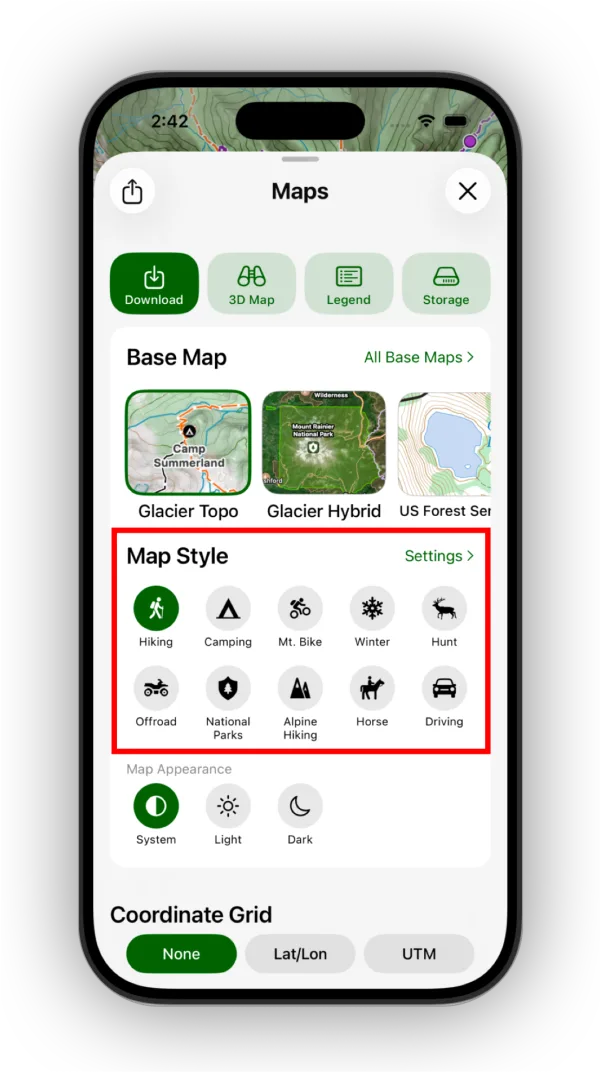
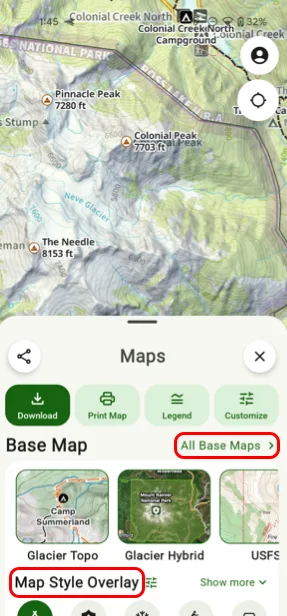
Activity style as an overlay
For Glacier Topo and Glacier Hybrid, the activity style is part of the map itself. For other base maps, it's an optional overlay you can turn on or off with the Map Style OverlayUse Map Style Overlay toggle.
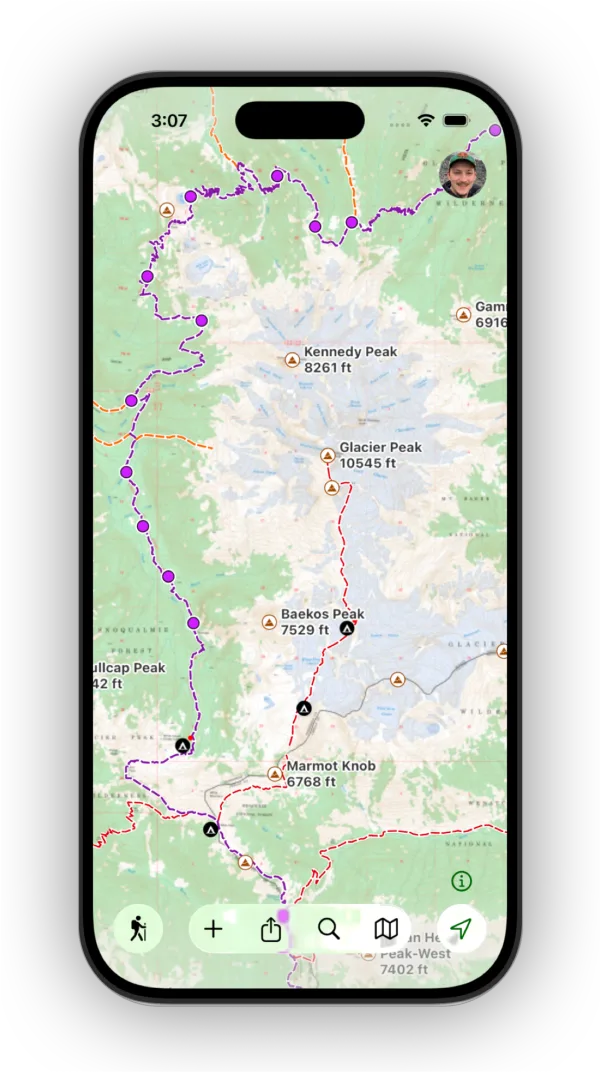
This is what the activity style looks like as an overlay:
How to reorder activities
-
Tap Settings next to Map Style.
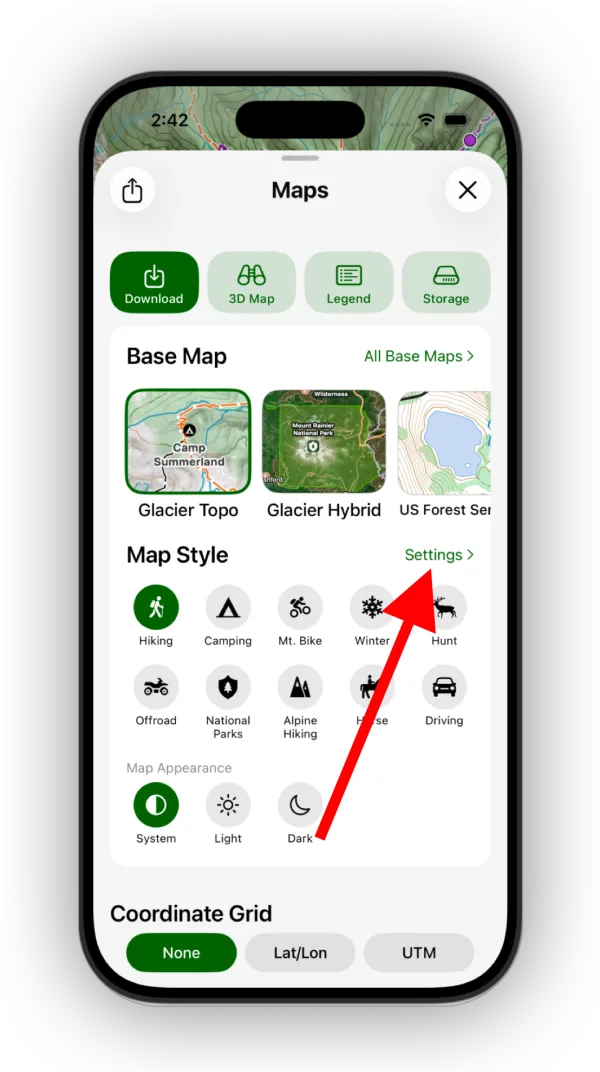
Shown on iPhone — Android looks slightly different. -
Drag the activities into the order you want, then tap Done.
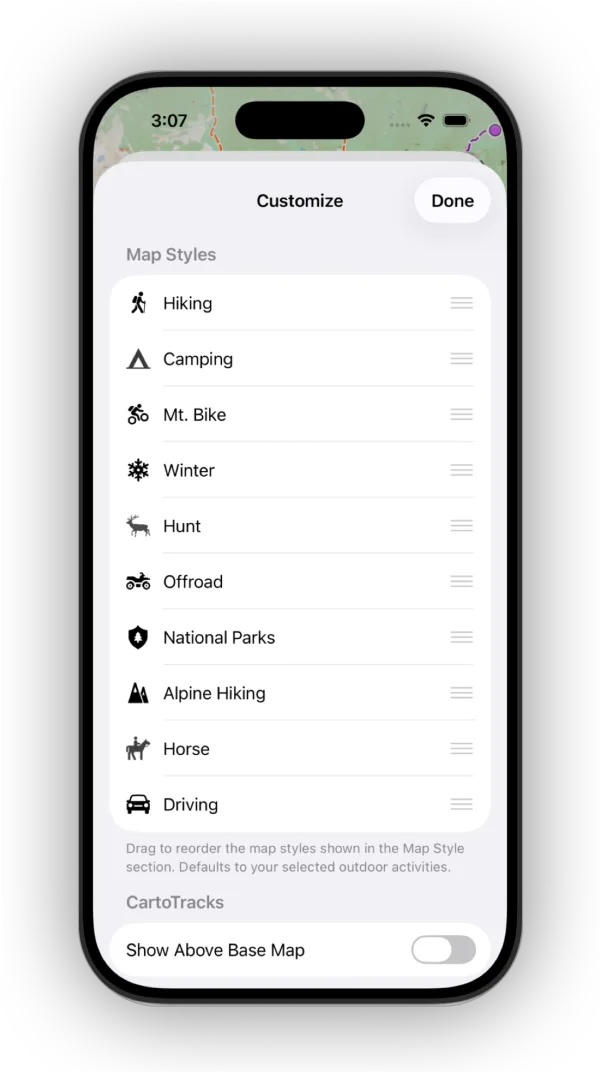
Shown on iPhone — Android looks slightly different.
Updated October 7, 2026
More in Maps & Overlays
Still need help?
We’re a small team and we read every message. Email support@topomaps.co and tell us which device you’re on.