
3D Maps
This feature isn’t available in the Android app yet.
Using the web app? 3D Maps on the Web App
3D maps bring your routes to life. View terrain in three dimensions so you can easily see climbs, descents, valleys, and ridges, then tilt and rotate the map for a realistic perspective. The 3D map is built for outdoor adventures, with a "look around" view that shows both what you're looking at and exactly where you are on the map.
3D maps include all of your map data, such as routes and waypoints.
How to explore in 3D
-
Tap Maps in the toolbar.
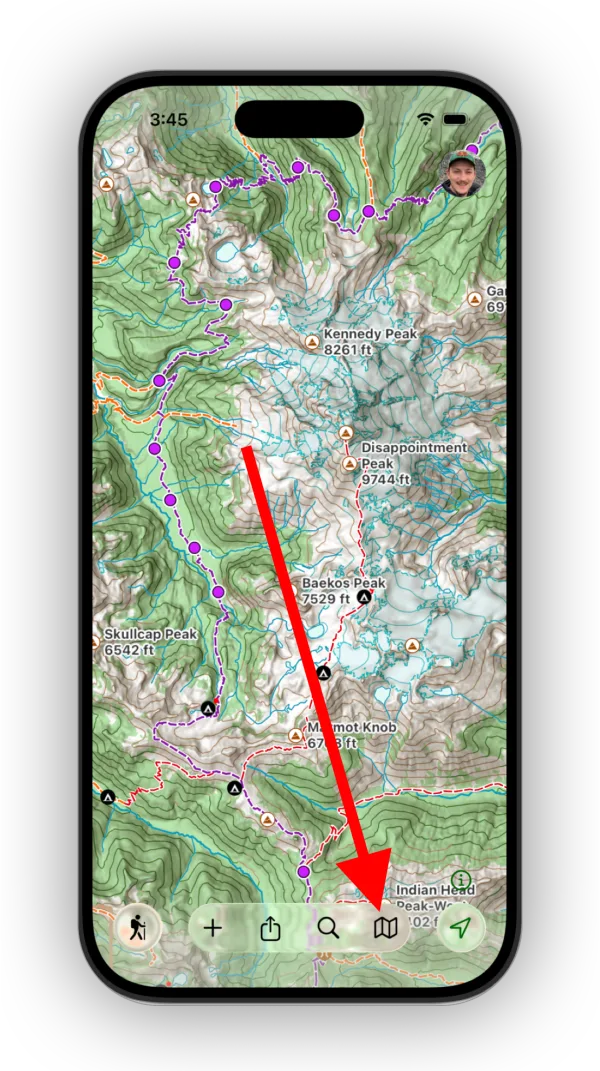
Shown on iPhone — Android looks slightly different. -
Tap the 3D Map button.
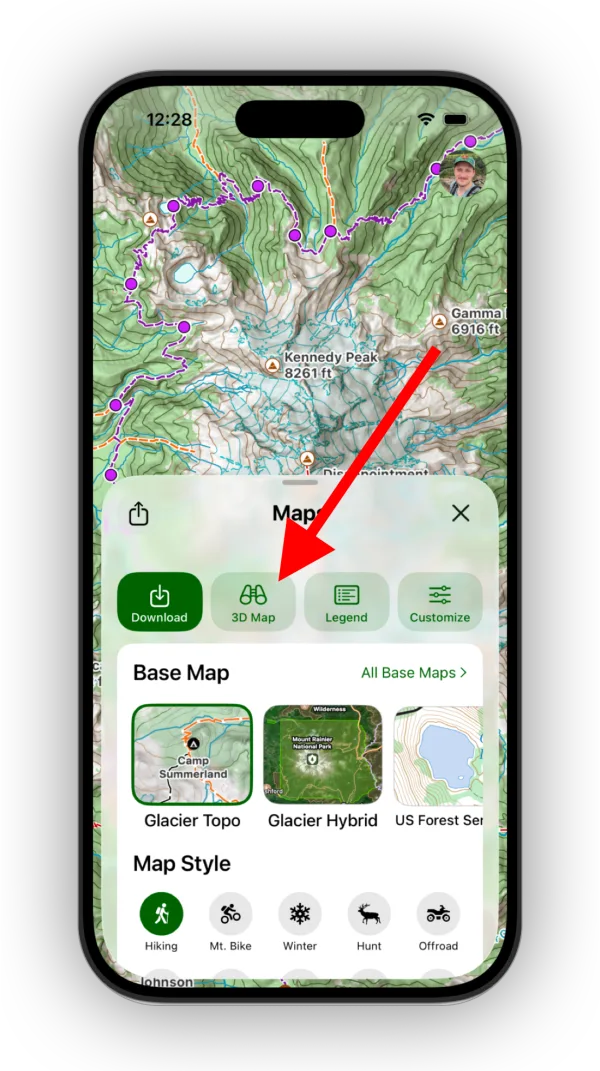
Shown on iPhone — Android looks slightly different. -
Look around. By default, the 3D view is anchored to the binoculars on the map, so swiping up, down, left, or right lets you look around as if you were standing there. Drag the binoculars on the map to move the 3D view.
To switch to more traditional 3D controls, tap the mode button on the right of the 3D view's toolbar.
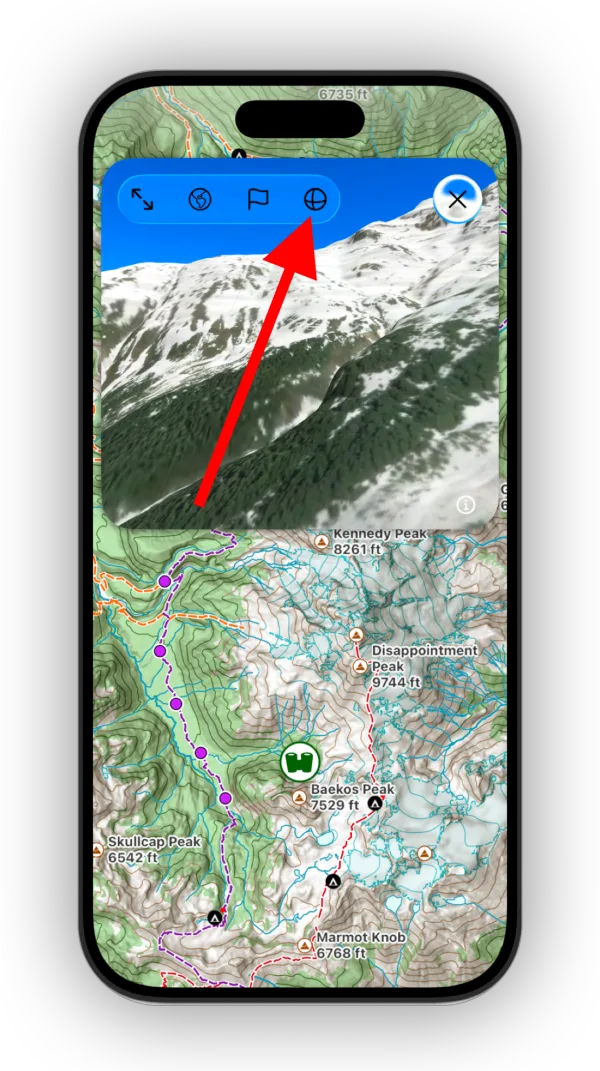
Shown on iPhone — Android looks slightly different. -
To "fly" in a direction, tap and hold in the 3D view.
-
For a full-screen 3D view, tap the Expand icon.
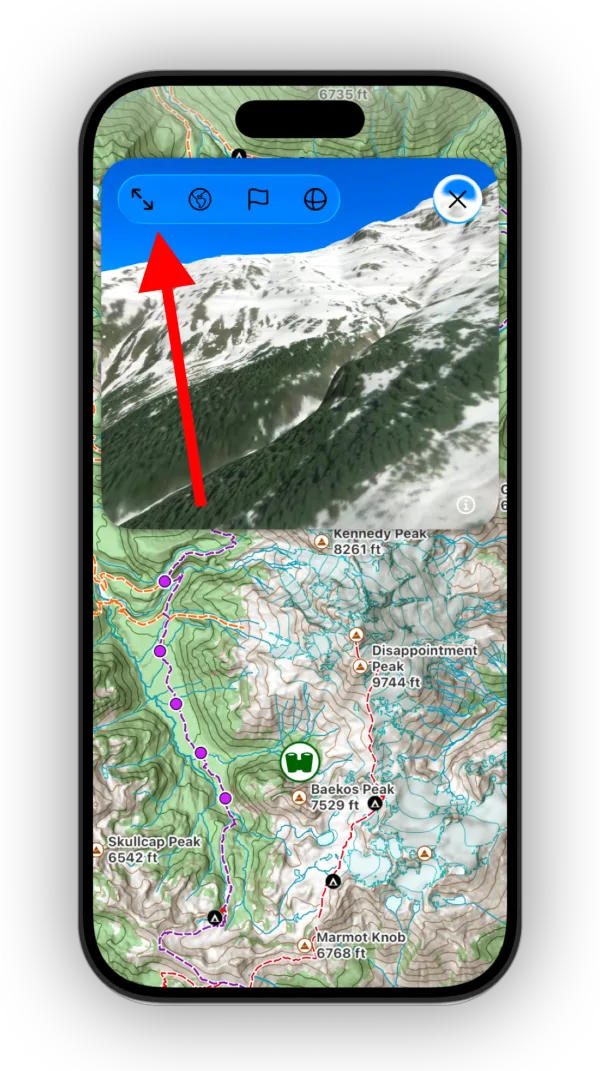
Shown on iPhone — Android looks slightly different.
Other 3D controls
- Tap the Globe/Map icon to switch between topographic and satellite imagery in 3D.
- Tap the Flag icon to show or hide your saved data and peak info.
Open a 3D view of a specific spot
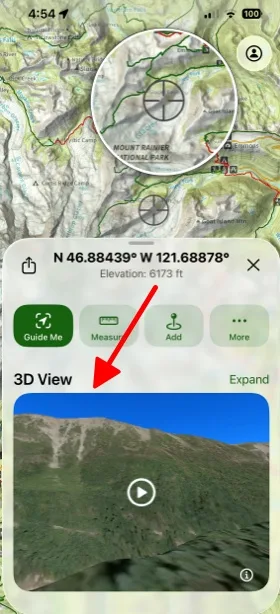
Tap and hold anywhere on the map. The card that opens includes a 3D View of that location.
Updated October 7, 2026
More in Maps & Overlays
Still need help?
We’re a small team and we read every message. Email support@topomaps.co and tell us which device you’re on.