
Slope Angle Overlay
Using the web app? Slope Angle Overlay on the Web App
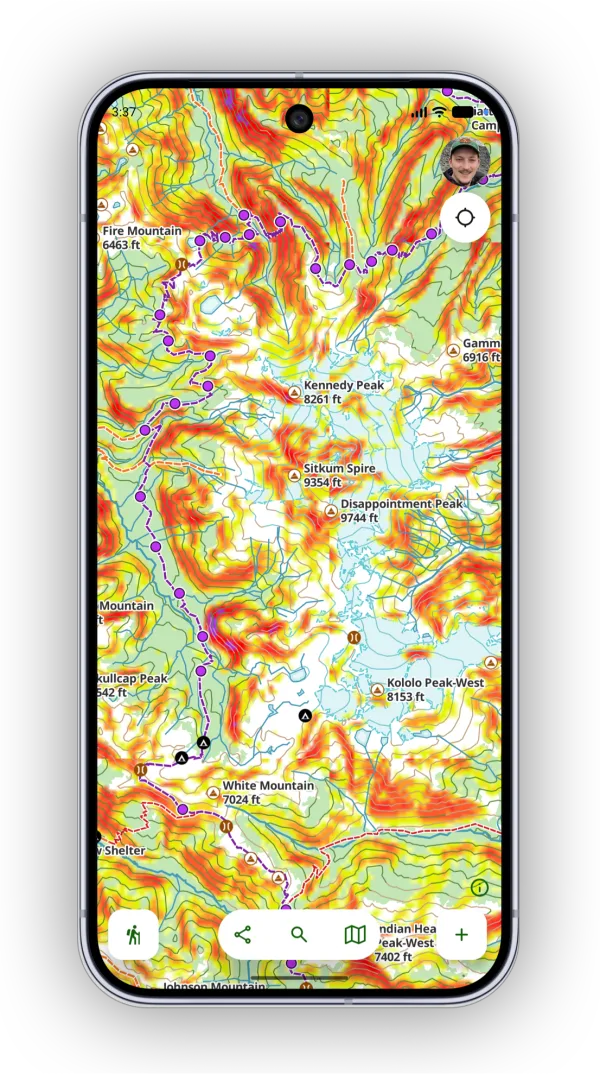
The slope angle overlay colors the map by how steep the terrain is. If you're in an area prone to avalanches, it's an easy way to see which slopes to avoid. If you travel off-trail, it helps you pick a smoother line and steer clear of very steep climbs.
How to turn on the overlay
-
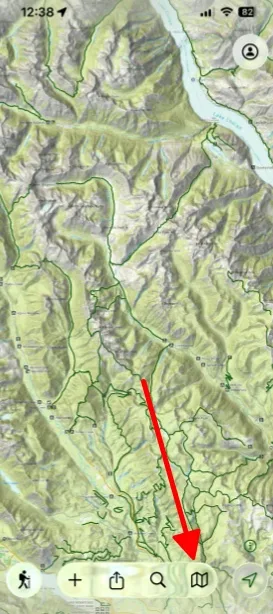
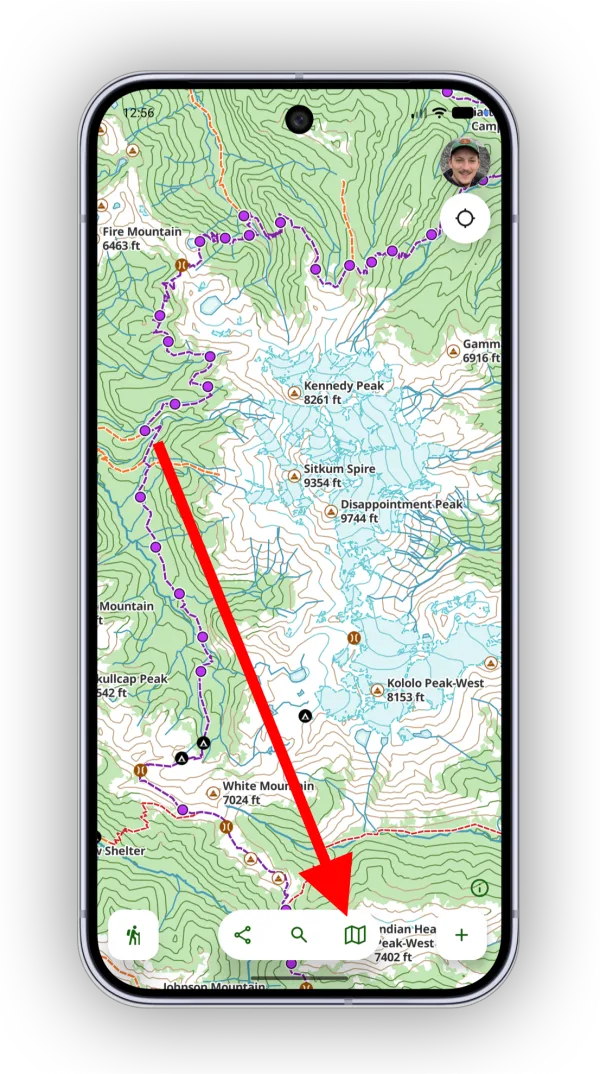
Tap the Maps button in the toolbar.
-
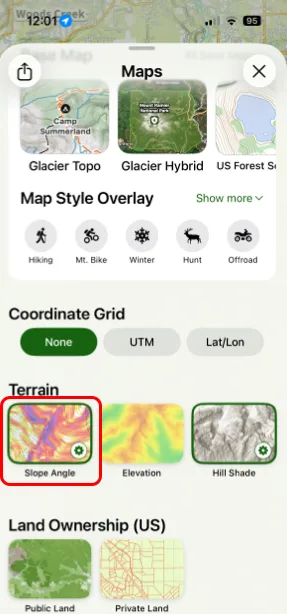
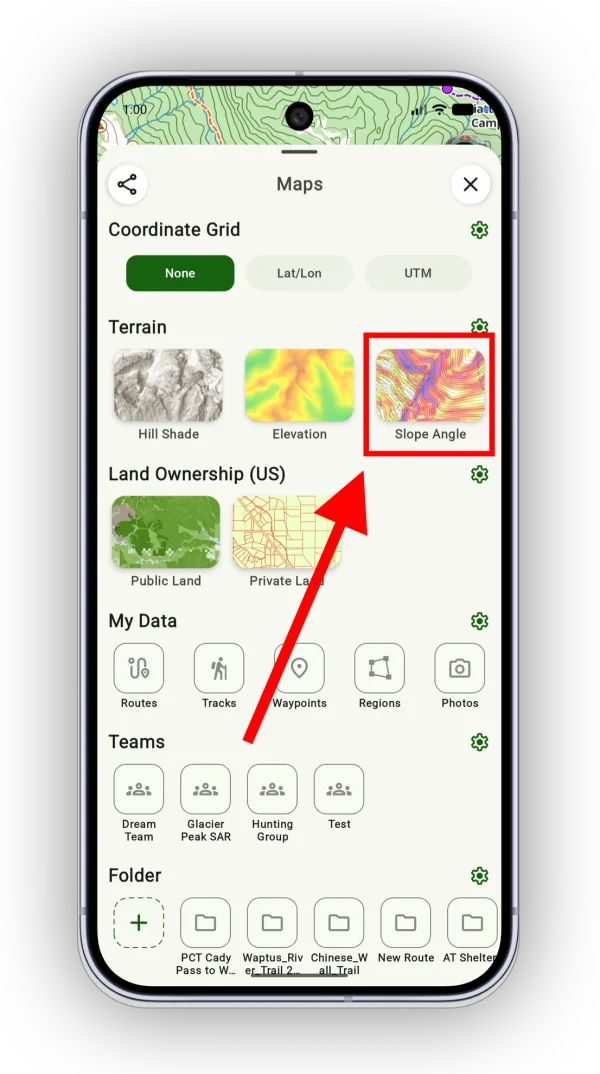
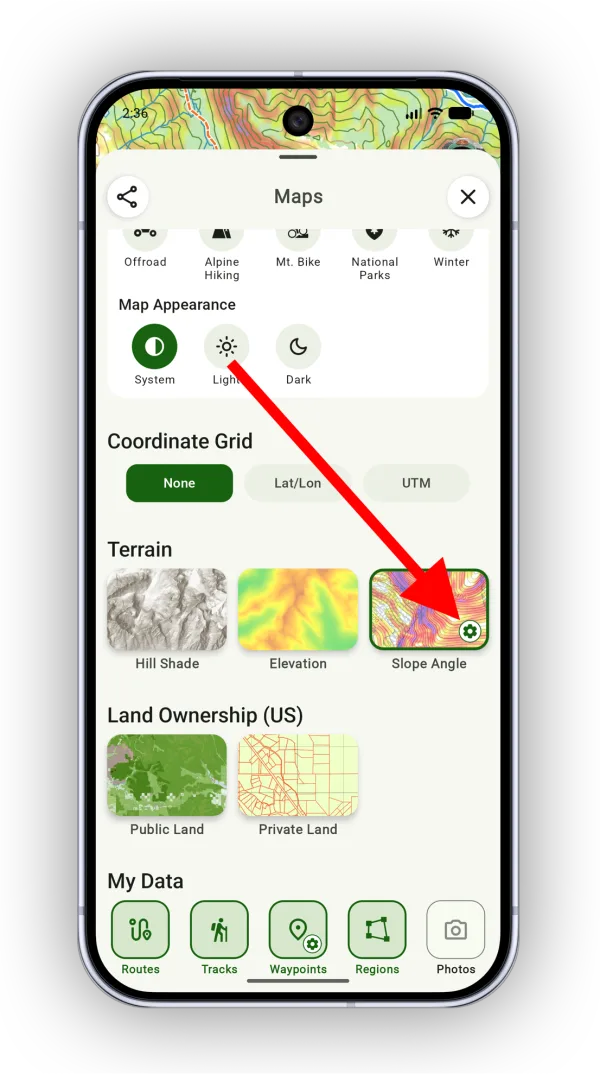
Scroll down to Terrain and tap Slope Angle.
How to customize the colors
-
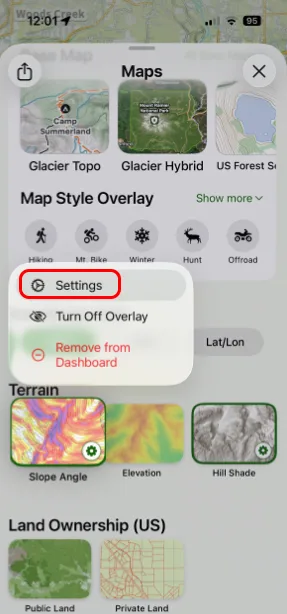
Tap the settings icon on the Slope Angle overlay. You can also tap and hold it, then tap Settings.
-
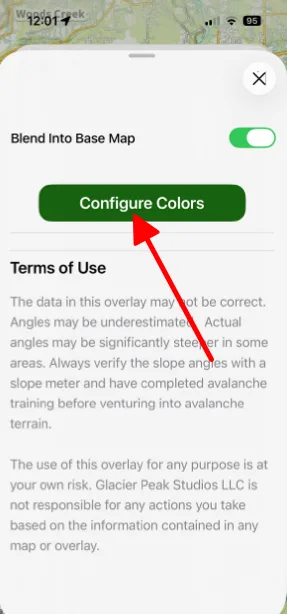
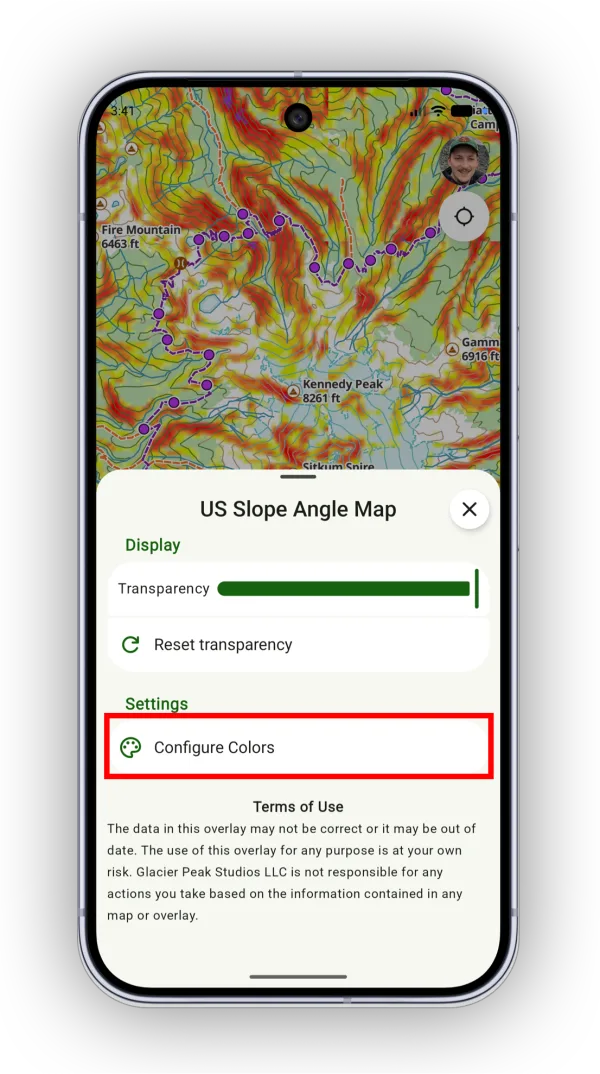
Tap Configure Colors.
-
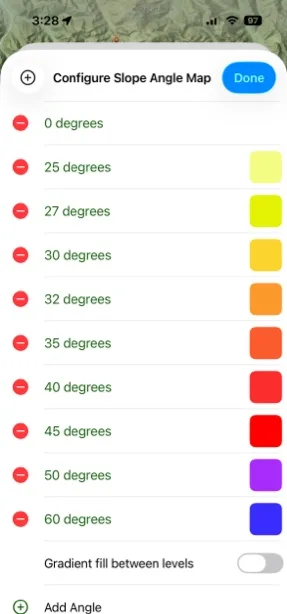
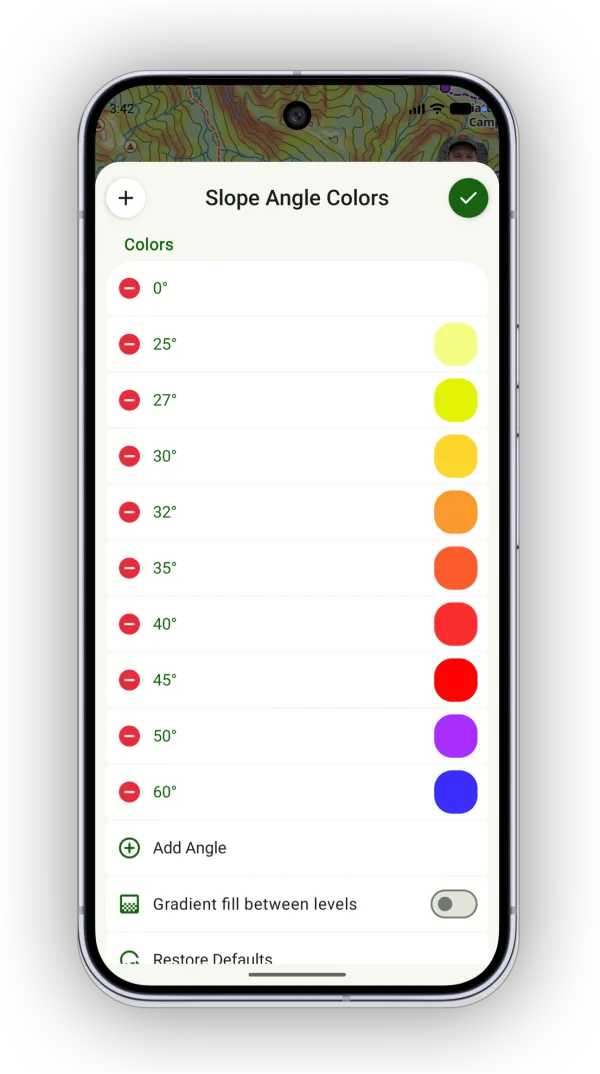
Customize the colors:
- Tap a red remove icon to remove a slope angle from the color scheme.
- Tap the plus icon or Add Angle to add a slope angle.
- Tap an angle to edit its value.
- Tap a color to change the color for that slope range.
Updated October 7, 2026
More in Maps & Overlays
Still need help?
We’re a small team and we read every message. Email support@topomaps.co and tell us which device you’re on.