
Slope Angle Overlay on the Web App
Web app
On your phone? Slope Angle Overlay
The Slope Angle overlay colors the map by how steep the terrain is. In avalanche-prone areas, it's an easy way to see which slopes to avoid. If you go off-trail, it can help you pick a smoother line and steer clear of very steep climbs.
How to turn on the Slope Angle overlay
-
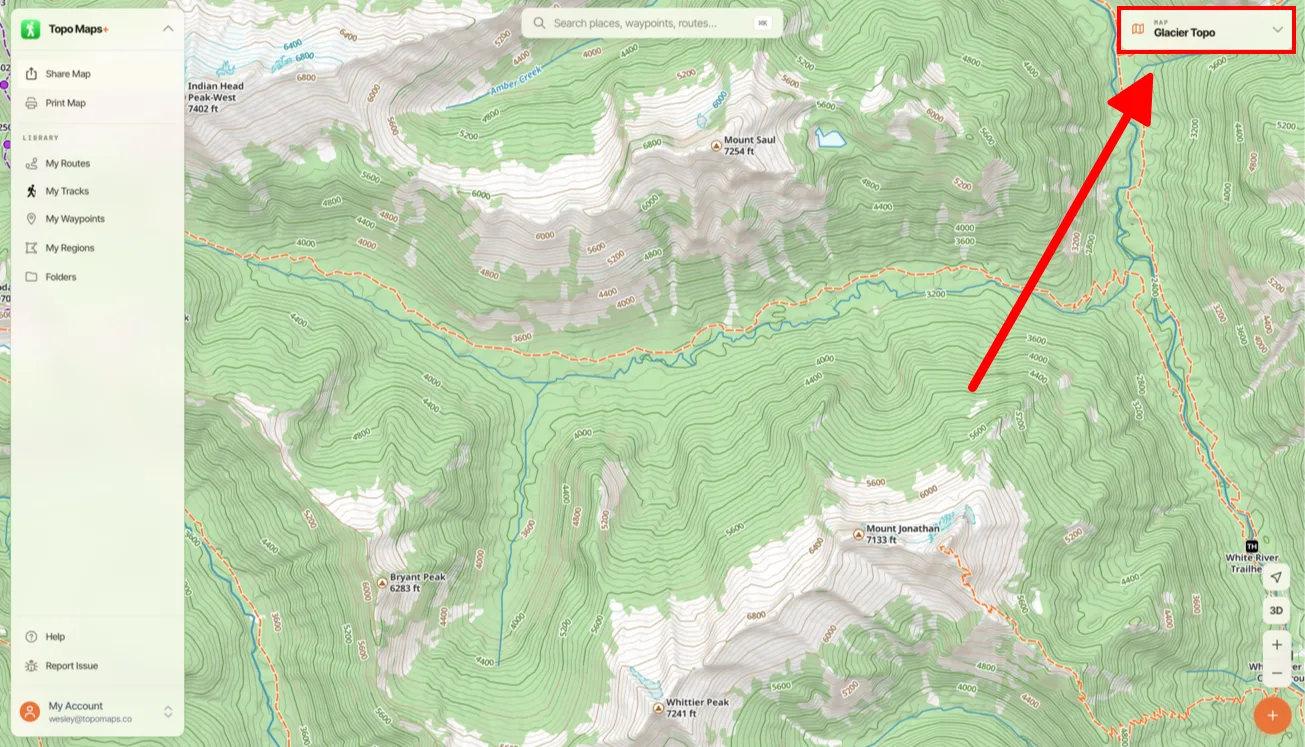
Click the Map Dashboard in the top-right corner of the screen.
-
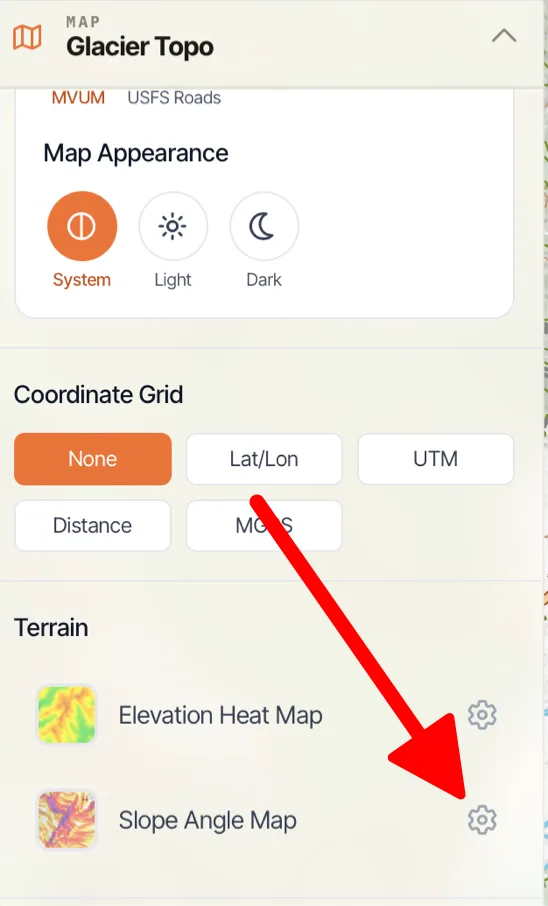
Scroll down to Terrain and click Slope Angle Map.
How to customize the colors
-
Click the settings icon next to Slope Angle Map.
-
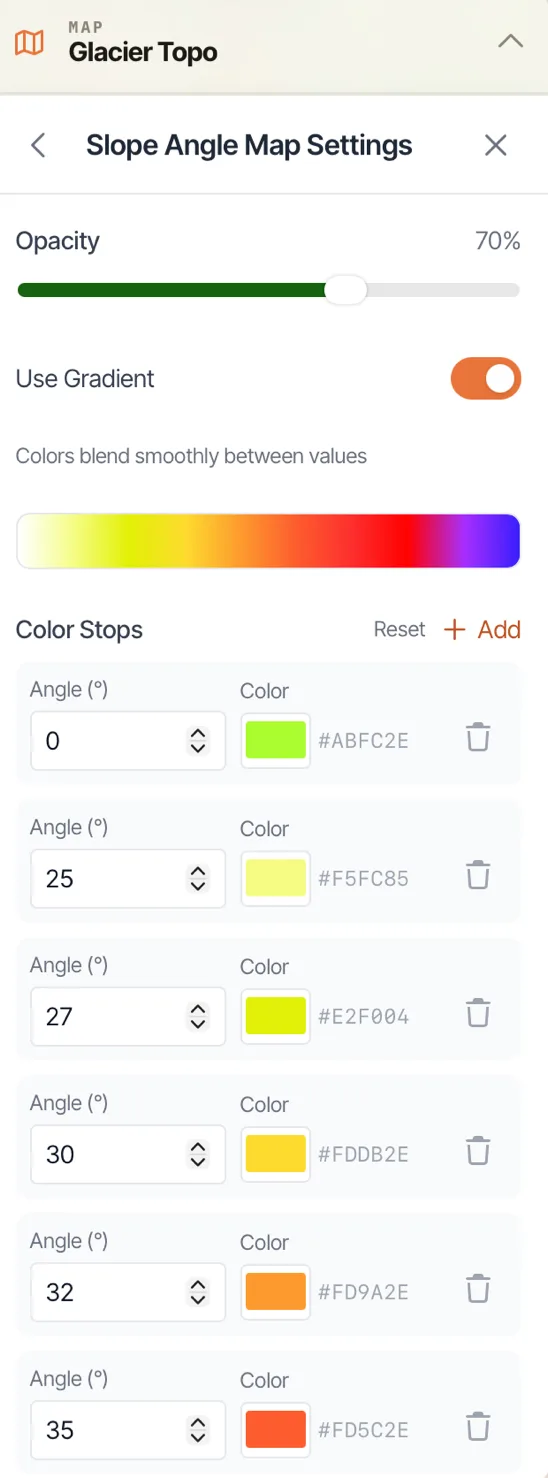
Adjust the opacity, choose whether colors blend as a gradient, and set a color for each angle. Click Add to add a color stop, or Reset to go back to the defaults.
Updated October 7, 2026
More in Web App
Still need help?
We’re a small team and we read every message. Email support@topomaps.co and tell us which device you’re on.