
Importing Data on the Web App
Web app
On your phone? Importing GPX & KML Files
You can import data files into Topo Maps+ on the web, including GPX and KML files and shapefiles, to add their waypoints, routes, and regions to your account.
How to import a data file
-
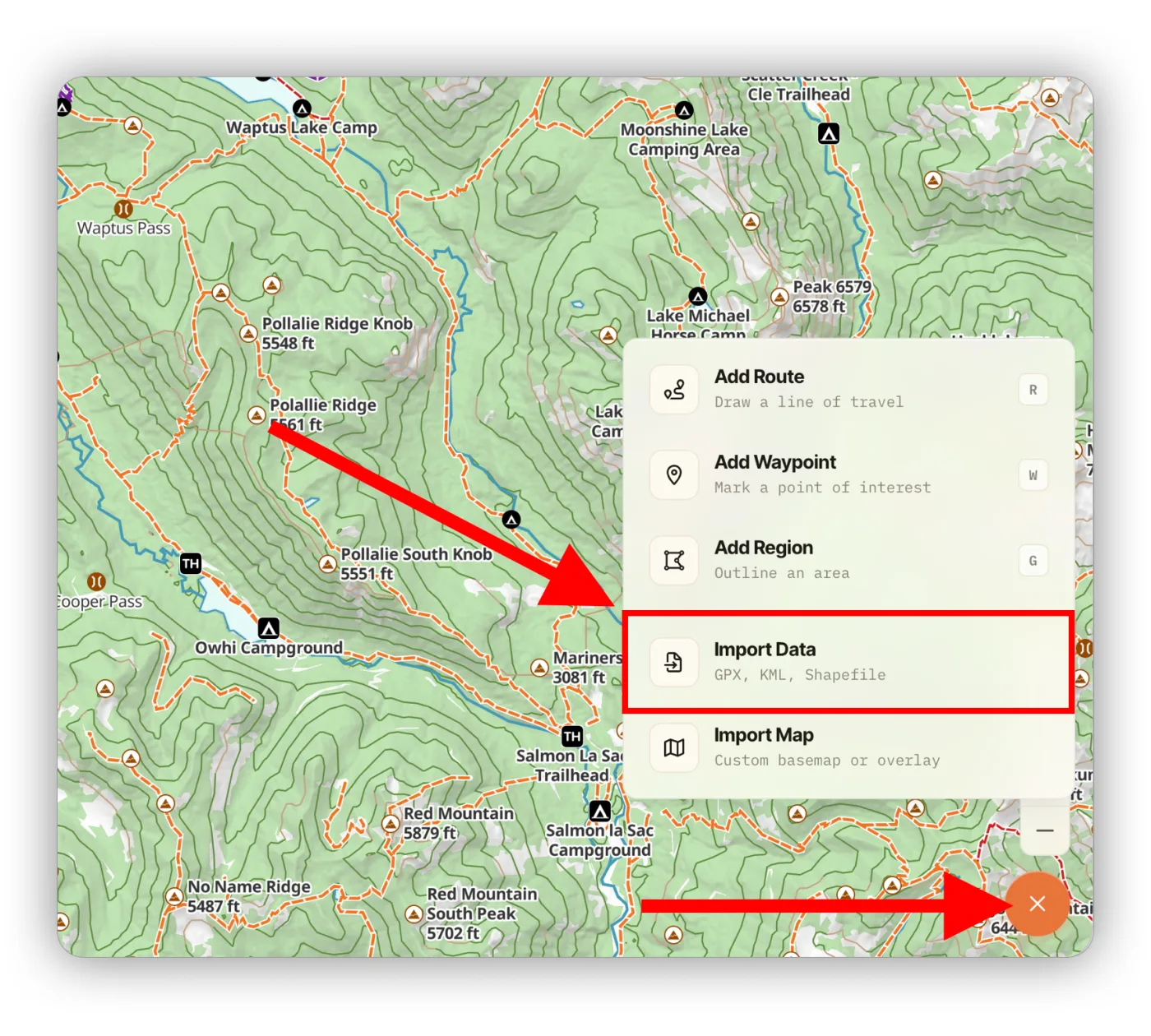
Click the orange + button in the bottom-right corner and select Import Data.
-
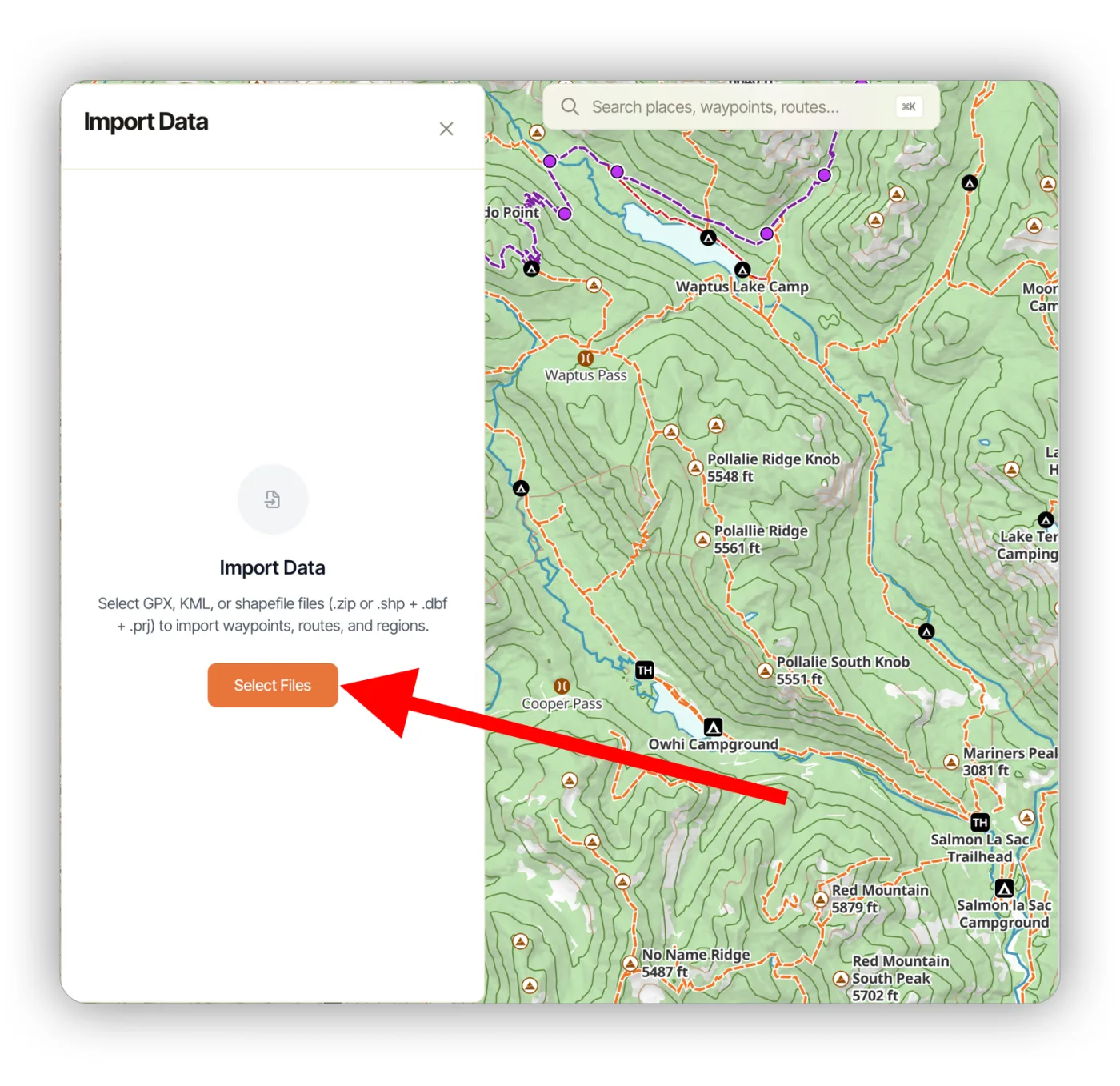
Click Select Files and pick the file you want to import.
-
Topo Maps+ reads the file and shows you its data. Everything is selected by default, but you can deselect anything you don't want. Click Import.
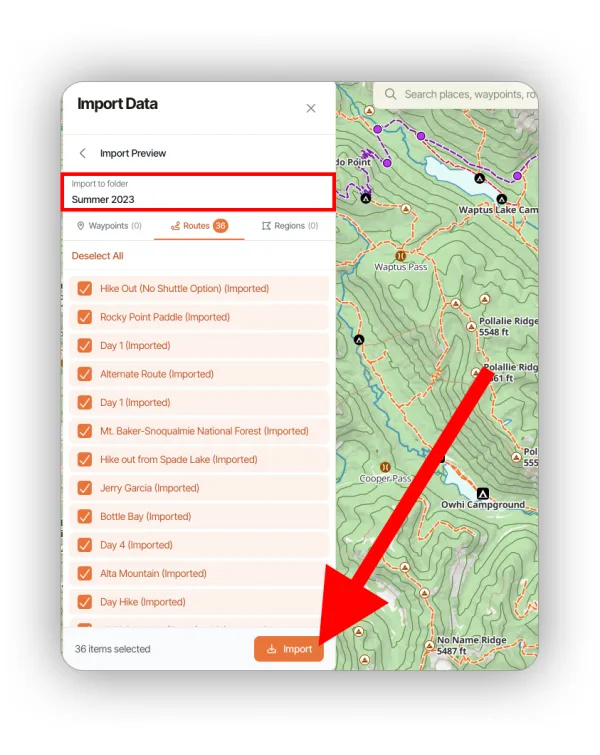
After the import, you'll find your data in a folder named after the Import to folder field on this screen.
Updated October 7, 2026
More in Web App
Still need help?
We’re a small team and we read every message. Email support@topomaps.co and tell us which device you’re on.