
Map Legends on the Web App
Web app
On your phone? Map Legends
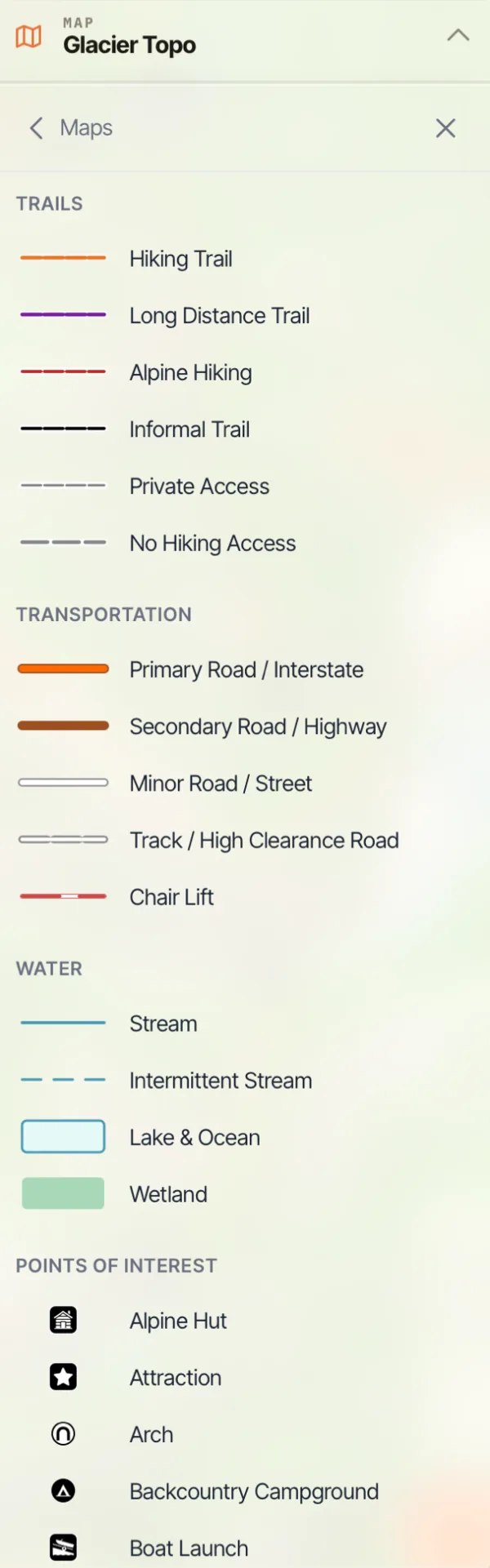
The map legend explains the trails, roads, water features, and points of interest shown on the map.
How to open the legend
-
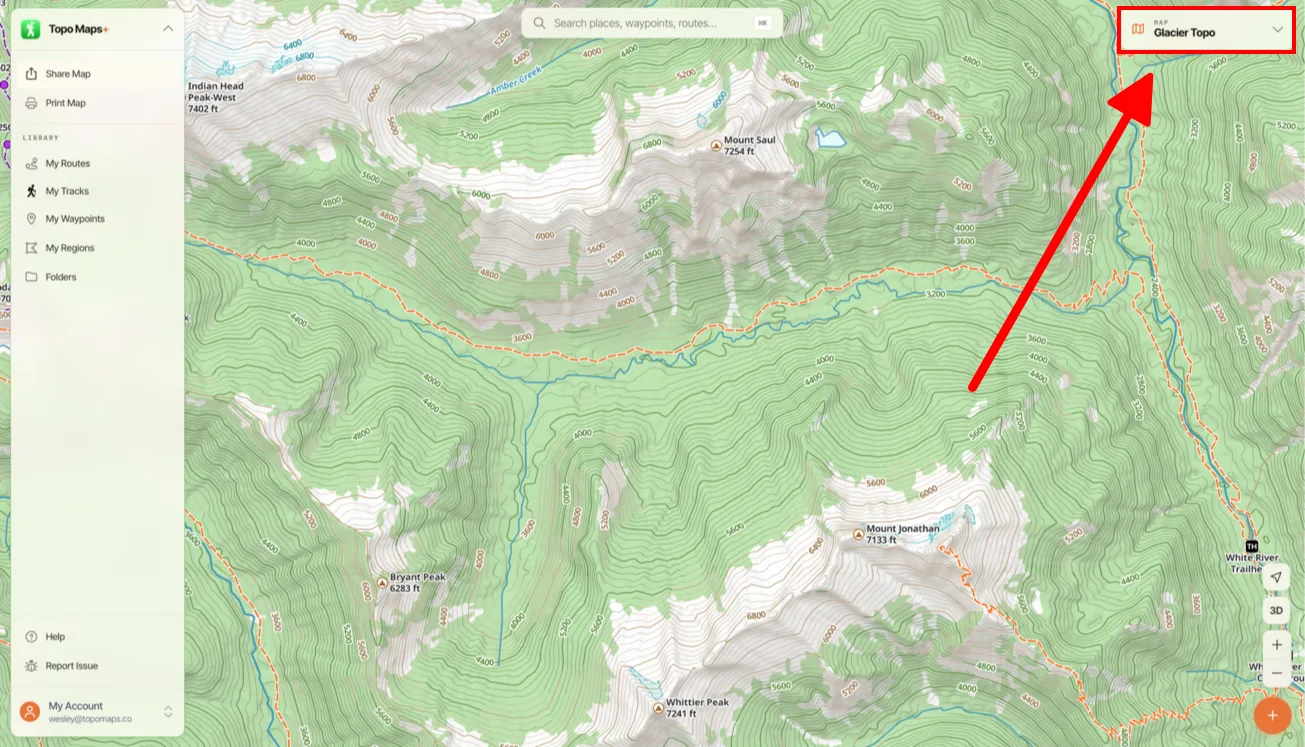
Click the Map Dashboard in the top-right corner of the screen.
-
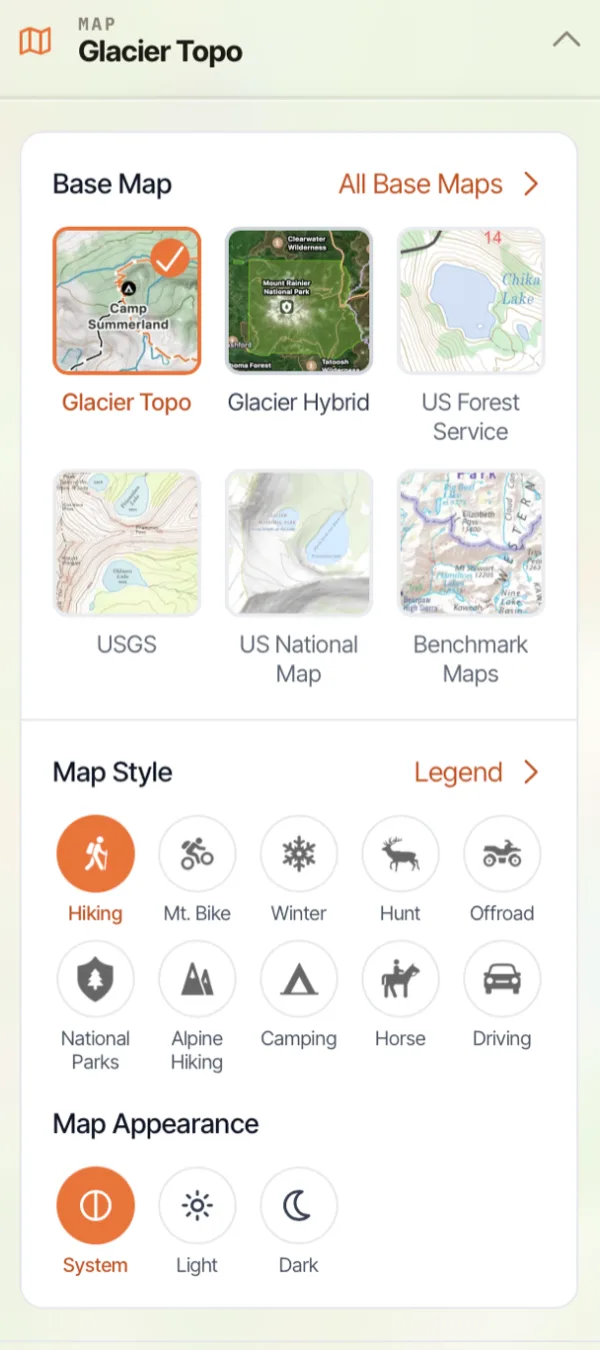
Click Legend next to Map Style.
-
The legend for the map you're currently viewing opens.
Updated October 7, 2026
More in Web App
Still need help?
We’re a small team and we read every message. Email support@topomaps.co and tell us which device you’re on.