
Creating a Team on the Web App
On your phone? Creating a Team
Topo Maps+ teams are a great way to share and collaborate on data with your organization or hiking friends, or even to organize your own personal data.
How to create a team
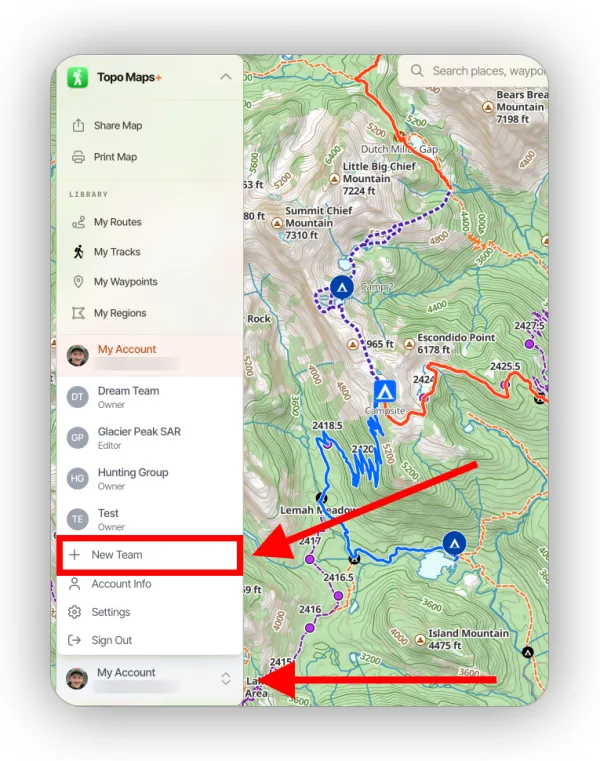
Click your account in the bottom-left corner and select New Team.
Switching between teams and your account
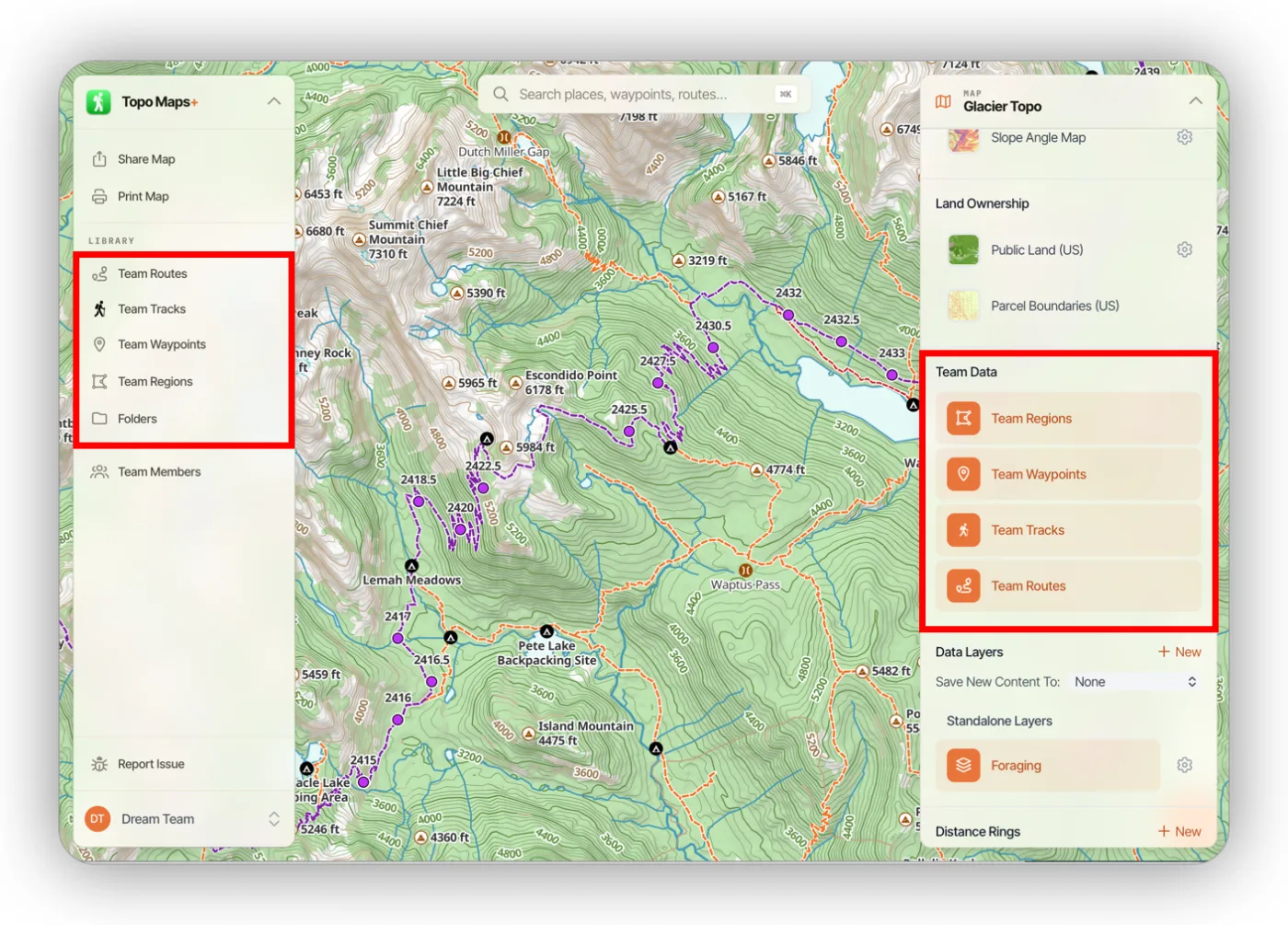
While you're viewing a team, you only see data that belongs to that team: the sidebar shows Team Routes, Team Tracks, Team Waypoints, and Team Regions, and the map dashboard shows Team Data. To see your own data again, open the account menu and switch back to My Account.
How to open team settings
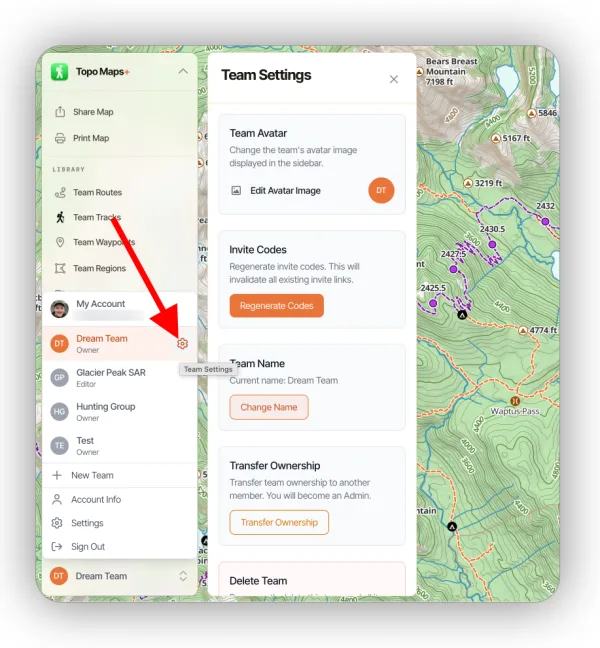
Open the account menu and click the settings icon next to the active team. From Team Settings you can change the team's avatar and name, regenerate invite codes, transfer ownership, or delete the team.
Updated October 7, 2026
More in Web App
Still need help?
We’re a small team and we read every message. Email support@topomaps.co and tell us which device you’re on.