
My Data Overlay on the Web App
Web app
On your phone? My Data Overlays
The data you create (waypoints, routes, tracks, and regions) is an overlay you can turn on and off. For example, you can hide everything except your waypoints.
This also helps when you're viewing data from a team you belong to: turn off your personal data so you only see the team's data.
How to show or hide your data
-
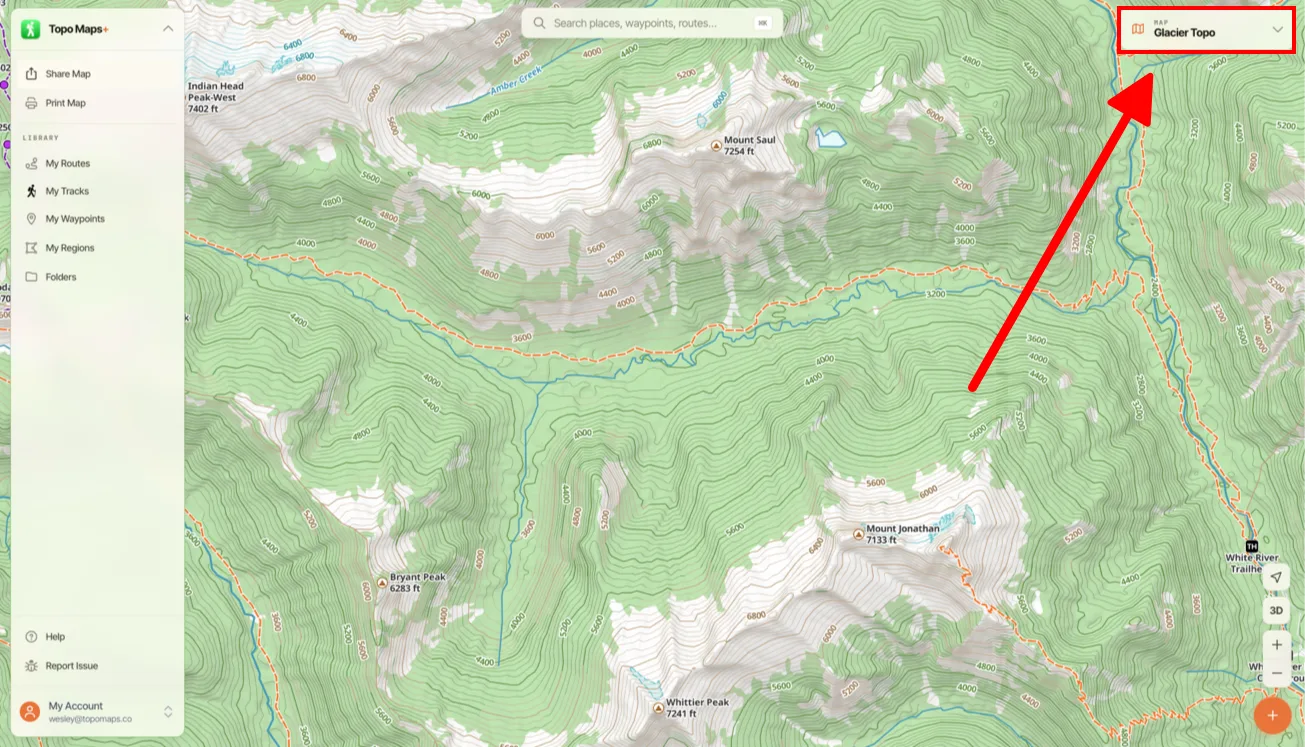
Click the Map Dashboard in the top-right corner of the screen.
-
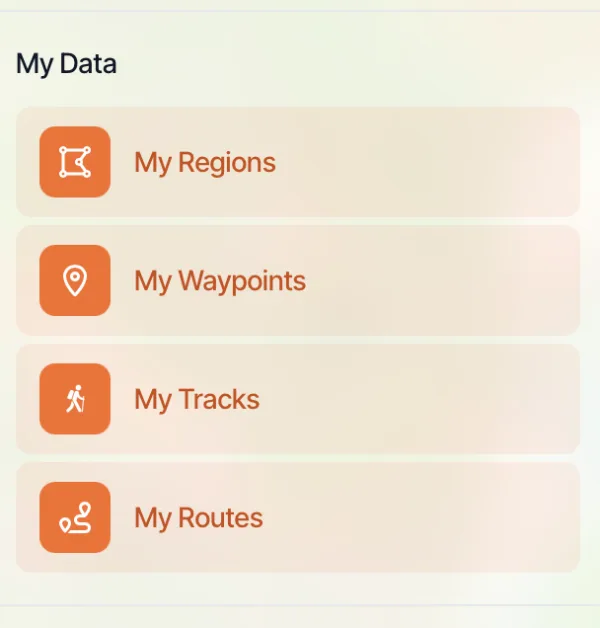
Under My Data, click My Regions, My Waypoints, My Tracks, or My Routes to turn each one on or off.
Updated October 7, 2026
More in Web App
Still need help?
We’re a small team and we read every message. Email support@topomaps.co and tell us which device you’re on.