
Intro to the Web App
Web app
On your phone? Intro to the App
Topo Maps+ on the web, at maps.topomaps.co, lets you plan and share trips on a big screen. Here's a quick rundown of the layout.
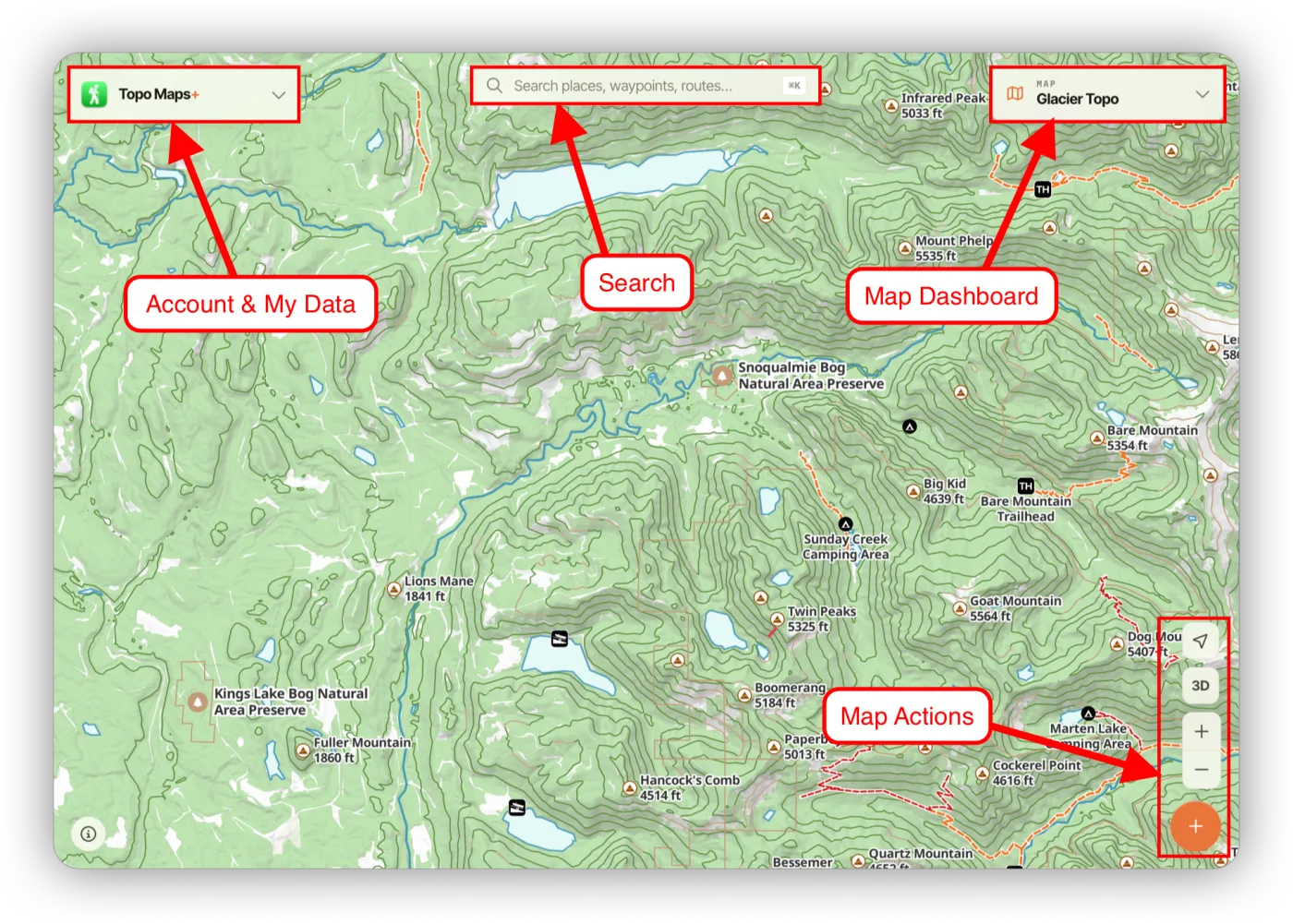
The main areas
- Account & My Data (top left): your saved routes, waypoints, regions, and recorded tracks. You can also view your account, edit your account details, and see your subscription here.
- Search (top center): search your data, places on the map, or coordinates.
- Map Dashboard (top right): switch basemaps and map styles, and customize overlays. See Map Dashboard on the Web App.
- Map Actions (bottom right), from top to bottom:
- Location button
- Toggle between 3D and 2D view
- Zoom in and out
- Add data. Click the orange + button to add a route, waypoint, or region, or to import data.
Working with the map
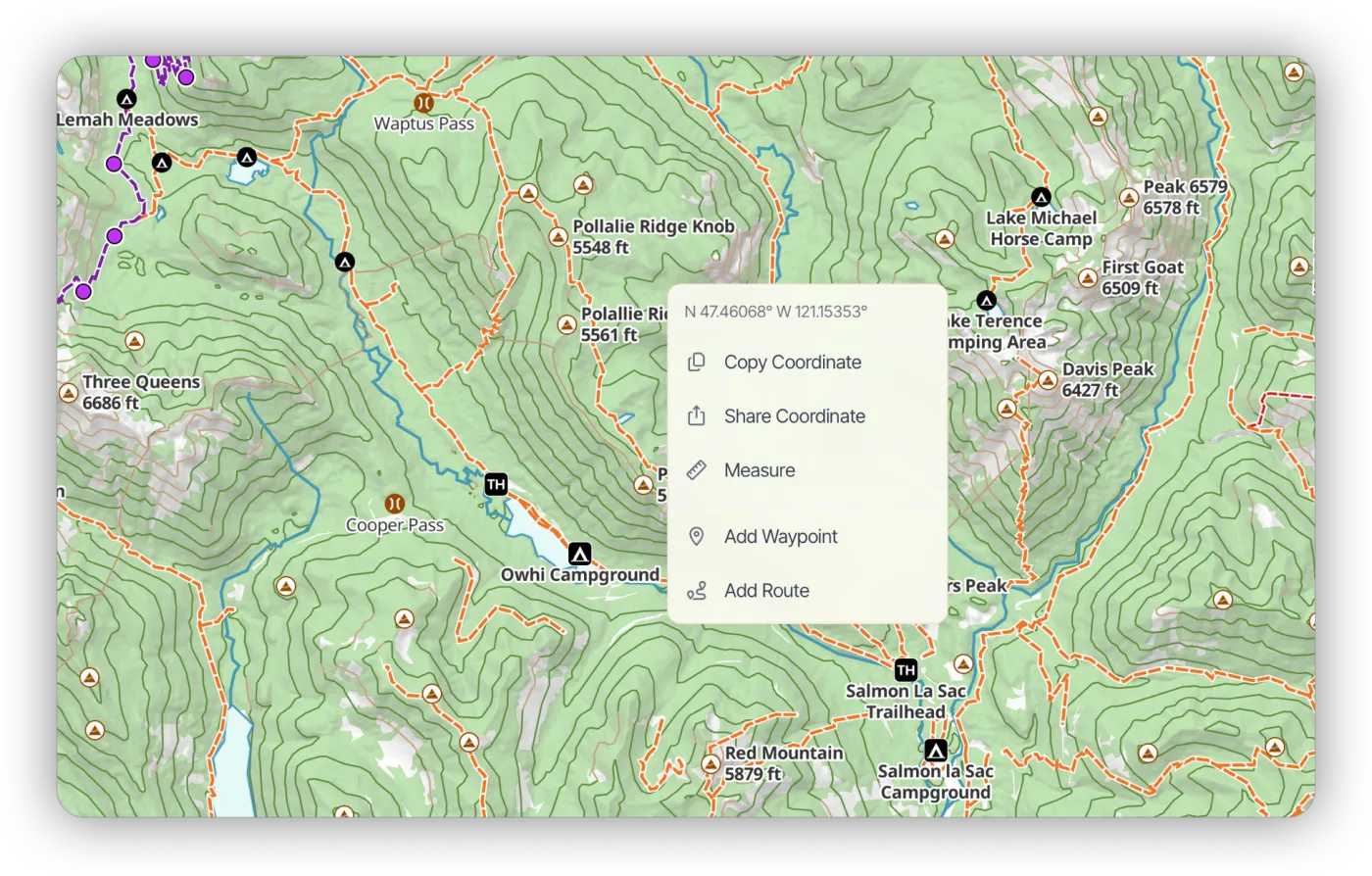
Right-click anywhere on the map to open a menu for that coordinate.
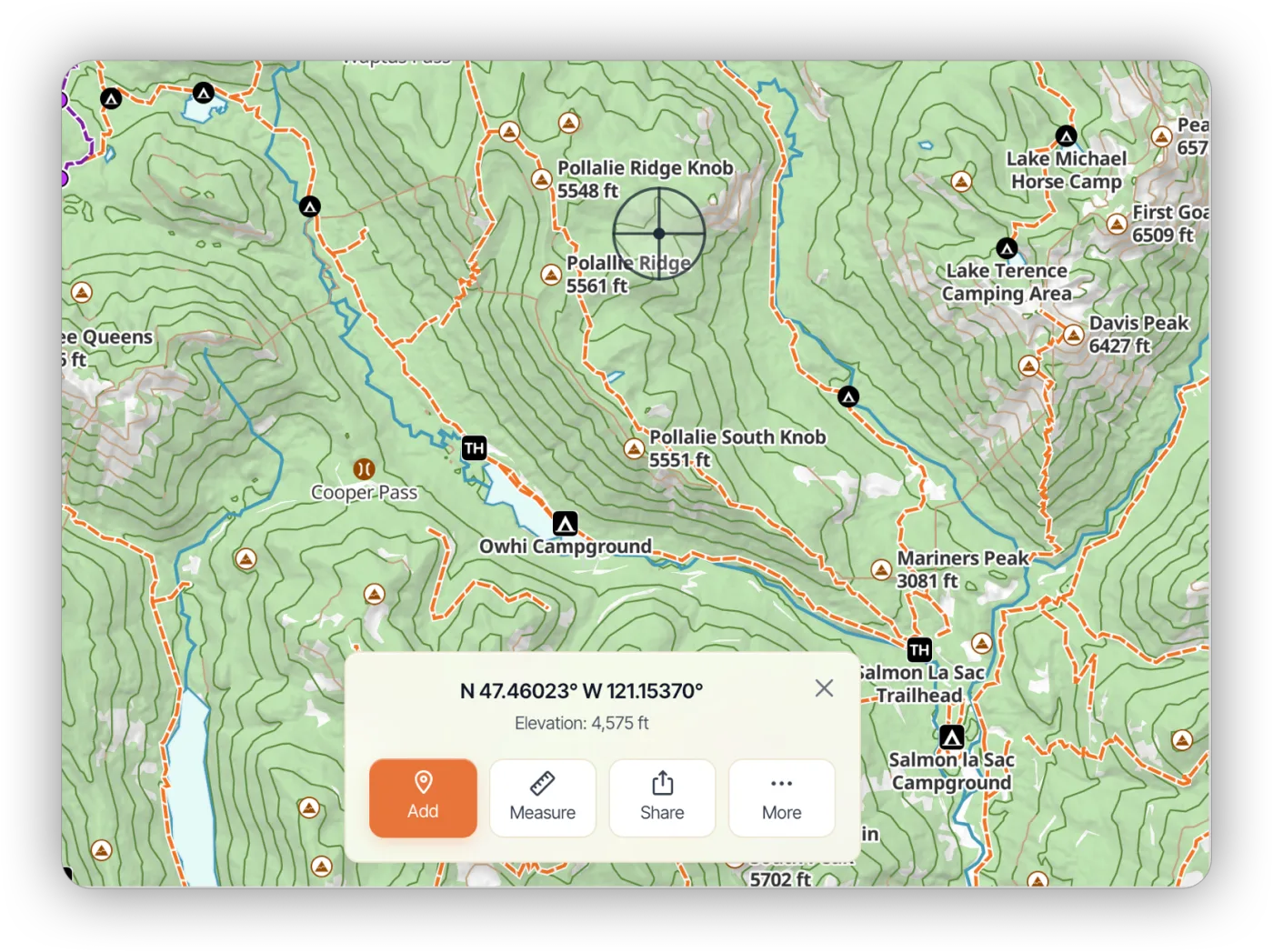
Click and hold on the map to bring up draggable crosshairs.
Updated October 7, 2026
More in Web App
Still need help?
We’re a small team and we read every message. Email support@topomaps.co and tell us which device you’re on.