
Sharing Data on the Web App
On your phone? Sharing Topo Maps+ Data
There are several ways to share from the Topo Maps+ web app. Anyone you share with can open the link, even if they don't have Topo Maps+.
How to share a trail or place on the map
Many features on the map can be clicked and shared. For example, click a trail on the map and then click Share.
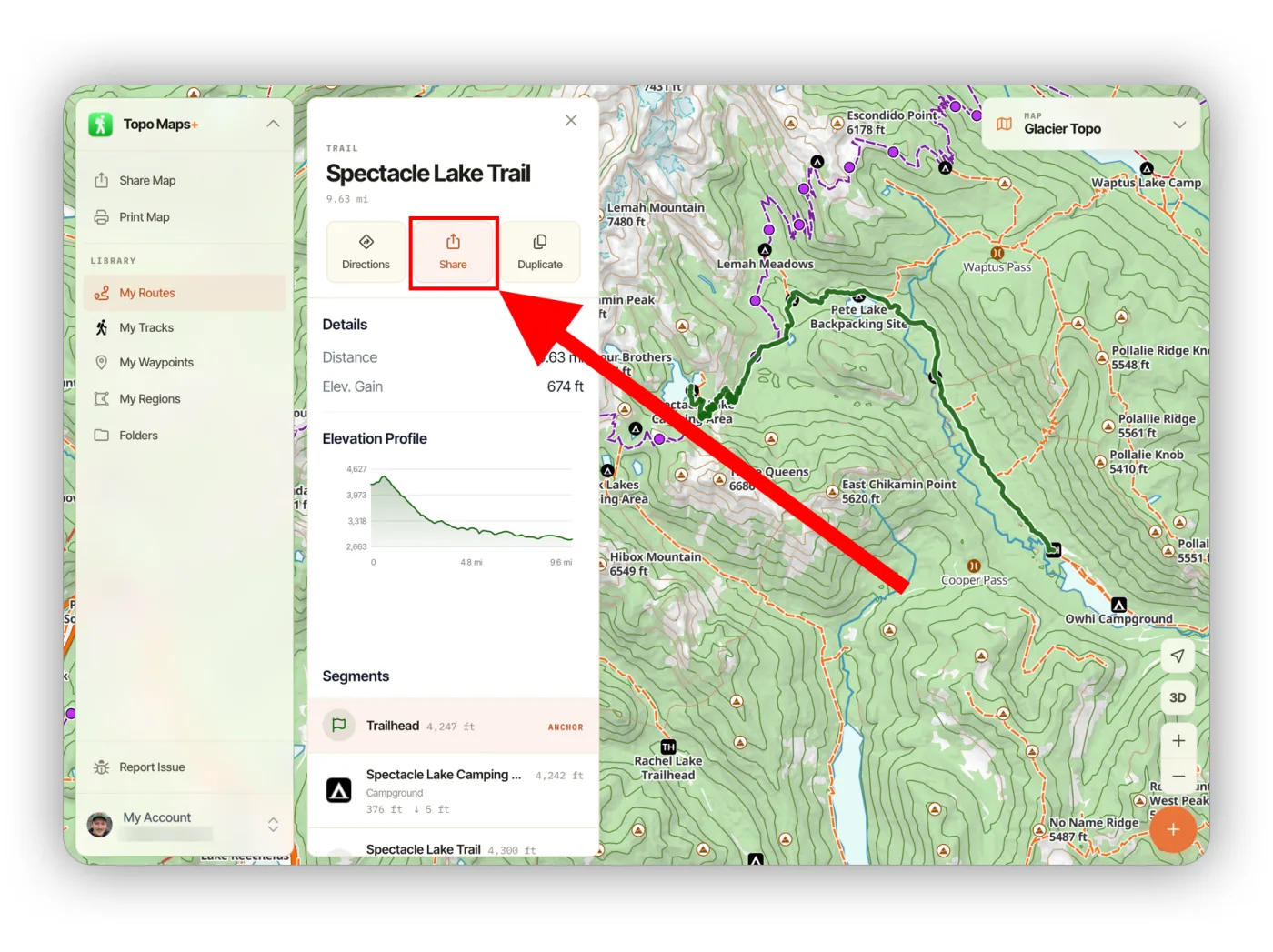
This gives you a link to that feature, for example: https://maps.topomaps.co/trail/47.43412/-121.27820/47.47817/-121.18692/relation/4811392/spectacle-lake-trail?activity=hike.
The link opens the feature in the Topo Maps+ app on a phone or tablet that has the app installed, and falls back to the web app in a browser. That means your friends can see the trail even if they don't have Topo Maps+.
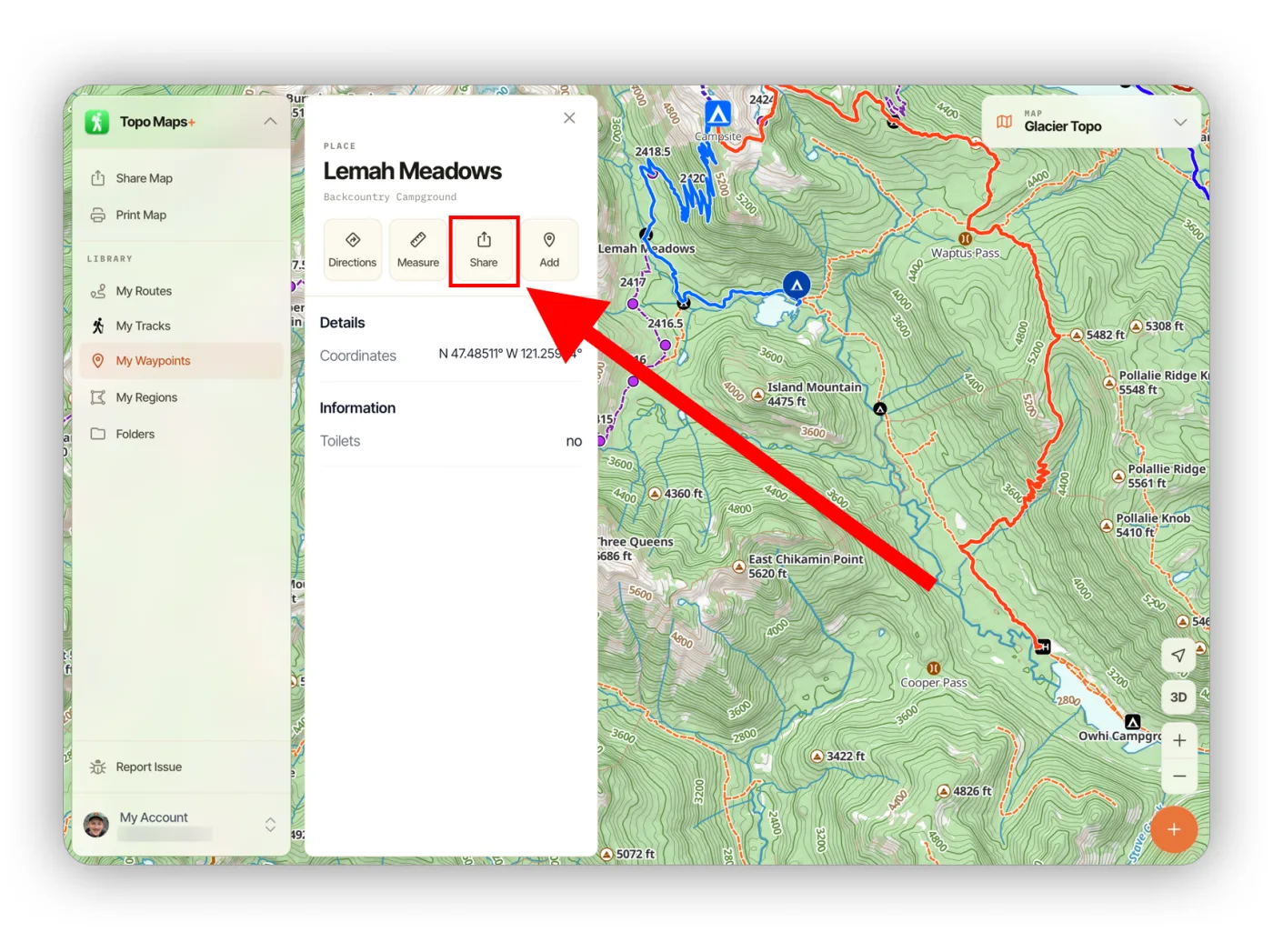
You can do the same with points of interest such as campsites, peaks, and trailheads.
How to share your saved data
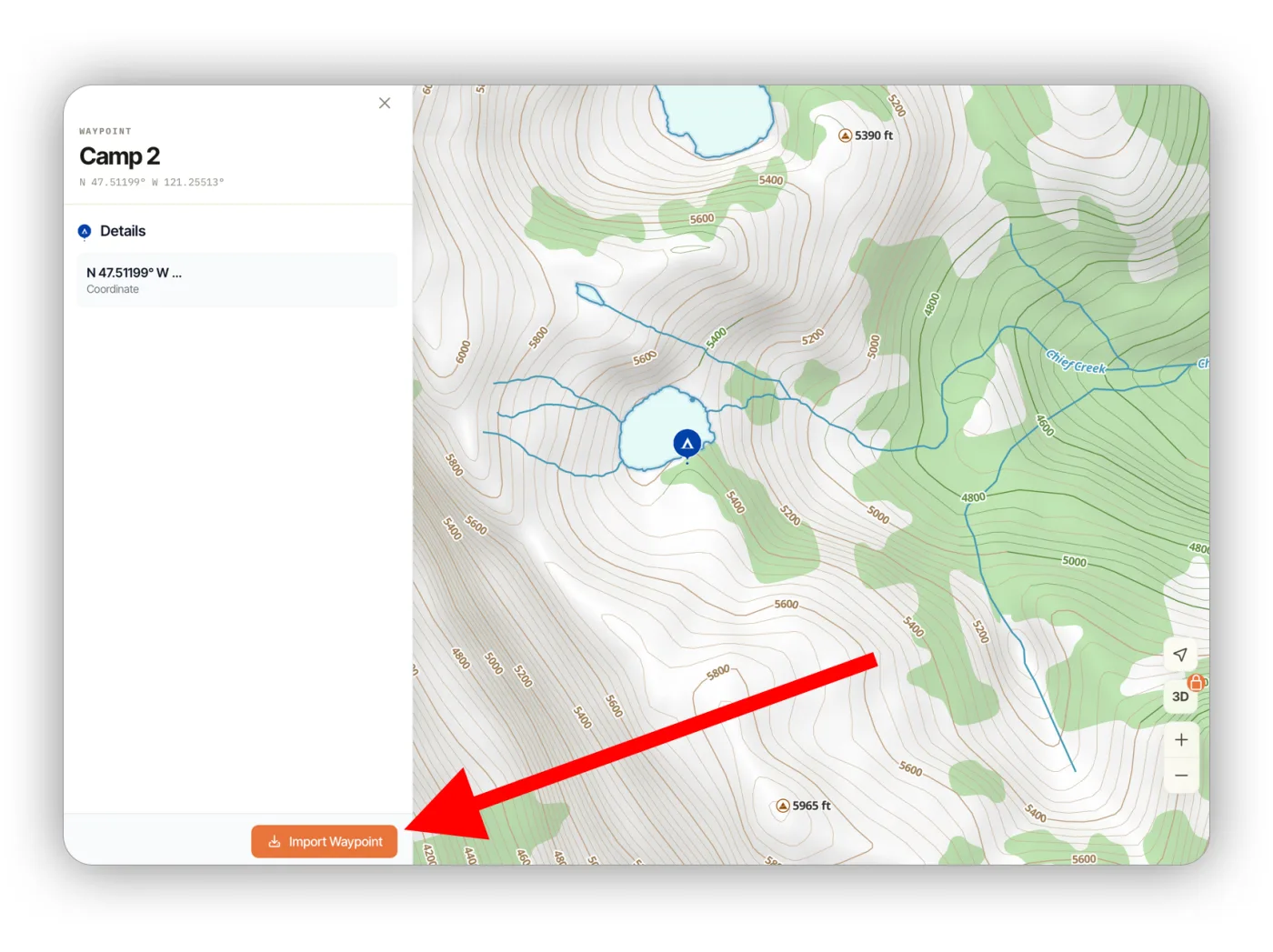
Click Share on your own route, waypoint, or region. When someone opens the link, they see a preview of the data and can import it into their own account.
How to share everything on the map
You can also share the data visible on your screen, which is handy for sharing a whole trip at once.
-
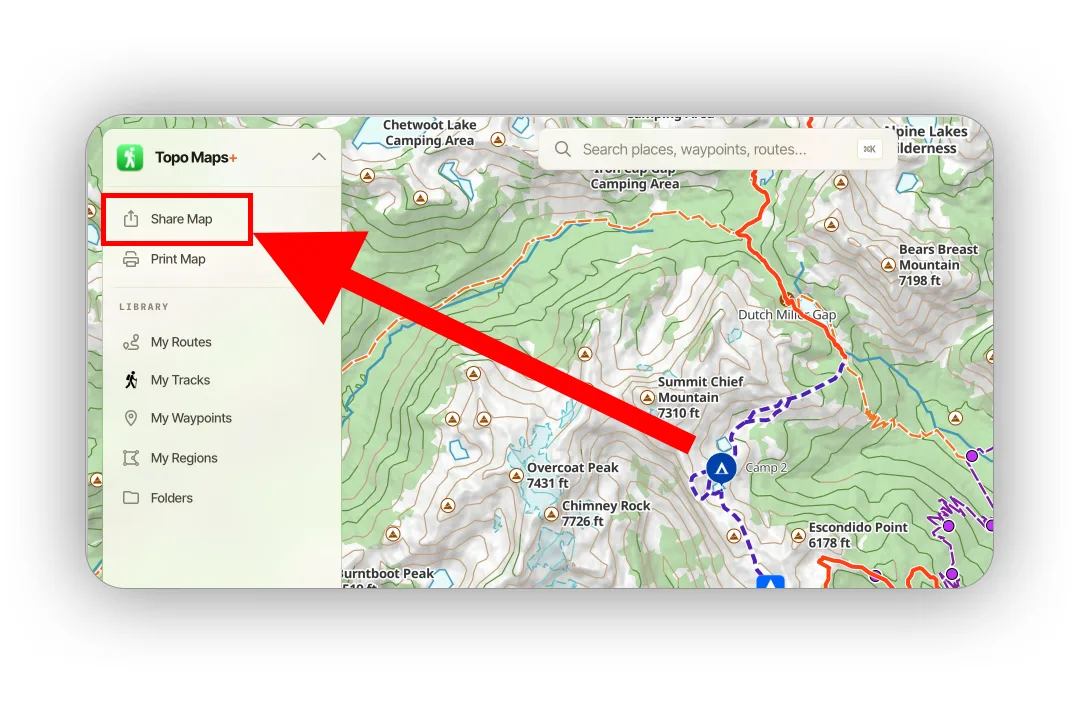
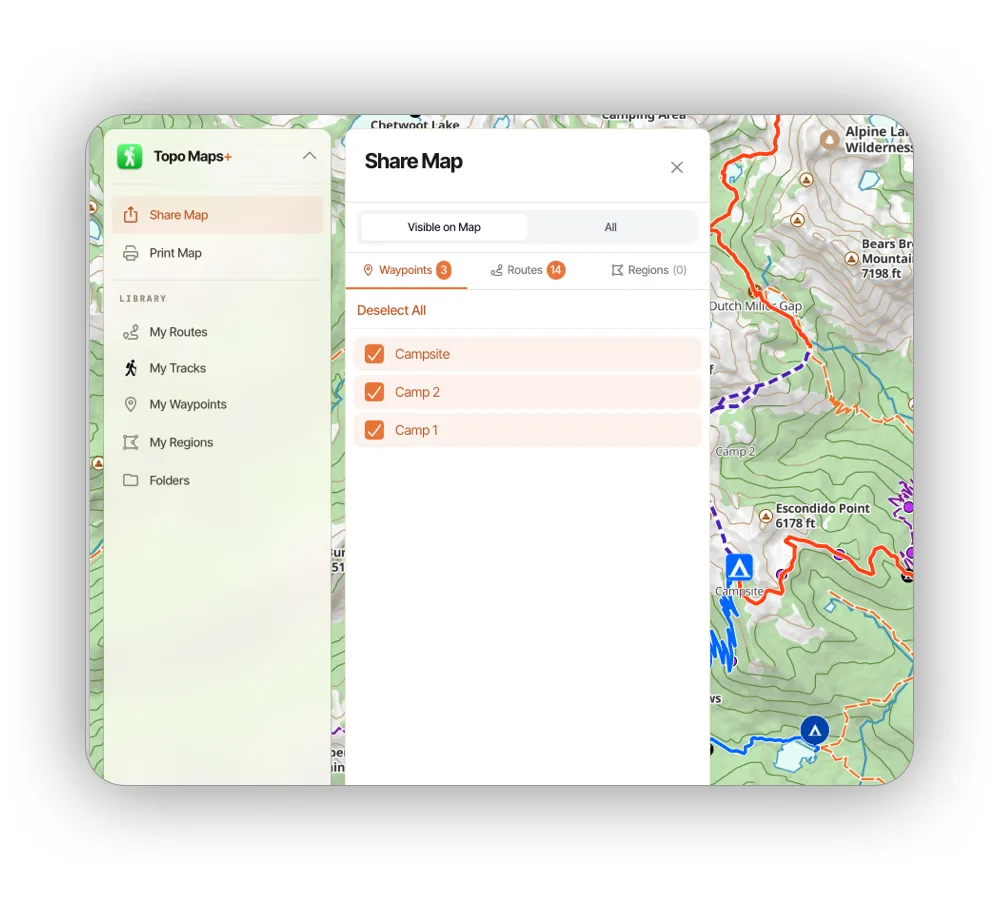
Click Share Map in the sidebar.
-
Select the data you want to share.
-
Give it a title, then choose Share Link to create a Topo Maps+ share link, or Export Data to download a file.
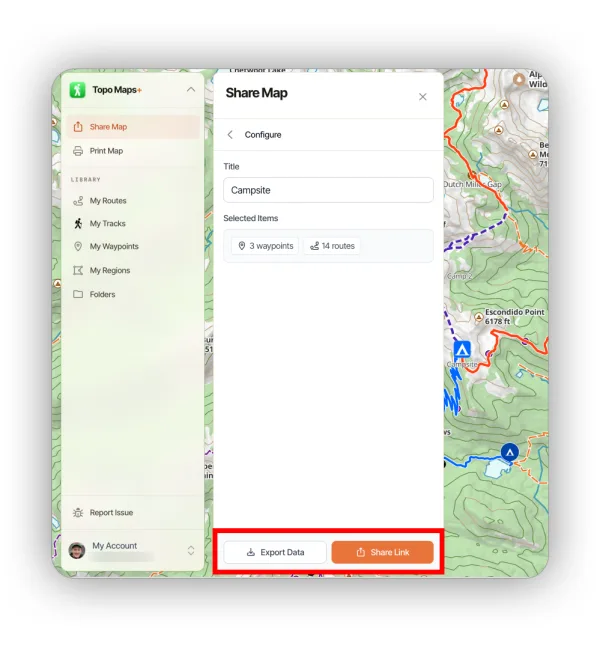
A share link works like the examples above, so people without Topo Maps+ can view the data on a map. A data file (GPX or KML) is best when you need to import the data into another app. See Exporting Data on the Web App.
Updated October 7, 2026
More in Web App
Still need help?
We’re a small team and we read every message. Email support@topomaps.co and tell us which device you’re on.