
Creating a Route on the Web App
Web app
On your phone? Creating a Route
To build a custom route at maps.topomaps.co, click the orange Add button in the bottom-right corner and choose Add Route.
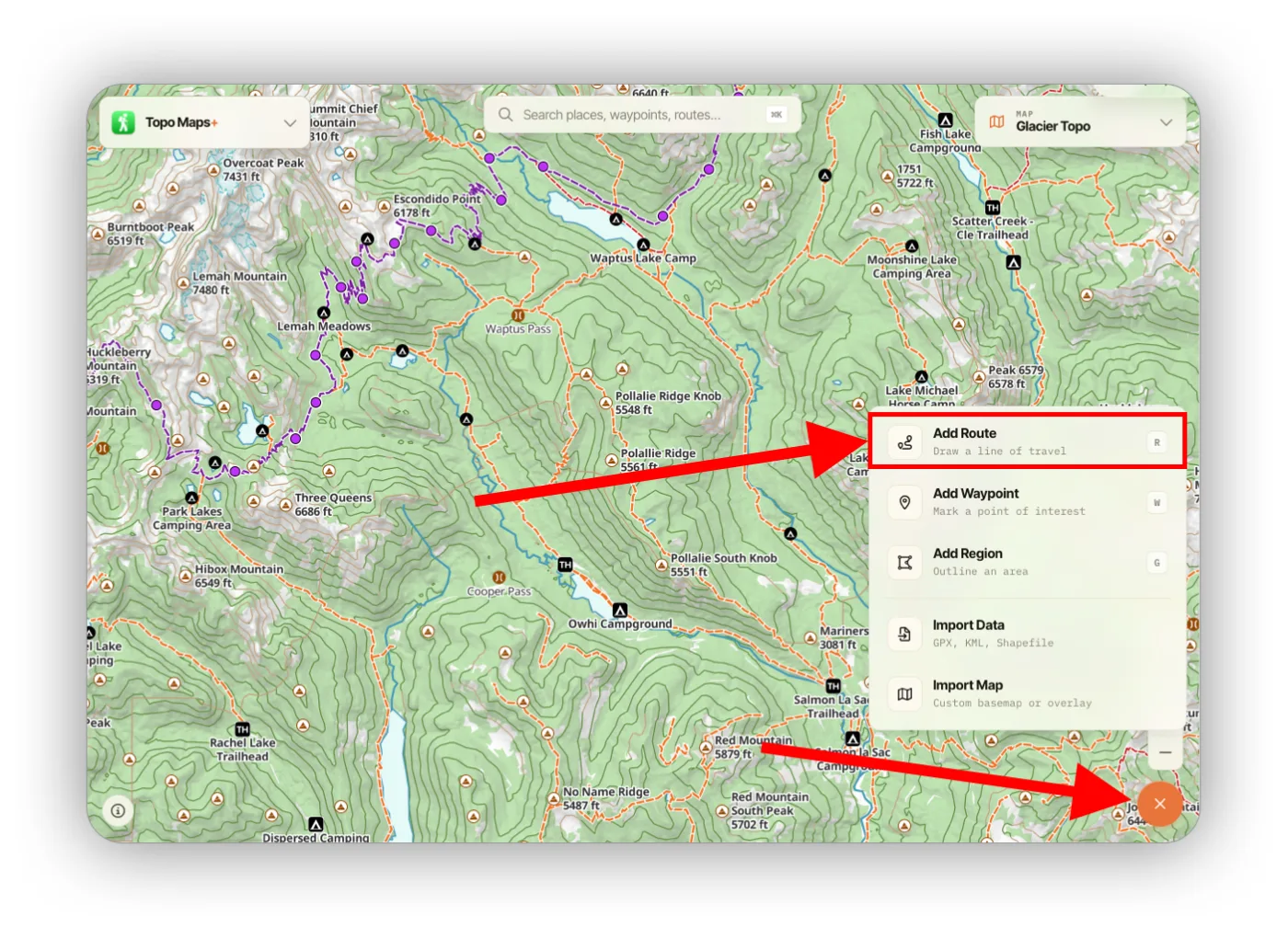
This opens the route builder:
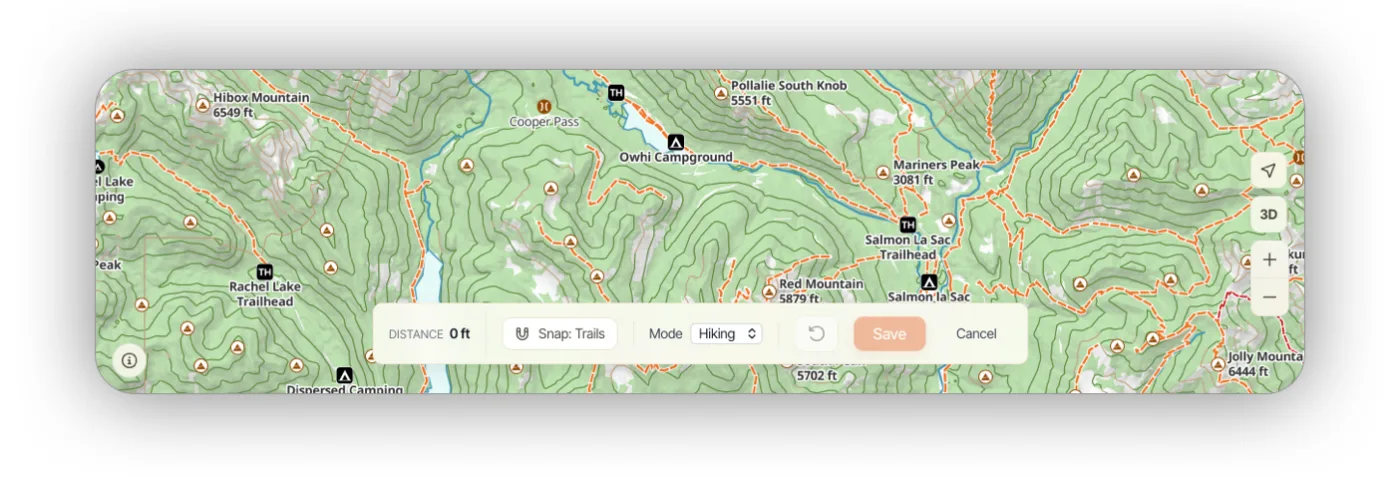
- Snap changes how the route fills in between your points. By default it follows the orange trails on the map. You can switch it to snap to your own routes and tracks, or turn snap off to get straight lines between points.
- Mode switches between Hiking and Driving, for building a route on roads instead of trails.
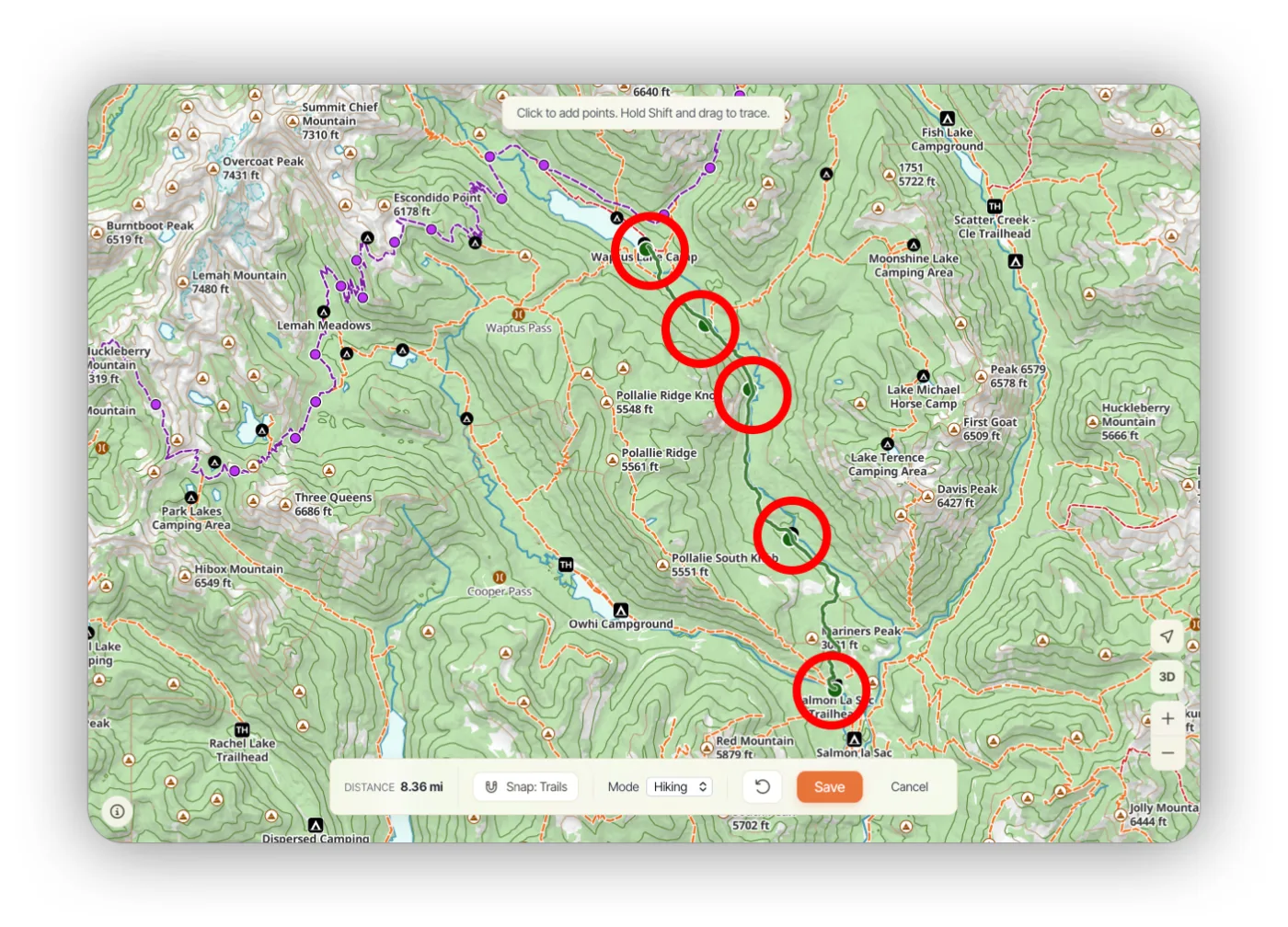
Drawing the route
Click on the map to add points — snap-to-trail fills in the path between them.
Updated August 17, 2026
More in Web App
Still need help?
We’re a small team and we read every message. Email support@topomaps.co and tell us which device you’re on.