
Hunting Overlays on the Web App
Web app
On your phone? Hunting Overlays
Several preset maps already include hunting overlays. If you want to add them yourself for a customized map, here's how.
How to turn on hunting overlays
-
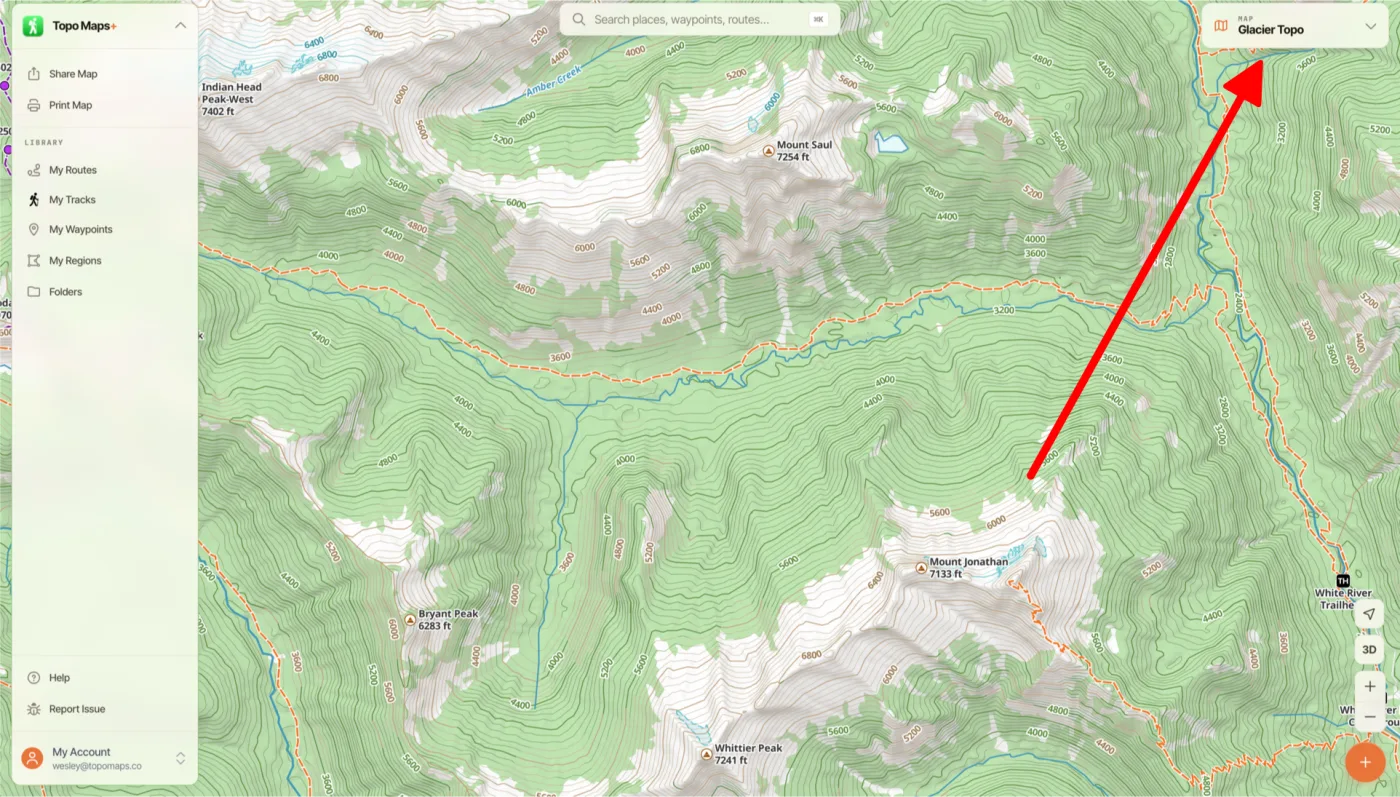
Click the Map Dashboard in the top-right corner of the screen.
-
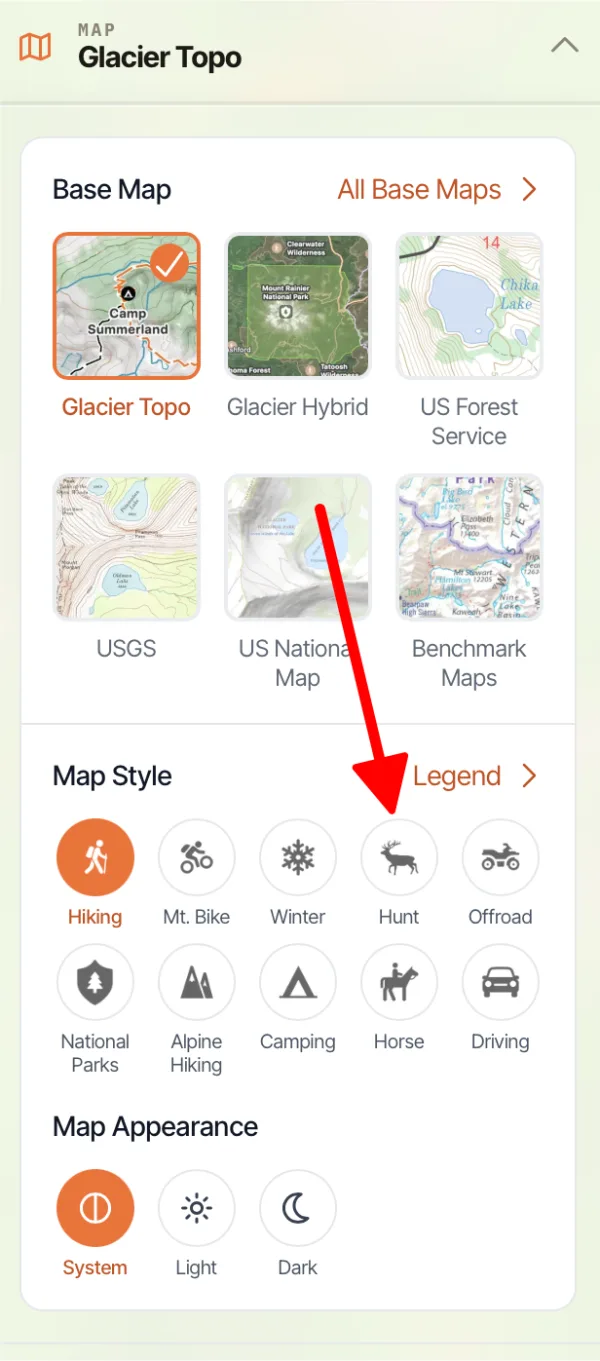
Under Map Style, click Hunt.
-
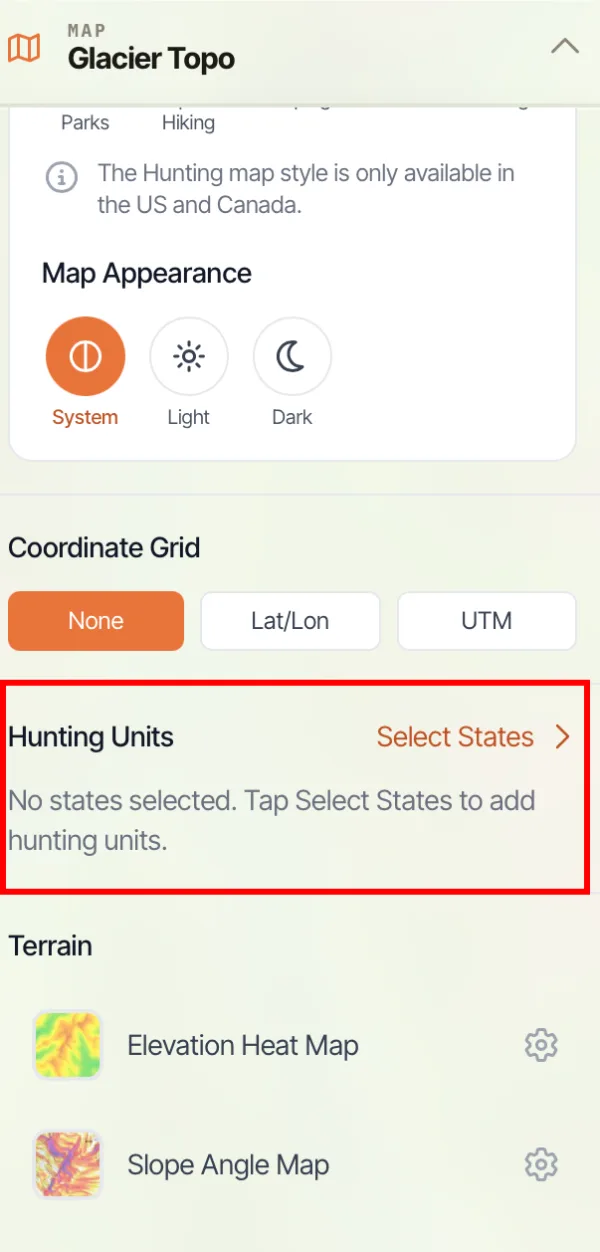
Hunting overlays are organized by state and game type. Under Hunting Units, click Select States.
-
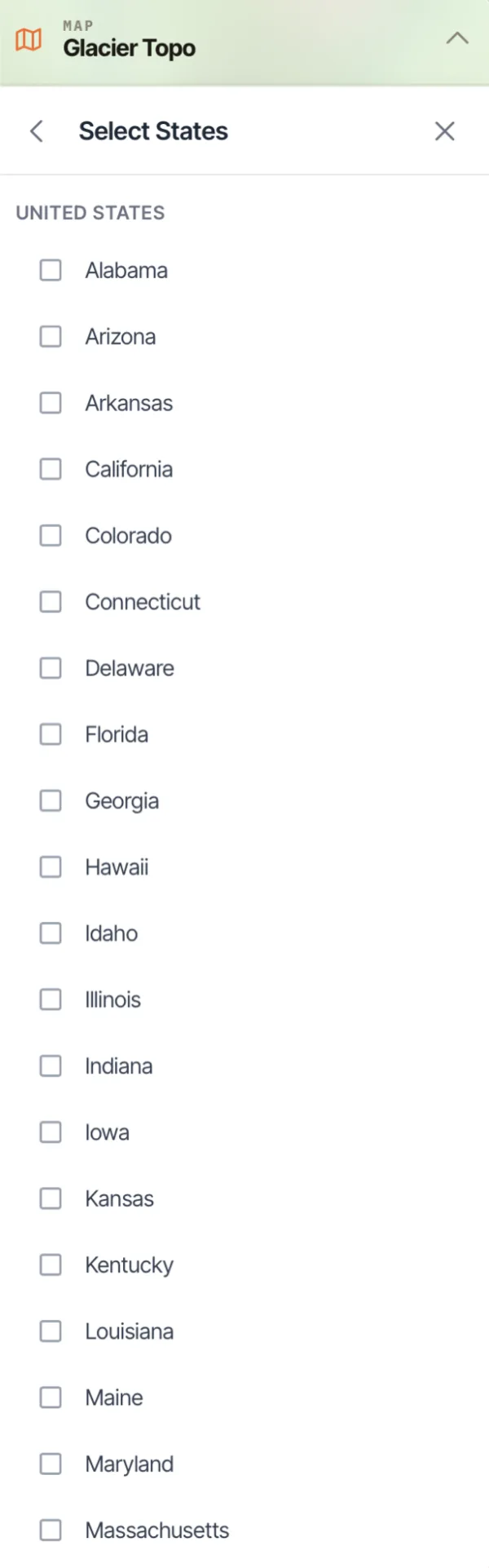
Check the states you want to hunt in (or provinces, if you're in Canada).
Updated October 7, 2026
More in Web App
Still need help?
We’re a small team and we read every message. Email support@topomaps.co and tell us which device you’re on.